Up next in 10

Google Chrome Extension Momentum – Daily Inspiration, Tasks & New Tab Productivity
Aug 18, 2025

Get the full source code of application here:
Show More Show Less View Video Transcript
0:00
Uh hello guys, welcome to this video. So
0:02
in this video, I'll show you a very
0:03
popular Google Chrome extension which
0:06
will transform your browser into a
0:07
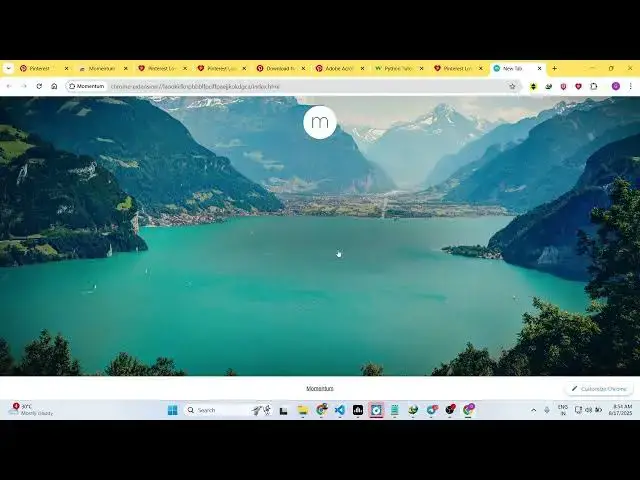
beautifully designed tab with the quotes
0:10
right here. Similarly, it will show you
0:12
the current time. This is the random
0:14
code. It will show with a random
0:16
background. So the name of the extension
0:19
is momentum. If you just search for
0:21
this, it's almost got 2 million
0:23
installs. So this is their official
0:25
website and it's totally free here. You
0:29
can see that it doesn't cost you any
0:31
sort of money. So click on add to
0:33
chrome. So once you add this extension
0:37
automatically you click this extension.
0:40
So just wait. It is installing.
0:51
So here you can search for this
0:52
extension as well momentum.
0:56
So this is the
1:04
so just wait it is installing and with a
1:07
single click your browser experience
1:10
will be changed actual layout the
1:13
background colors and uh you will be
1:15
able to customize your Chrome browser.
1:21
So every time whenever you open Google
1:25
Chrome browser a new background will be
1:26
there with a new code every day.
1:30
So once it is installed.
1:41
So just wait for the installation to
1:43
finish. It's round about the size is
1:46
18.63 MB.
1:57
So now it is already done there. So
2:01
now you basically asking your name right
2:03
here. So you enter your name, click on
2:06
continue
2:07
and uh you can also synchronize it with
2:10
your Google account as well. Click on
2:13
continue with Google and then it will
2:17
simply ask you to login with your Google
2:19
account and so once you're logging
2:28
can repeat the process once again.
2:41
So if you refresh now, this will be the
2:43
dashboard right here. And uh whenever
2:46
you open a new tab, this will be the
2:49
experience for you. So the time period
2:52
854
2:54
with your name and what's your main goal
2:56
today with a random background. So every
2:59
time you open this, you can see that. So
3:05
and also with an random code every time
3:08
whenever you refresh.
3:12
So I think it's a very good extension to
3:15
actually focus on a particular task here
3:18
if you are working eliminate
3:20
distractions and a calming.
3:25
It also have sound as well.
3:32
So
3:35
this is a beautiful sound as well. You
3:37
can see
3:49
so definitely check out this extension
3:51
momentum.
#Computers & Electronics
#Hobbies & Leisure
#Internet & Telecom