Up next in 10

Google Chrome Extension Fake Filler – Auto Fill Forms with Realistic Test Data!
Aug 15, 2025

Get the full source code of application here:
Show More Show Less View Video Transcript
0:00
Uh hello guys, welcome to this video. So
0:02
in this video, I'll show you very uh
0:04
good Chrome extension. If you want to
0:06
fill out forms with fake data, this
0:09
extension is there for you. Uh so if you
0:11
don't want to waste time in manually
0:13
typing the data for you. So this
0:15
extension is there for Chrome extension.
0:17
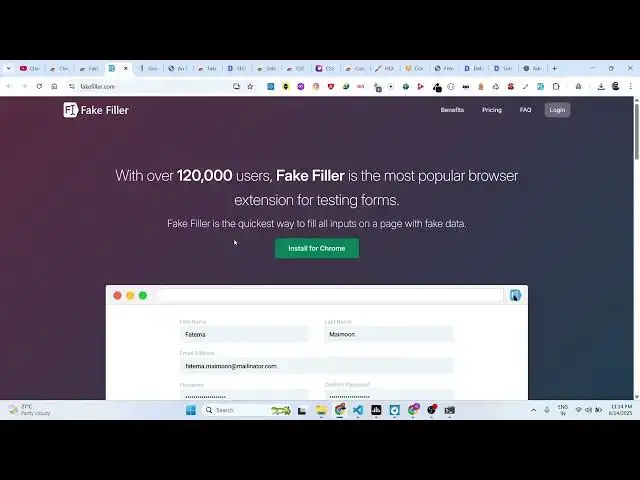
Simply search for fake filler. And this
0:20
is their website here explaining about.
0:24
So it's especially useful for testing
0:26
out forms just replacing some dummy fan
0:29
fake data. And now the extension is very
0:32
simple. Uh just activate this extension
0:35
and this extension will look something
0:37
like this. It will appear right inside
0:39
your extension panel. Now you can go to
0:42
any form. Let's suppose uh this is
0:45
actually a form right here. I simply
0:47
click this extension. After that uh the
0:51
extension will automatically
0:54
fill out.
1:02
Okay, sorry. I think it is you just need
1:04
to right click and then fill all inputs.
1:08
If you just see fill all inputs.
1:15
Okay, let me just create a basic file
1:17
here. Uh
1:22
let me just ask chat GP2 to make.
1:44
So if you're basically working locally,
1:47
if you have a long form for testing
1:48
purposes, then it this extension is very
1:51
good. You can even try out with any
1:54
website as well which has a form. Uh let
1:57
me just
2:10
so if you're designing a long form here
2:12
which don't want to waste time in
2:14
writing the values. So let me just show
2:18
you. So if I paste this.
2:24
So now if you have this form right here
2:27
click on fake filler fill all inputs
2:31
automatically you will see automatically
2:33
it will fill out the information for
2:36
you. So in this easy way
2:43
so some website supports some website
2:46
support this some website doesn't but if
2:48
you're working with locally if you have
2:49
a local form if you just want to
2:55
just right click fill all inputs
3:06
You can see that. So instantly it will
3:08
fill out the actual form. It will save
3:12
you a lot of time. So definitely check
3:14
out this extension
3:16
and uh also check out my website
3:18
freemediatools.com
3:20
uh which contains thousands of tools.
#Internet Software
#Freeware & Shareware