Up next in 10


Get the full source code of application here:
Show More Show Less View Video Transcript
0:00
Uh hello guys, welcome to this video. So
0:02
in this video, I'll show you a very
0:03
important extension for Google Chrome to
0:06
clear out the cache. This is really
0:09
painful to do manually clearing out the
0:13
cache. So if you are a developer or
0:14
programmer, this will be a very good
0:16
extension for you. It's got almost 900
0:19
installs, 900,000 installs. This is
0:22
their official website. You can check it
0:24
out. It's a very free tool. No
0:27
subscription cost is there.
0:30
And uh you can basically go to the
0:32
domain clear out the cache for the last
0:36
15 minutes all that stuff. So just to
0:40
get started click on add to chrome
0:42
button and uh as soon as you do this.
0:46
So this extension will be activated
0:48
right here. And now if you visit any
0:51
website
0:52
simply click this extension.
0:55
As soon as you click the extension, it
0:57
will clear out everything
1:00
and uh just you need to click this
1:02
button and everything will be cleared
1:04
out the cache everything.
1:08
So now if you visit this website once
1:10
again the caching will not be there.
1:13
So you can also rightclick select
1:15
options as well. So right here you can
1:18
select uh what sort of uh cache you want
1:21
to delete. You can even select here uh
1:24
different categories here such as
1:29
inside the options you can even say
1:31
cookies you want to also delete
1:33
discounts under
1:36
so if you also want to delete the
1:39
passwords history form data downloads
1:41
you can even click that as well so
1:46
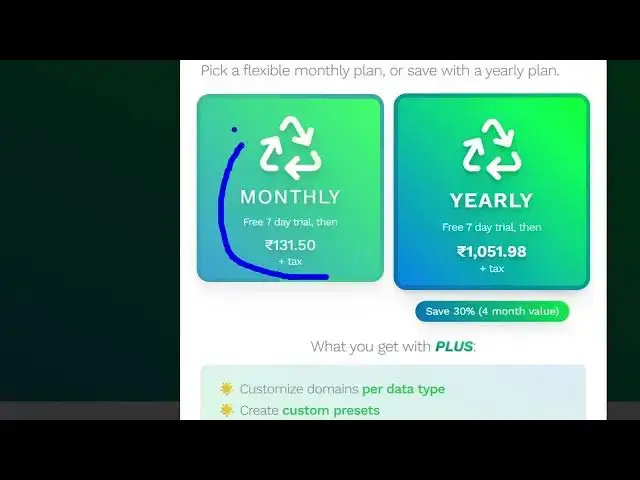
so they do offer the plus version as
1:48
well which cost you around 131 rupees
1:51
per monthly around about $2. And it also
1:55
offers you free 7-day trial. But the
1:57
free version is more than enough. If you
1:59
just want to clear out the cash, you
2:00
simply go to the website
2:03
that you want to go to and simply
2:08
hit this button right here which is
2:10
shown to you. Clear out the cache and
2:12
automatically in the background it clear
2:14
out all the cash caching it is there. So
2:17
very useful extension. It will save you
2:19
a lot of time if you are a developer or
2:22
programmer. You will you can right click
2:25
go to settings options and here you can
2:27
just
2:29
select which cache you want to you can
2:32
select all these options as well.
2:37
So you can select the timing as well.
2:40
The last 15 minute cache or everything
2:42
you can even select that as well. So
2:46
after clearing out the data auto reload
2:48
will be activated. So the website will
2:51
automatically refresh. So this is a very
2:54
useful extension chrome extension for
2:56
clearing out the cache and data.
2:59
Definitely install it and also check out
3:01
my website free mediatools.com
3:04
uh which contains thousands of tools.
#Programming
#Internet Software
#Development Tools