Up next in 10


Get the full source code of application here:
Show More Show Less View Video Transcript
0:00
Uh hello guys, welcome to this video. So
0:02
in this video, I'll show you a YouTube
0:04
extension which is very popular similar
0:07
tube. The name of the extension, it
0:09
allows you to find similar YouTube
0:11
channels. So if you're viewing a
0:13
specific YouTube channel, then it
0:16
suggests you suggest suggested channels.
0:19
This application will find similar
0:22
channels to the one that you are
0:23
watching. So this is the extension
0:25
similar tube. Find similar YouTube
0:27
channels. This is their website right
0:29
here, similar tube.co.
0:32
So it's a magic of finding niche
0:35
specific YouTube channels. It's
0:37
basically using AI powered YouTube
0:40
channel finder. You simply click to add
0:43
to Chrome. So once you add this
0:46
extension, it allows you to totally get
0:50
started for completely free. So once the
0:52
extension is loaded, you simply activate
0:55
this extension by clicking this. And now
0:58
if you visit youtube.com, uh simply
1:01
first of all simply sign up using your
1:03
Google account to get started for
1:05
totally free.
1:07
Simply login with your Google account.
1:09
Simply grant the permission.
1:12
So once you do this, you are inside your
1:14
free plan.
1:17
So
1:18
now if you simply open
1:22
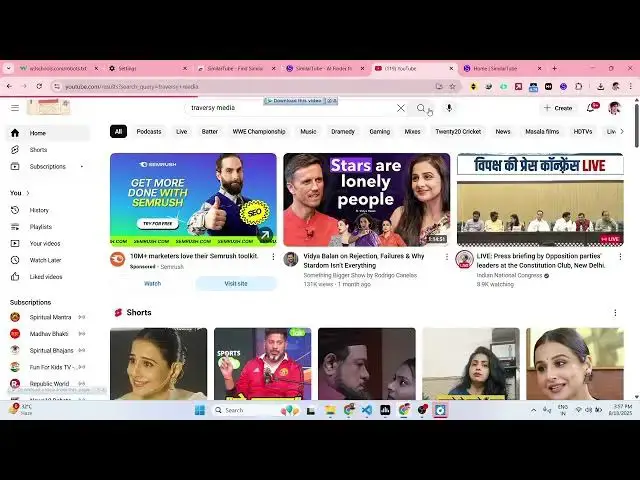
YouTube and uh if you just type here
1:27
Traverse C media anything.
1:33
So if you go to a specific channel right
1:35
here and
1:39
as you can see this will be added right
1:41
here. Search similar on similar tube. As
1:46
soon as you see this,
1:53
so it will start
1:56
searching channels which are related to
1:58
this channel right here which is a
2:00
programming channel. And now you will
2:03
actually see the list here.
2:12
As you click get more, you will actually
2:15
you will get your free plan allows you
2:18
to search about 10 channels. So once you
2:21
land on the page right here, you simply
2:24
click on this
2:26
extension. Simply click on that. This
2:28
channel window will appear and now it is
2:31
searching channels related to web
2:34
development frameworks and technologies.
2:37
And uh now you simply click search. As
2:40
soon as you click search here, the
2:42
application will start searching
2:44
channels which are specific related to
2:46
traversing media. So it will
2:49
automatically scan the all of the
2:51
YouTube search engine and it will find
2:55
out channels which are related to your
2:57
favorite channel. So this is a very
2:59
useful Chrome extension. So now as you
3:02
can see right here, it is finding out
3:05
the channels. Once it reaches 100% you
3:07
will be able to see the results. You can
3:09
simply drag down and this is another
3:12
channel. You can simply click this and
3:14
this is the actual channel which is
3:16
again a programming channel.
3:18
So in this easy way you can explore new
3:21
channels using this extensions. You can
3:23
drag down can see the subscribers,
3:26
number of videos, views everything.
3:32
So it also limit which can see that.
3:39
So for seeing all the channels you just
3:41
need to click upgrade. So if you want to
3:43
upgrade you get 10 searches for
3:46
completely free. So they do have the
3:49
pricing model as well. So the pro plan
3:52
start with
3:55
it also provides you with a free trial
3:57
as well. So definitely check out this
3:59
extension.