Up next in 10

Copy n Paste Google Chrome Extension – Upload Screenshots & Files from Clipboard Instantly
Aug 18, 2025

Get the full source code of application here:
Show More Show Less View Video Transcript
0:00
Uh hello guys, welcome to this video. So
0:02
in this video, I'll show you a very
0:04
popular Google Chrome extension which
0:06
allows you to uh copy and paste images
0:09
from your clipboard and you can simply
0:12
upload those images to any website or
0:14
server that you are working on. This
0:16
will save you a lot of time because you
0:18
no longer need to open your file picker
0:20
window where you select your images. If
0:23
you have simply copy this image, let me
0:25
show you this in action. Simply click
0:27
add to Chrome. Once you activate this,
0:29
this is the name of the extension. It's
0:32
got almost 10,000 installs. This icon
0:34
will show right here. Copy and paste.
0:37
And now simply go to any website where
0:39
you want to upload a image. So inside my
0:41
Facebook account, if I need to change
0:43
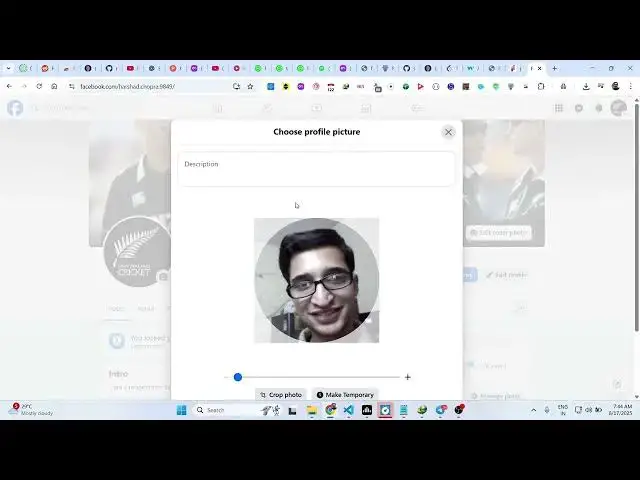
the profile picture. So what I will do
0:45
first of all I simply right click simply
0:49
copy to clipboard this image. And now if
0:51
I click this uh upload photo button
0:54
automatically from my clipboard this
0:56
image is automatically pasted. So I no
0:59
longer need to open the file picker
1:01
window and select the image. So this
1:03
will save you a lot of time because
1:05
automatically if I select let's suppose
1:08
a different image in the clipboard. If I
1:10
select that, right click, copy and once
1:13
again repeat the process and click on
1:15
upload photo. You will see automatically
1:17
it will capture that image from the
1:19
clipboard and simply paste automatically
1:21
this image wherever you need to uh
1:24
upload your image. So this is a very
1:27
useful Google Chrome extension. You you
1:29
can simply select your image, right
1:31
click, copy and that image will
1:34
automatically be pasted right here from
1:37
your clipboard. That's all. So this you
1:41
can do this with with any website. Not
1:43
specifically with Facebook. You can do
1:46
this with any website if you're working
1:48
right here. If you just want to upload
1:50
any kind of image. So it will
1:53
automatically paste your image from the
1:55
clipboard section. So as soon as you see
1:58
that so in this easy way guys you can do
2:01
this process using this extension.
2:04
Copy and paste clipboard upload
2:06
simplified. It basically instantly
2:08
uploads screenshots, drag and drop from
2:11
anywhere.
2:13
So definitely check out this extension
2:17
and uh
2:19
also check out my website
2:21
fulldiadtools.com
2:23
uh which contains thousands of tools.
#Internet Software
#Web Services
#Freeware & Shareware