Up next in 10

Click&Clean Google Chrome Extension – One Click History, Cache & Cookies Cleaner
Aug 18, 2025

Get the full source code of application here:
Show More Show Less View Video Transcript
0:00
Uh hey guys, welcome to this video. So
0:02
in this video, I'll show you a Google
0:04
Chrome extension by which you can delete
0:07
all your cookies and uh all the browsing
0:10
information of your Google Chrome
0:12
browser in a single click. So this is
0:15
the name of the extension click and
0:17
clean and uh it's almost used by 1
0:20
million developers or people. Click on
0:23
add to chrome and simply add this
0:25
extension. So after this extension is
0:28
added you will see this you can activate
0:30
this.
0:32
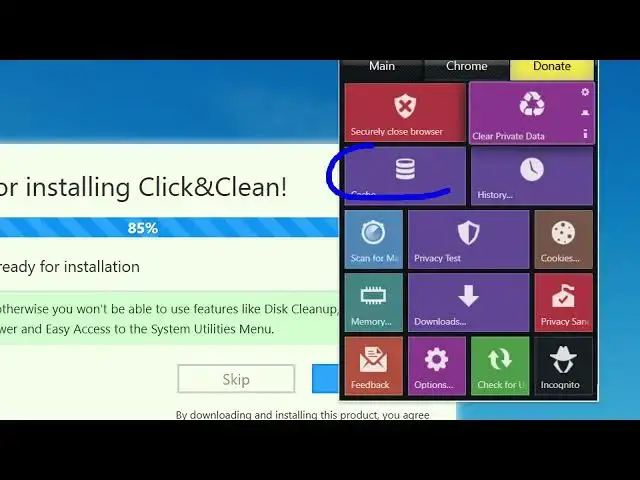
So once you activate this it will
0:37
show right here and you get a lot of
0:40
options right here. You can basically
0:43
clear out the catch.
0:45
So
0:47
with a single click you will be able to
0:50
clear out the cache. So this is the main
0:51
menu securely close clear private data
0:55
as well. So once you click this it will
0:58
try to clean up your data. So you simply
1:02
click that. So same button we also get
1:05
for cookies as well. So if you click
1:07
cookies
1:09
it will create clear out and this is for
1:12
history as well browsing history. So all
1:15
these buttons you get you simply
1:17
activate this and you get all this. You
1:19
can clear out the browsing data, clear
1:21
out cookies, clear out your downloads
1:24
memory.
1:25
So you can scan for malware as well. So
1:30
this is the cache cleaner like this. So
1:34
this is a plug-in guys or extension
1:36
definitely install it. Click and clean
1:39
and with a single click you need to you
1:41
will be able to download or delete your
1:44
browsing cache cleared save password
1:47
everything.
1:50
So definitely check out this extension.
#Software