Up next in 10


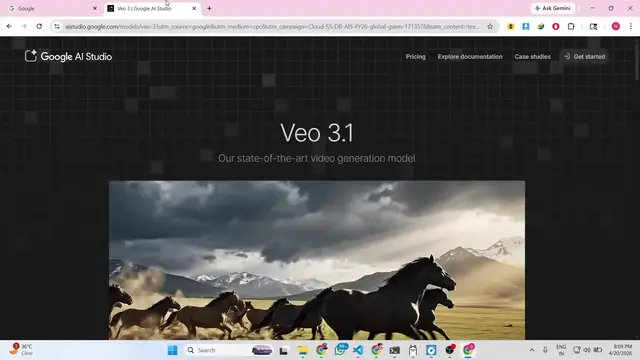
China's NEW Ai Video Generator beats VEO3.1, FREE & UNLIMITED
Show More Show Less View Video Transcript
0:00
Hello
0:01
guys in this live stream I will actually
0:04
show you a new Chinese AI
0:08
AI coding platform which is launched
0:11
which actually beats Google View 3.
0:14
Google View 3 as you all know it's a
0:15
very famous
0:18
AI coding platform. So which [snorts]
0:20
actually is a paid platform you can't
0:23
actually generate free videos.
0:25
But
0:27
there is an alternative
0:29
Chinese alternative which is released in
0:31
the market. So if you go to this website
0:33
Hugging Face cool.
0:34
This is actually a Chinese based
0:36
website.
0:37
And once you go to this website there is
0:40
something called as spaces.
0:42
Spaces are nothing but applications
0:44
which are completely free.
0:46
So just create an account right here. I
0:48
have already logged in with my own
0:50
account.
0:52
And after that
0:56
go to spaces and spaces as you all know
0:58
it's actually applications built using
1:01
free AI models.
1:03
From here you can select more spaces for
1:06
image generation, video generation.
1:09
Then we will select video generation. So
1:11
right here you will see all these free
1:12
applications which are there which
1:14
allows you to generate directly videos
1:18
using text prompt. So one such space is
1:21
actually using this
1:23
van 2.2 model.
1:27
So directly you can even
1:31
input your own image as well. Select
1:33
your directly your own image. I selected
1:35
this then you select your prompt.
1:39
Make this image come alive. Selecting
1:41
smooth animation.
1:43
I click on generate video.
1:45
So now you will see the actual
1:49
request has been submitted. Now once it
1:52
completes you will see the video will be
1:54
created
1:56
very easily.
1:58
So it is actually you can see it is
1:59
processing it. So this is actually a
2:01
free alternative to Google View 3. It's
2:04
built in
2:05
specifically with Chinese models as you
2:08
see that.
2:10
It is also very fast as well. You can
2:12
generate up to unlimited videos
2:15
using simple text. So once it completes
2:18
you will see the video will get
2:19
generated successfully acquired a GPU
2:22
and
2:23
now it will
2:25
using this GPU
2:28
it has all these GPUs rendered in the
2:30
cloud. So they use this Hugging Face
2:33
website which is a free open source
2:35
website which allows you to create
2:37
these videos, run these videos.
2:41
So this is the number one way by which
2:43
you can get started for completely free.
2:47
So this website is completely free.
2:49
Simply log in first of all. I have
2:51
already logged in it.
2:53
And simply go to spaces and you can use
2:56
any space. For example I'm just showing
2:59
you this space.
3:03
So
3:04
you also have the option to download the
3:06
video as well.
3:11
So once it completes you will see the
3:13
notification the video will be rendered
3:16
out.
3:24
So now you can see that the video has
3:26
been successfully created as you see 3
3:28
second video.
3:31
The static image is successfully
3:33
converted to a video. You can see
3:36
everything is done by the AI. I simply
3:39
uploaded the image, simply written this
3:41
prompt. You can even change this prompt
3:43
as well.
3:44
And from here you can select how much
3:46
FPS duration you can simply say. So
3:50
I can simply say make this image
3:52
angry.
3:56
So now [snorts] the image will be angry
3:58
here. So I simply written the prompt
4:00
here.
4:01
Again as you can see again the
4:03
processing has started.
4:05
So
4:07
in the subsequent runs it will be really
4:10
fast.
4:12
The first time just takes some time
4:14
after that
4:16
you can
4:17
you also can advance settings as well.
4:20
Everything you can
4:22
control and activate.
4:25
In View 3 you need to pay subscription
4:28
high subscription fees but this is the
4:30
free alternative website Hugging Face.
4:32
Come to this and you can use any
4:35
space right here.
4:40
So this will save you a lot of money as
4:42
well because you no longer need to spend
4:45
money on generating and editing videos.
5:18
So you can see again the video
5:20
successfully generated. You can click
5:22
the download button
5:23
to
5:25
right here.
5:27
As you see the download will start here.
5:30
This is just 1.36 megabytes.
5:32
So you can actually use these spaces
5:35
guys. You can come to any space. All
5:38
these spaces are completely free. One of
5:40
the spaces using this LTX model which is
5:43
again a Chinese based model.
5:47
Some spaces
5:48
can see again.
5:53
Select your image.
5:57
Click on generate video.
6:01
So some spaces will require up to
6:04
again I have also subscribed to the pro
6:06
plan which is $9 per month which
6:09
allows up to free more usage as well.
6:12
So
6:19
There are unlimited spaces out there.
6:22
This is actually you can see video
6:24
space.
6:25
Swap D fake.
6:27
Here you can also
6:29
run a deep fake. Definitely check this
6:31
out.