Up next in 10

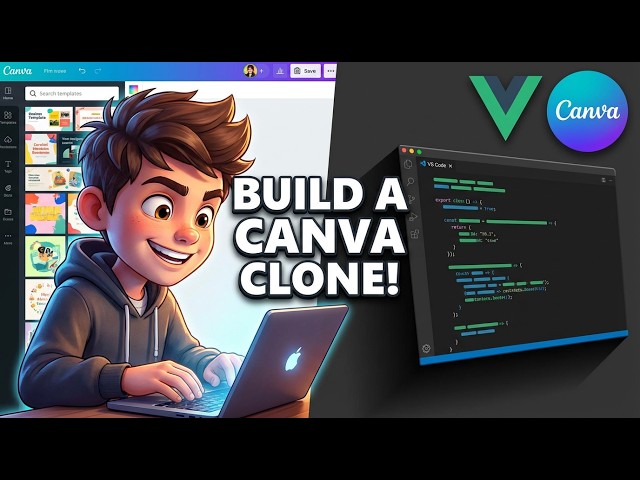
Build a Vue.js 3 Canva Clone Editor With Templates | Poster & Banner Designer Studio in Browser
Mar 14, 2026

Buy the full source code of application here:
https://procodestore.com/index.php/product/build-a-vue-js-3-canva-clone-editor-with-templates-poster-banner-designer-studio-in-browser/
Live Demo of App:
https://freemediatools.com/vuecanvaclone/
Watch My Visual Studio Code IDE Setup Video For Fonts,Themes & Extensions
https://youtu.be/Bon8Pm1gbX8
Hi Join the official discord server to resolve doubts here:
https://discord.gg/cRnjhk6nzW
Visit my Online Free Media Tool Website
https://freemediatools.com/
Show More Show Less View Video Transcript
0:02
Uh hello guys, in this video I will show
0:04
you I built out a Vue.js Canva clone uh
0:10
editor directly inside the browser. I
0:13
have also given the demo link in the
0:15
description of this video. So [snorts] I
0:18
have already deployed this Canva clone.
0:20
It's developed in Vue.js3
0:23
and it's similar to actually with
0:25
templates as well. So you can go to the
0:28
description link to actually see the
0:31
live demo of this application before
0:34
purchasing the source code. So it has
0:36
all the features of Canva. Right here
0:38
you will see they have this template
0:40
section. So readymade templates are
0:43
there. With a single click you can
0:45
actually edit any of these templates.
0:48
You also have the option to resize
0:51
the template in one go with all the
0:54
social media networks or you can specify
0:56
the width and the height and resize it
1:00
accordingly. So we also have option for
1:03
creating a new can create a new template
1:06
as well. So it's already coded directly
1:08
in Vue.js. This is actually the full
1:10
directory structure. Everything is
1:12
customizable. You can edit all the
1:14
files. It's all coded directly in
1:16
Vue.js. You can add additional features
1:19
very easily once you purchase the source
1:21
code. So I've developed this project
1:24
from scratch. So it's using the latest
1:26
version of view. We are also using JSPDF
1:28
HTML to canvas library as well.
1:33
So we are now running this project as
1:35
you see npm rundev. So this has started
1:38
a local development server. So it's easy
1:41
for you to also do this. So as you can
1:44
see we are running this project local
1:46
host. So it has a set of templates that
1:48
I already showed you
1:51
and it will be easy for you to design
1:53
posters, banners. So it's complete
1:55
studio kind of a canv editor in Vue.js.
1:59
So you can actually edit all the text
2:01
here.
2:03
So basically before you purchase it, you
2:06
can even try out this editor.
2:09
So this will save you a lot of time as
2:11
well. So
2:13
you can create a new template as well.
2:16
Just adjust the background color. You
2:18
can have this color picker.
2:21
Choose your perfect color here. And then
2:24
add the text. So we have all the text
2:26
out there which supports Canva. As you
2:28
can see that
2:33
we have the option for exporting this to
2:36
a image file. You can select whatever
2:38
image file you want to export it to.
2:46
You also have the option for exporting
2:48
it as PDF as well. So,
2:54
[clears throat] so it will export. You
2:56
can add multiple pages as well. So, as
2:58
you can see, we can add multiple pages
3:00
as well. You have the properties here
3:02
for text. Here you can adjust the phone
3:04
size, color, itallic.
3:08
You can have the positioning as well.
3:13
can rotate the text as well. So all the
3:15
features are there. You also have
3:17
ability to actually upload your own
3:19
images as well by having this upload
3:21
directory uh button right here. You can
3:24
select and you can actually
3:28
have your own images. Simply click the
3:30
plus icon to actually
3:34
place the image accordingly. Text. We
3:37
also have support for Unsplash as well.
3:40
So we are fetching these images from
3:42
Unsplash API. So you can search stock
3:45
images as well. So we have all the
3:48
shapes out there. It's simply a full
3:49
Canva flow. And if you still face any
3:52
problem after payment while running or
3:54
deploying the project, you can actually
3:57
message me. I will definitely help you.
3:59
So it's actually using the latest
4:01
version of Vue. So I developed each file
4:04
from scratch. It's a fullyfledged uh
4:07
Canva clone website design studio kind
4:09
of editor. So here you can actually make
4:12
thumbnails, posters, banners, everything
4:15
you can do.
4:18
So you have different shapes, images,
4:20
background. So it's a layered kind of
4:23
editor. So you will see different layers
4:25
out there. This is the first layer,
4:27
second layer.
4:29
So different layers are there. So you
4:32
can move each everything. You can do
4:35
that. You can disable each
4:38
like this. It's easy for you. It's a
4:42
fully layered kind of editor. And let me
4:46
uh check out some of the comments right
4:47
here. Please subscribe the channel guys
4:49
if you're watching it for the very first
4:51
time. So Chin China Roy is asking how to
4:54
create new templates like uh want to
4:58
create new templates for users. So how
5:00
to create new templates? So inside this
5:03
application if you see you have the
5:05
option if you refresh the application.
5:07
So I will highly suggest you go to the
5:11
description link try out this
5:12
application by yourself and uh you have
5:16
all these pre-made templates out there.
5:19
So if you just want to click any of the
5:21
template right here, the template will
5:23
be easily for you to edit. You can
5:25
replace the image here. uh upload your
5:29
own image and replace it from here. You
5:31
can also remove this image from here and
5:34
choose your own image from here. Uh so
5:36
unfortunately the create creating of
5:39
your own templates is not supported in
5:42
this specific editor but I have a lot of
5:45
editors on this channel. You can check
5:46
out those which supports creation of
5:49
your own templates.
5:51
But it's very easy for you to replace
5:53
your own image uh edit this text here.
5:56
Everything is customizable. You can
5:58
change the background color, text,
6:01
everything. You can see that color of
6:03
the text.
6:07
So you can change the background color.
6:09
Everything is customizable. So it's easy
6:11
for you to create new templates. And uh
6:14
once you created this, you can export
6:16
this to a image like this. So my
6:21
question is how we can create pre-made
6:23
templates. I want to start a business.
6:25
So I want features. So unfortunately
6:28
Chinarok for this application creation
6:30
of new templates is not supported. But
6:32
as I already told you, you can select
6:34
from a variety of templates which are
6:36
there. You also have a stock footage as
6:39
well. So once you purchase the source
6:41
code, it will be easy for you to add
6:43
that feature. As you can see, each and
6:46
every file is coded directly inside
6:48
U.JS. So what I will highly suggest you
6:50
if you have the money you can purchase
6:53
it and later on you can add that feature
6:55
but if you want to specifically have
6:57
that features you can watch my other
6:59
videos where I have that feature as well
7:03
for this specific application creation
7:05
of templates is not supported. So we
7:07
have a variety of templates out there as
7:09
you can see that. So
7:14
[snorts] thank you for watching this
7:15
video and the link is given you can
7:18
directly purchase it.