Up next in 10

Build a Vocal Remover & Karaoke Song Maker Audio Editor in Browser Using HTML & JS
Mar 3, 2026

Buy the full source code of application here:
https://procodestore.com/index.php/product/build-a-vocal-remover-karaoke-song-maker-audio-editor-in-browser-using-html-js/
Show More Show Less View Video Transcript
0:00
stream I will show you uh I built out a
0:03
complete application directly in browser
0:05
which lets you remove the vocals from an
0:08
audio file and make a karaoke kind of a
0:12
song. So if you have a song that you
0:15
want to remove the vocals and the music
0:18
split. So this is a complete editor that
0:21
I built directly in HTML CSS and
0:23
JavaScript. So this is the actual
0:25
interface which looks something like
0:27
this. So here you will basically select
0:29
an MP3 file or any audio file. This is a
0:33
single HTML file. Here I have given this
0:36
source code. If you want to purchase it,
0:38
you can directly purchase it. The link
0:40
is given in the description. So you can
0:42
just see here it's almost uh thousand
0:46
lines of code. So it's very easy for you
0:49
to run this application directly. Runs
0:51
directly in the browser. You simply run
0:53
this. So we are running it at local
0:56
host. It's also very easy for you to
0:58
deploy this application as well. So now
1:02
you simply select an audio file. As soon
1:05
as you do this, it will split the audio
1:08
and vocals separate.
1:10
And uh now first of all you can play
1:13
this.
1:14
if you're looking for.
1:21
>> So you can just see here you can play
1:23
this audio file and then you have these
1:26
adjustments that you can make. What is
1:28
the intensity of the vocals, how much
1:30
center frequency, everything is
1:32
customizable. You can also apply this
1:35
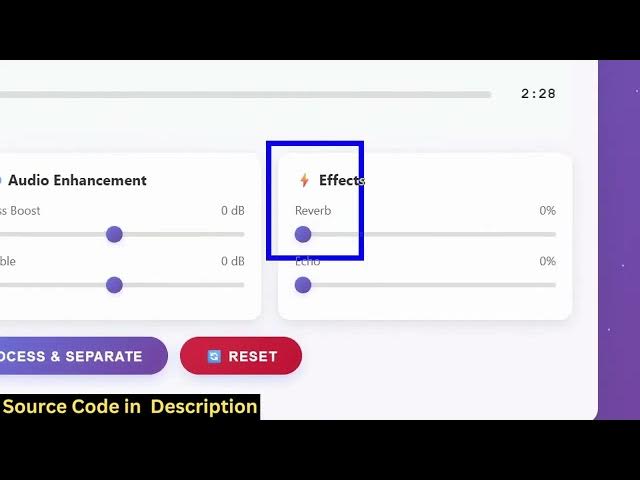
effects as well and just click process
1:37
and separate. As soon as you click it,
1:40
automatically the separation will do.
1:42
It's you can see it's see it's
1:43
processing your audio file. It's a
1:46
single page application.
1:48
And after that now the vocals and the
1:51
music are separated. I can simply play
1:53
this. If I play this
1:59
and this will be the background music.
2:02
And for this uh specific audio file I
2:05
can't show you because it's for
2:07
copyright reasons. I can't uh upload a
2:10
audio file which contains song but you
2:13
can take an example you can separate any
2:16
song that you basically download
2:19
anywhere from YouTube
2:22
you can plug that and it's a complete
2:25
editor you can take an audio file simply
2:28
select that audio file it's a single
2:30
page application all the processing is
2:32
directly happening it in the browser and
2:35
you can even apply some effects as well
2:37
which is echo effect, reverb effect.
2:46
See for
2:52
>> so it's fully customizable
2:55
if you're
2:56
>> for copyright reasons I can't show you
2:58
any song because it can come it can give
3:02
me copyright strike. So that's why you
3:05
can take any audio file. So once you
3:07
purchase it uh this will be the full
3:09
source code that you will get. It's
3:11
fully customizable. You can even add
3:13
more features on top of this audio
3:15
editor as well. So it's using simple
3:19
HTML, CSS and JavaScript for building
3:21
this audio editor. So you can just see
3:23
here you it's the full source code. You
3:26
will get the vocal remover and karaoke
3:28
song maker audio editor.
3:32
So I built it. So interface I showed
3:35
you. So if you're interested the link is
3:37
given in the description.