Up next in 10

Build a SVG Viewer & Editor in Browser to Render & Edit SVG Using HTML & JavaScript
Mar 3, 2026

Buy the full source code of application here:
https://procodestore.com/index.php/product/build-a-svg-viewer-editor-in-browser-to-render-edit-svg-using-html-javascript/
Show More Show Less View Video Transcript
0:00
SVG editor that I developed directly in
0:02
the browser.
0:03
So, with the help of this you will be
0:04
able to see the source code of SVG files
0:07
directly side by side. So, this is the
0:09
actual application. I'm running it on
0:11
localhost. I've also given the demo link
0:14
in the description of this video. You
0:17
will find the checkout link
0:20
where at the checkout link you will see
0:22
the demo link as well. You can even try
0:24
this application as well. So, and the
0:26
application is very simple once you land
0:28
on this this is the user interface.
0:31
So, you can
0:33
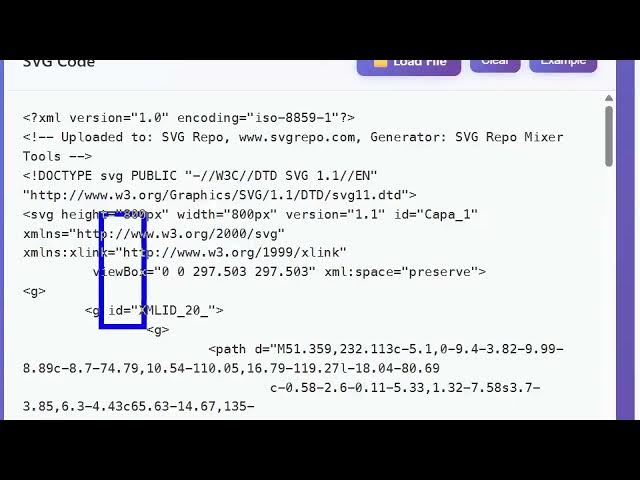
This is a sample SVG. You can even clear
0:35
out everything as well and paste your
0:37
SVG code here. So, once you paste the
0:39
SVG code on the right hand side you will
0:41
see the actual
0:43
SVG.
0:44
Here you can zoom in, zoom out,
0:46
everything is there. And you can
0:48
basically change the color here
0:50
accordingly.
0:51
And automatically it will reflect back
0:54
as you change the color here.
0:57
So, I'm just I don't have knowledge in
0:59
SVG, but you if you do have a knowledge
1:01
you can basically create new SVG by just
1:04
writing the code here, pasting it and in
1:06
the right hand side you can see the
1:07
source actual SVG. And then you can
1:09
export this, click on download. And now
1:12
your SVG is automatically created. So,
1:15
uh this is the actual source code here.
1:17
A single index.html file. It's a single
1:20
static page application. No server side
1:22
code is there.
1:23
And this is the actual length of this
1:25
code, almost 500 lines of code.
1:28
So, you can directly purchase it. The
1:30
link is given in the description. So,
1:32
it's very easy.
1:33
You can even run it locally in VS Code.
1:36
So, as you can see we are running it on
1:38
localhost.
1:39
So, it's very easy.
1:43
You paste your code.
1:45
You basically if you do have external
1:47
file
1:48
likewise I have this external file. You
1:50
can even load that external file as
1:52
well.
1:53
So, very simply as you can see that. So,
1:55
we loaded an external SVG file.
1:58
It actually show you the actual source
1:59
code of this SVG file. You can make
2:02
modifications in this.
2:04
You can change this and then it will
2:06
change the right hand side if you do
2:08
have knowledge.
2:10
So, it's a really good editor you you
2:13
may say. You can edit your SVG files
2:15
directly in the browser using this
2:17
application. It's entirely coded inside
2:19
HTML, CSS, and JavaScript. It's really
2:22
easy
2:23
to deploy. Once you purchase it, if you
2:25
do have knowledge you can even modify
2:27
the source code as well.
2:29
Uh it has
2:32
really simple. You basically load an
2:33
external file.
2:35
Likewise as you can see that. You can
2:37
export.
2:39
You have also got the download button,
2:41
copy to clipboard, everything is there.
2:44
So, really simple application but yet
2:47
powerful. So,
2:48
if you are interested the link is given
2:50
in the description. And for building
2:53
this I just use open source libraries
2:55
for this. So, everything will be
2:57
uh free once you purchase it. So, no
3:00
paid libraries I'm using. I'm just using
3:03
open source libraries.
3:05
So, definitely check out this.