Up next in 10

Build a SaaS Video Editor with Next.js & FFMPEG WASM — and Earn $5/Day Side Hustle Passive Income
Mar 3, 2026

Buy the full source code of application here:
https://procodestore.com/index.php/product/build-a-saas-video-editor-with-next-js-ffmpeg-wasm-and-earn-5-day-side-hustle-passive-income/
Show More Show Less View Video Transcript
0:02
Hello guys, welcome to this live stream.
0:04
So in this live stream, I'll show you I
0:05
built out a Next.js video editor
0:09
a SaaS software as a service web
0:11
application where you can actually earn
0:13
a side hustle passive income of $5 to
0:16
$10 per month by deploying this video
0:19
editor. So if you're looking forward for
0:20
building out a complete project video
0:23
editor project in Next.js, you're
0:25
watching the correct video.
0:26
So this is actually the full directory
0:28
structure of the project here. You'll
0:29
see each and every component of this
0:32
video editor is coded
0:34
inside Next.js using TypeScript.
0:37
Everything is customizable, so we're
0:39
using the latest version of Next and
0:41
React. And we are also using FFmpeg
0:44
WebAssembly library as well. So we're
0:46
running this project locally
0:50
as you can just see right here. So now
0:52
to get started, you basically create a
0:54
project here.
0:56
After creating the project here, you
0:58
will be redirected to a timeline-based
1:01
editor where you will be able to
1:05
create or edit your videos. So we have
1:07
all the options right here.
1:10
So first of all, you will select your
1:12
video file, whichever video file you
1:14
want to edit.
1:21
So after selecting the video file, just
1:23
add this to the timeline section, and
1:25
now you will see the video will play.
1:27
And now let's suppose I want to edit
1:30
this video
1:32
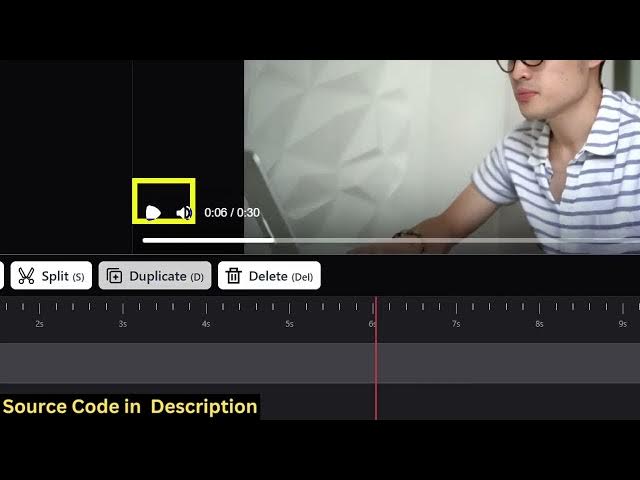
at this time period. So I want to split
1:35
the first 6 seconds. So we have this
1:37
operator here.
1:39
You click the split button, it will
1:40
divide the video into two parts. And now
1:43
you can delete this part. So now the
1:45
total length becomes 6 seconds. So we
1:47
can even change the volume of the video
1:49
as well.
1:50
And then we also have the option to add
1:52
text.
1:53
So [snorts]
1:54
it's very easy. You can just see here.
1:56
Added this text on top of the video.
2:00
And you can also change the color as
2:02
well.
2:03
Just
2:12
So I'm basically earning a lot of
2:14
revenue from AdSense using the same tool
2:16
that I deployed on a different domain
2:18
name. So you can just see on the last
2:21
month I get $20 and similarly there is
2:24
again a ad network Ezoic. You can even
2:26
start a subscription-based model as well
2:29
to actually
2:30
monetize this.
2:35
So this is another website
2:40
through which I'm earning a lot here.
2:42
You'll see that.
2:43
On a daily basis, I'm earning a lot of
2:46
revenue using this
2:48
single-page application which does the
2:49
video editing capability.
2:52
You can purchase this script from me.
2:53
The link is given. It's a fully fleshed
2:55
project. You can even customize it or
2:58
add additional features as well.
3:00
So it comes with this progress bar as
3:02
well. So it's using FFmpeg WebAssembly
3:05
library directly in the browser.
3:09
So once the processing completes, you
3:12
will actually see
3:16
the output video. You will see the video
3:18
is successfully created.
3:21
The text image is successfully added
3:23
right here. Then you can click the
3:24
download button to download the video.
3:27
So if you're interested in the script,
3:29
the link is given in the description.