Up next in 10

Build a React.js Video Timeline Trimmer & Cutter Editor With Video Player in Browser Using TS
Jun 19, 2025

Buy the full source code of application here:
https://procodestore.com/index.php/product/build-a-react-js-video-timeline-trimmer-cutter-editor-with-video-player-in-browser-using-typescript/
Hi Join the official discord server to resolve doubts here:
https://discord.gg/cRnjhk6nzW
Visit my Online Free Media Tool Website
https://freemediatools.com/
Buy Premium Scripts and Apps Here:
https://procodestore.com/
Show More Show Less View Video Transcript
0:04
hello guys welcome to this live stream
0:05
so in this live stream I will show you a
0:08
video trimmer or video cutter
0:10
application that I developed inside the
0:12
browser and from the name itself it uses
0:16
right
0:18
uh it uses ReactJS to build a video
0:21
cutter kind of an application
0:24
so let me just run this application by
0:27
simply saying npm run so this will start
0:30
this application locally at localhost
0:33
5173 you can see the interface looks
0:36
like this you can select your video file
0:38
whatever video file you want to edit or
0:41
trim out or cut specific portion so here
0:44
the video will play you can see that
0:48
and we have a simple nice little
0:50
timeline where we can see actually we
0:53
can trim out specific portions of the
0:55
video so you see this nice little
0:57
timeline that is there it will tell you
1:00
the length total length of the video
1:02
which is 341.7
1:04
seconds and whatever is your time in the
1:07
timeline it will exactly tell you so if
1:10
you pick the video right and what you
1:12
need to do is that you should have
1:14
NodeJS installed inside your system if
1:16
you don't have NodeJS installed you can
1:18
just go through the specific portions of
1:20
the video you simply select the timeline
1:22
here
1:25
these sliders you can easily cut out
1:28
specific portions let's suppose I only
1:30
want to cut out
1:32
these uh 6 seconds
1:36
then I will simply click the button of
1:38
preview trim inside
1:41
that you are cutting it basically create
1:42
this node modules folder that you will
1:44
see
1:47
so then we have the option to export the
1:49
trace inside these dependency section
1:53
basically create this node modules
1:54
folder that you will see so very simple
1:57
logic here you will see now the output
1:59
video file has been successfully
2:01
downloaded into a separate file here so
2:04
if you need source code of this
2:05
dependency section and uh video cutter
2:08
or video trimmer kind of an application
2:09
in reacts this is actually the source
2:12
code the link is given in the
2:13
description of this video and you can
2:15
directly purchase the full source code
2:18
and after you purchase the source code
2:20
automatically you will be redirected to
2:22
Google drive where you will get this zip
2:24
file you just need to extract the zip
2:26
file and this will be the directory
2:28
structure it's coded inside TypeScript
2:31
this application is divided into
2:33
multiple components each component is
2:36
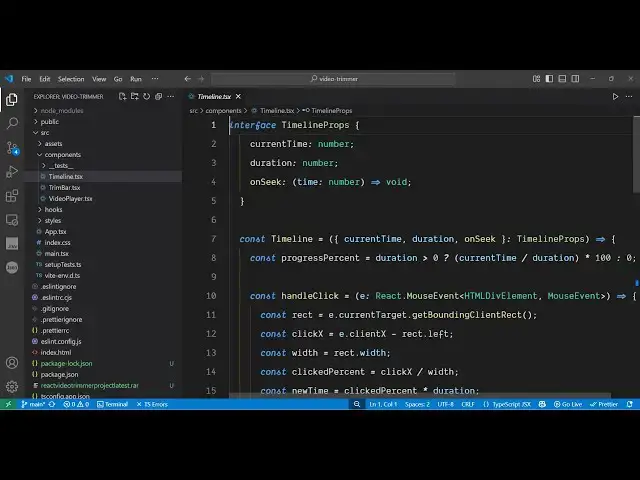
having this own file here which is the
2:38
timeline component the trim bar and this
2:41
is also the video player component so
2:43
every component has been divided into
2:45
multiple components so it's a fully
2:47
fully fledged project
2:50
and now to run this project uh as you
2:52
can see in the package.json file you're
2:54
using the latest version of React which
2:56
is at the time of recording this video
2:58
is 90 so it's compatible with the latest
3:01
version so if you're running it for the
3:03
very first time simply type the command
3:05
npmi so this will install all the NodeJS
3:08
modules and create this NodeJS modules
3:11
folder after that you simply say npm
3:14
rundev so this will start your
3:16
development server on localhost 5173
3:20
and it's very easy to implement once the
3:23
application starts this will look like
3:25
this interface you select your video
3:27
file that you want to edit and then it
3:30
will construct this timeline for you
3:32
automatically and then you can trim out
3:34
specific portions on port number 5,000
3:37
click on this export number 5,000 so you
3:40
will see that app is listening on port
3:42
5,000 automatically it will cut out that
3:45
melo
3:47
host so once you get the source code
3:49
guys you can easily modify the
3:50
application and also add additional
3:52
features on top of this application as
3:54
well so
3:56
definitely it's a good project to
3:58
purchase so the link is given in the
3:59
description and thank you very much for
4:02
watching this video and I will be seeing
4:06
you in the next
4:09
live stream
#Online Media
#Video Sharing