Up next in 10

Build a React.js Instagram Story & Reels Video Editor in Browser Using FFMPEG WASM in Browser
Mar 5, 2026

Buy the full source code of application here:
https://procodestore.com/index.php/product/build-a-react-js-instagram-story-reels-video-editor-in-browser-using-ffmpeg-wasm-in-browser/
Show More Show Less View Video Transcript
0:00
Uh hello guys uh welcome to this video.
0:03
So in this video I built out a ReactJS
0:05
web application where you can actually
0:08
split your long video into short videos
0:11
something like Instagram res. So it's a
0:14
video editor of creating Instagram res
0:17
directly in the browser. We are running
0:19
this project on localhost 5173
0:22
and this is a actual full directory
0:24
structure of the project. If you need
0:26
the source code, you can directly
0:27
purchase it. And uh all these components
0:31
are coded directly in Typescript. So
0:33
it's easy for you to customize this or
0:36
add more features on top of this
0:37
project. So we are using the latest
0:40
version of React. As you can see, we are
0:42
also using FMPG web assembly library. So
0:45
these are some of commands here for
0:47
running this project locally or building
0:50
out and deploying it. So we are running
0:52
this project as you can see by npm run.
0:55
So this started this local development
0:57
server. So now coming back to the
0:59
interface of the application. So it
1:01
looks something like this. So it's
1:03
completely responsive. It works in all
1:05
the devices as you see. So right here
1:07
you select the your video file. So as I
1:12
select the video file, the video will
1:14
definitely play in the video player and
1:17
you can click the play button.
1:20
So it's a 10 minute long video. So right
1:24
here it actually created. So right here
1:27
you can adjust uh how much length each
1:30
section it have. So here you can provide
1:34
uh presets are there. So let's suppose
1:37
you want to split this long video into
1:39
15 seconds. Each section will now part
1:42
one, part two, part three, part four. So
1:44
it will actually create all these many
1:46
parts and then we have the option to
1:49
export and download. So each part will
1:52
get downloaded. You can even say 30
1:54
second and 59 second. So it will split
1:59
cut the video into 1 minute each or you
2:03
can click the custom button as well. So
2:05
right here you specify how much duration
2:08
you want each each part to be. So let's
2:11
suppose I say each part should be 120
2:14
second. So now essentially we are
2:17
telling uh just split this video across
2:21
2 minutes. So this 10-second 10 minute
2:24
video is splitted. It created these six
2:28
parts here. You will see that. So if you
2:30
click export and download. So ffmppg
2:32
will do the processing for you and it
2:34
shows this nice little progress bar. So
2:37
once the processing finishes, you will
2:39
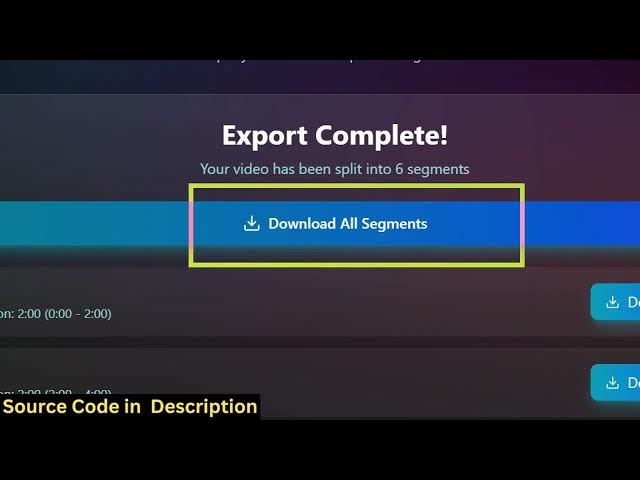
see this button right here. Export is
2:41
completed. your video has been split
2:44
into six segments
2:46
and then you have this you can actually
2:50
click the download button to actually
2:51
download that segment.
2:54
So this will actually download that.
2:58
So this is a really a really good
3:01
application. It will save you a lot of
3:02
time as well because many a times you do
3:05
need to split your long videos into
3:06
short little Instagram res or
3:09
highlights. So this makes it easy for
3:11
you and uh you can even click download
3:14
all segments. This will click this will
3:17
download a zip file.
3:20
So one by one it will actually download
3:23
all the files for you. So the interface
3:26
is quite simple. It's very userfriendly
3:28
as well. So it's completely coded inside
3:31
ReactJS. So you can definitely purchase
3:34
it. The link is given in the
3:36
description.
3:37
So essentially it's used for Instagram
3:41
res as well. So if you do have a long
3:43
video.
3:45
So you can create Instagram res using
3:48
this application. So
3:51
or you just need to split your long
3:54
video into. So here you can specify any
3:58
sort of thing 5 second or 55 seconds. So
4:02
right clicking the custom button you can
4:04
specify how much duration in seconds you
4:06
want to you can even adjust the this as
4:10
well using this timeline if you want to
4:13
adjust it using these sliders you can
4:16
just press it and individually adjust
4:19
the part. So this part you want only 15
4:23
seconds this part you want longer.
4:26
So you can adjust this accordingly. So
4:29
you can just see right here.
4:41
So this also you can do really easily
4:43
and then click export and download.
4:45
Again the processing will do it will
4:48
show this progress bar.
4:51
So essentially we are using this
4:52
library. If you don't know about fmpp
4:54
web assembly library. So this allows you
4:56
to use fmpp directly in the browser. So
5:00
we are using this uh library for this
5:03
nextjs project and uh it's a really good
5:08
application. You can definitely purchase
5:11
it. And also for the user interface we
5:13
are using tailwind CSS as you will see
5:16
and also this coded directly in
5:19
Typescript. So this makes it easy for
5:21
you to
5:23
modify the application as well and we
5:26
are using wheat development engine. So
5:28
npm run build command if you do it will
5:31
compile all the assets into a single
5:33
folder. This will be really easy to
5:37
deploy this application as well. So
5:42
this is a great project for the guys who
5:45
are looking forward for coding in next
5:48
year in react. If you want to implement
5:50
the FMPG web assembly library, this will
5:53
be a great project for you.
6:02
So definitely purchase it.
6:11
[snorts]
6:12
So,
6:17
so if you're interested guys, the link
6:18
is given in the description.