Up next in 10

Build a React.js Canva Clone Timeline Video Editor to Split Videos Using FFMPEG WASM in Browser
Mar 5, 2026

Buy the full source code of application here:
https://procodestore.com/index.php/product/build-a-react-js-canva-clone-timeline-video-editor-to-split-videos-using-ffmpeg-wasm-in-browser/
Show More Show Less View Video Transcript
0:00
Uh hello guys, welcome to this video. So
0:02
in this video, I'll show you I built out
0:05
a ReactJS Canva clone video editor which
0:09
actually split your long videos into
0:12
multiple chunks. So we are running this
0:15
React project on localhost 5173. The
0:18
link is given you can directly purchase
0:19
the source code of this project. So each
0:22
component is coded directly in
0:23
Typescript. So it's easy for you to
0:25
customize this as well. So we are using
0:28
latest version of react and fmpp web
0:31
assembly library. So interface is quite
0:33
simple. You select your long video file.
0:37
As you select this the video will play
0:38
in the video player.
0:42
So these are play stop buttons. And then
0:44
we have this
0:47
if you want to split across 15 seconds
0:49
30 you can even click custom and then
0:52
provide how much duration in seconds
0:55
each part should take. So let's suppose
0:57
I want to split the video across 1
1:00
minute each. So this 10 10 minute long
1:03
video will be splitted across 1 minute
1:05
each. So each part
1:09
so it will create 11 parts of this
1:12
video. And if you click export and
1:14
download the FMPPG processing will start
1:17
and one by one it will process each each
1:19
of these parts. And now this will can
1:22
individually click the download button
1:24
to actually
1:27
split this long video into multiple
1:30
parts. So this will save you a lot of
1:32
time because many of times you do need
1:34
to split your long videos into short
1:36
ones. So this is a perfect Canva clone
1:38
video editor which actually does the job
1:42
for you
1:44
and for this we are using fmpp web
1:46
assembly library which actually allows
1:48
you to use ffmpg directly in the
1:51
browser.
1:52
So
1:55
interface is very much responsive. It
1:57
will definitely work on mobile, tablet
1:59
and desktop. So it's completely
2:01
responsive as you see. So you can
2:04
definitely purchase it and uh
2:08
if you're looking for this project
2:11
you can add more features as well. So
2:14
it's similar to Canva because Canva does
2:17
offer the feature to split your videos.
2:20
So I created this project from scratch
2:24
and uh you can take any video can do
2:27
this unlimited number of time. So the
2:30
thing about this project is that it
2:32
doesn't have a backend. All the
2:33
processing directly happens in the
2:35
browser.
2:36
So
2:38
it doesn't take too much time as well as
2:40
you split
2:44
and click. It doesn't take too much
2:46
time. So in a matter of seconds it will
2:48
create these parts for you.
2:53
So it doesn't take too much time as
2:55
well. So
2:58
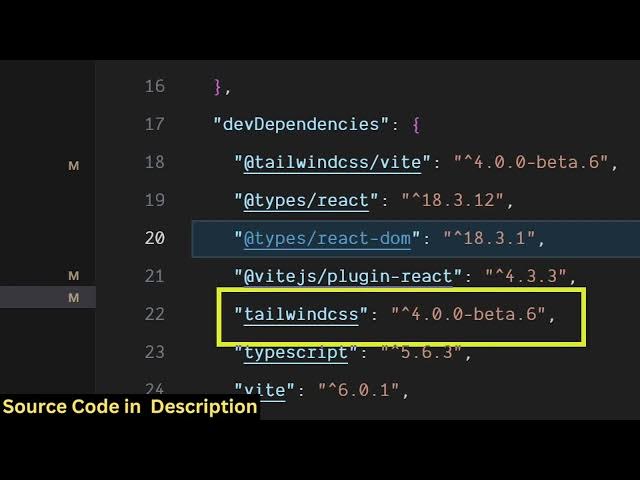
and the user interface I coded this
3:00
inside Tailwind CSS and we are using
3:03
wheat development engine. So these are
3:05
set set of commands here. So we are
3:08
running this locally host you can see
3:10
that. So now if you do want to deploy
3:13
this project it's simple you run the
3:15
build command.
3:20
So as you run the build command, it will
3:22
compile all the assets
3:28
into a single folder so that you can
3:31
easily deploy this to any shared hosting
3:34
platform.
3:38
So now the build will start happening.
3:48
I think it is
3:52
app dot let me just fix these mistakes
3:54
here.
4:00
Yeah. So this is never used. So let me
4:02
just [clears throat]
4:08
So now the build will start.
4:12
So this was the mistakes happening. I
4:14
fix out those mistakes. So these
4:16
variables were uh never used. So
4:19
[snorts] that's why it was creating the
4:20
problems. So once you build out you will
4:23
see the
4:29
so it built out this entire project. It
4:32
created this disc directory.
4:42
So now you simply upload this directory.
4:44
If you purchase a domain name, you can
4:46
easily deploy this uh video editor Canva
4:49
clone application by purchasing a domain
4:52
name and inside that as user opens the
4:56
application.
5:05
So you can easily trim and split videos
5:08
directly in the browser. So it's a video
5:10
editor Canva clone application.