Up next in 10

Build a PDF Compressor Web App in Browser Using PDF-LIB Library in HTML & JavaScript
Jun 26, 2025

Buy the full source code of the application here:
https://procodestore.com/index.php/product/build-a-pdf-compressor-web-app-in-browser-using-pdf-lib-library-in-html-javascript/
Official Website:
https://freemediatools.com
Show More Show Less View Video Transcript
0:02
uh hello guys welcome to this video so
0:04
in this video I will show you a PDF
0:07
compressor web application that I
0:09
developed directly in the browser so
0:12
it's deployed on my website free
0:14
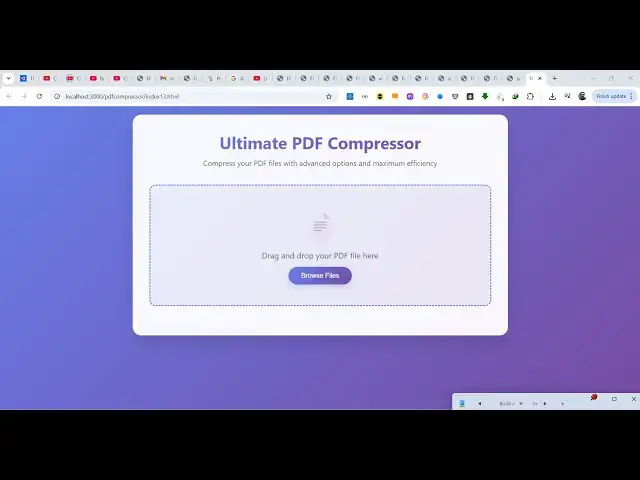
mediatools.com the interface looks
0:16
something like this it's a single page
0:18
application no serverside code is
0:20
involved it directly works in the
0:22
browser we have built it inside HTML CSS
0:26
and JavaScript for the source code you
0:27
can directly purchase it the link is
0:29
given in the description so this is the
0:31
overall application here you will select
0:34
your PDF file as soon as you select the
0:37
PDF file it will show you the original
0:39
size which is 4.58 mgabyte and we have
0:43
compression levels various compression
0:45
levels we have light compression
0:48
standard compression or high compression
0:50
if you select high compression and then
0:52
simply click the compress PDF it will
0:55
analyze the PDF and then it will
0:58
compress it
1:00
smartly here so you can see the original
1:02
size was 4.58 and it has been reduced to
1:05
3.72
1:07
it totally depends upon the PDF file how
1:09
many images are there how can it can be
1:12
compressed so it calculates it smartly
1:14
and then you can download your
1:16
compressed PDF very easily so you can
1:19
see the quality remains the same but
1:20
still the size has been reduced
1:25
so it differs from PDF to PDF so you can
1:28
try out this tool the full source code
1:31
you can directly purchase it i built it
1:33
using a open-source library which is PDF
1:35
lib uh so this will be the index html
1:38
file you will get automatically from
1:41
Google drive once the payment is done so
1:43
this is the overall source code
1:48
about uh 900 lines of code here so once
1:51
you get the source code you can easily
1:53
modify it and add additional
1:55
capabilities as well so you can even run
1:58
this locally as well so now you can see
2:00
we are running it on local host so again
2:03
you repeat the same process
2:07
just select any PDF file here
2:11
so you can see the original size is 168
2:14
kilobyte if I want to compress it
2:19
so it has been reduced to from 168 to
2:22
142
2:23
not a lot of reduction but it totally
2:25
depends upon PDF to PDF you can try out
2:27
this tool if you are interested then you
2:30
can directly purchase the full source
2:32
code the link is given in the
2:33
description
2:35
so if your PDF contains a lot of images
2:38
then you can actually
2:44
so so
2:47
we also have the light compression as
2:49
well standard comp compression as well
2:51
so custom settings you can control the
2:53
quality of each image the image
2:56
resolution DPI you can even control and
2:59
then you can even toggle these options
3:02
remove annotation compressed streams as
3:04
well so
3:08
now you can see again
3:14
so it's a single page application works
3:17
entirely in the browser so if you are
3:19
interested in this first of all try out
3:22
this and then if you're interested you
3:24
can directly purchase the source code
3:26
here so thank you very much for watching
3:29
this video and I will be seeing you in
3:31
the next live stream
#Web Services