0:00
uh hello guys welcome to this video so
0:02
in this video I will show you uh a react
0:06
image canvas drawing editor that I
0:08
developed in the browser here you can
0:10
see Ive deployed this application on my
0:12
website freem mediat tools.com so if you
0:15
go to this application uh you just need
0:17
to select any image file it can be jpg
0:20
or PNG so as soon as you select the
0:23
image file uh there is this uh slider
0:27
drawing here you can actually
0:31
you can see that you can actually draw
0:35
onto the image using this you can
0:41
actual the width the slider here and
0:44
then you can choose any color here it
0:46
can be yellow it can be you can draw on
0:48
the image and then simply click download
0:51
so it's a single page application tool
0:54
website that I developed in react CHS
0:56
which actually not react it is using
1:00
JavaScript so it is entirely built in
1:03
the browser no server code is involved
1:05
right here you simply go to this tool
1:08
simply pick your image as you pick your
1:11
image you can select whichever color
1:14
from this and you can actually hide the
1:17
face here using this or you can
1:25
image and then you can simply download
1:27
your image so you can try this
1:30
demo right here Ive deployed this tool
1:32
here on my free media tools website and
1:35
if you want to purchase the full source
1:37
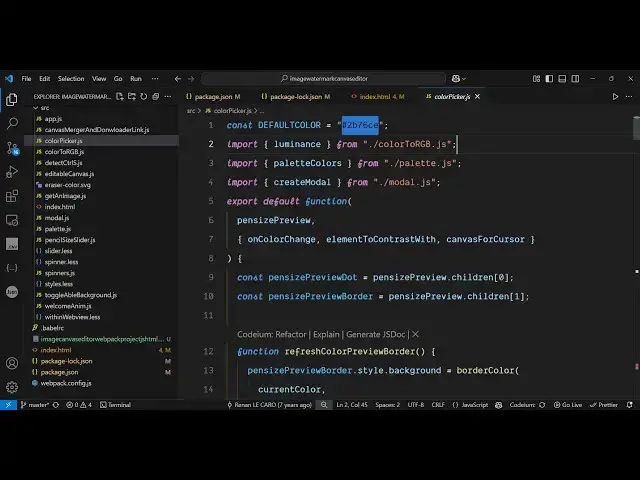
code it's so let me show you the source
1:39
code here and uh uh you can see we have
1:43
built it from scratch here and if I show
1:46
you each file has a specific component
1:49
attached to it it is using the simple
1:51
canvas API of JavaScript to actually
1:56
application so you can see it's built
1:58
using HTML CSS in JavaScript and also we
2:01
are using webpack to compile it so we
2:04
are using webpack here so there is in
2:07
the package.json file if you see we are
2:14
here and uh we are also using Babel here
2:18
to compile this high level JavaScript
2:20
code to the minified code so if you want
2:23
to purchase it the link is given in the
2:25
description so if you go to the after
2:28
payment you will be having this ZIP file
2:30
automatically downloaded from Google
2:31
Drive so if you extract this this will
2:33
be the directory structure and uh now to
2:37
actually run it locally it's very easy
2:46
terminal let me you basically go to the
2:49
index. HTML it is already there you can
2:53
simply serve it open the locally you can
2:57
see now we are running the application
2:59
locally here so all the source code is
3:01
given so you come to the index. HTML
3:03
file you can directly run it in the
3:05
browser and again you do the same thing
3:08
you pick the image and here you can pick
3:13
color you draw something there is also
3:16
this eraser which is also there you can
3:19
erase it if you have drawn something by
3:22
mistake you can erase
3:25
it you can see that it's simply a
3:29
drawing app here so you can draw
3:32
something on the image and then simply
3:35
say download so you can
3:38
see this is the app here guys if you are
3:42
interested the link is given in the
3:44
description and uh we are simply using
3:46
the canvas API which is built in inside
3:49
the browser to build this
3:52
application so if you are
3:56
interested the link is given guys in the
3:59
description of this video and uh this is
4:02
actually if you want to deploy this this
4:04
is the disc file right here and the
4:07
minified file you simply need to deploy
4:09
this if you want to deploy this and also
4:12
you can earn a lot of passive income as
4:14
well by placing advertisements let me
4:17
show you I am earning using this tool
4:19
here some passive income I have deployed
4:23
website and we have the iso.com which is
4:29
adet Network which we are
4:33
using for the day-to-day income right
4:36
here so you can see we are earning some
4:38
passive income daily using this tool and
4:42
uh you can even do that as well so this
4:45
is a tool guys which we
4:47
developed using the canvas API if you
4:51
just type canvas API so it's built in
4:53
inside every browser so we are using
4:56
this canvas API to build this drawing
5:01
so if you're interested you can first of
5:04
all try out the demo right here and then
5:06
you can purchase it thank you very much
5:08
for watching this video and I will be
5:09
seeing you in the next one