0:00
videos in this video i will show you a
0:03
csv editor that i developed right in the
0:06
browser itself i deployed this tool on
0:08
my website as well i have given the link
0:10
in the description of this video so here
0:14
you can actually edit your csv files
0:17
directly in the browser itself or create
0:20
new files csv files so this is the
0:22
ultimate editor here so you can actually
0:29
these column names right here you can
0:31
see all these are editable
0:34
you can remove the columns you can add
0:40
so now to add a new column or new csv
0:44
file if you want to create there is a
0:46
button here right here you click it and
0:49
right here you can edit these column
0:53
names let's suppose i say name
0:59
so it's completely developed inside html
1:02
css and javascript and now if you want
1:05
to add a row you simply click this
1:20
so in this easy way you can actually
1:22
create your csv files right here in the
1:28
and now if you want to download this we
1:30
have the download button as well so
1:32
simply download your csv file so in this
1:35
easy way the csv file is created now if
1:38
you want to edit an existing csv file
1:44
a external csv file which already have
1:46
some data that you want to edit you can
1:49
easily edit those files so it is
1:52
entirely built inside
1:55
you can duplicate as well and then you
1:58
can even change the delimiter from comma
2:00
to semicolon as well so
2:05
quote character single quote
2:08
apply these changes again download this
2:12
so now the you can see it's delimiter is
2:16
changed so in this easy way it's a
2:18
ultimate csv editor if you need the
2:21
source code of this application uh you
2:24
can directly purchase it it's a single
2:29
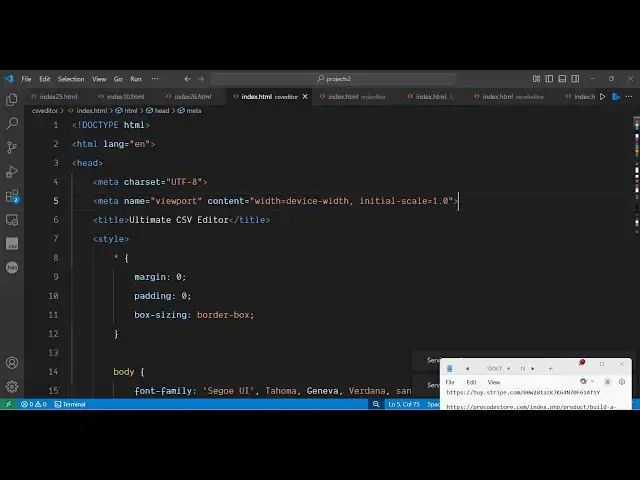
so this is a complete app here you can
2:32
see it's almost uh 6 700 lines of code
2:36
here so it's a simple static application
2:39
you can even run this locally as well
2:41
after purchasing it you will see that so
2:44
it simply runs in the browser itself and
2:47
here you can remove column names add new
2:50
rows as well so you can add your data
2:54
and then you can export them
2:58
you have the download csv button to
3:02
you can see you can even edit your csv
3:05
files so there is load csv you can
3:10
edit existing csv file as well so
3:14
definitely check out this two before
3:16
purchasing it i have deployed this on
3:18
freemediatools.com/csvitor
3:22
tool so you can apply these settings or
3:25
clear all the data as well and start
3:27
from scratch create a new csv file and
3:31
here you enter all your data can change
3:34
the column name as well
3:40
and then add a new row
3:45
you can duplicate as well you can see
3:47
you can remove it so every operation is
3:50
supported here you can see how easy it
3:51
is to construct your csv file so
3:54
definitely check out this uh tool if you
3:57
need the source code you can definitely
3:59
purchase it all the payment links are
4:01
given in the description so it's almost
4:04
entirely built inside html css and
4:08
javascript and no serverside code is
4:10
involved so it's very easy to modify the
4:13
source code as well once you get that
4:16
and also you can deploy this as well to
4:18
your own website as well
4:21
so thank you very much for watching this