Up next in 10

Build a Canva Clone Image,GIF, & Video Editor in Browser Using HTML CSS & Javascript
Mar 3, 2026

Buy the full source code of application here:
https://procodestore.com/index.php/product/build-a-canva-clone-imagegif-video-editor-in-browser-using-html-css-javascript/
Show More Show Less View Video Transcript
0:00
clone uh video, GIF and image editor
0:03
directly in browser. This is a full
0:05
directory structure. It's built entirely
0:07
in HTML, CSS and JavaScript. So this is
0:10
actually the index HTML file, a single
0:13
file. So which you can directly run once
0:17
you purchase it, you will get the source
0:18
code from Google Drive. So the editor
0:20
will run directly in the browser. You'll
0:22
see that you can have it's a full
0:24
timeline based editor where you can
0:26
actually edit your videos.
0:29
You can resize your video like this or
0:33
if you want to start from scratch can
0:36
even do that as well.
0:38
So we have a bunch of templates as well
0:41
which are there similarly as we have
0:43
inside Canva. So you can click on any
0:45
individual template and then export that
0:48
template to a video file. You can change
0:50
this text as well inside the template.
0:54
You can change.
1:00
It's very easy. You can just see. Then
1:03
you can click download and you can
1:04
export this template to a video, GIF or
1:07
image file. So you also have ability to
1:09
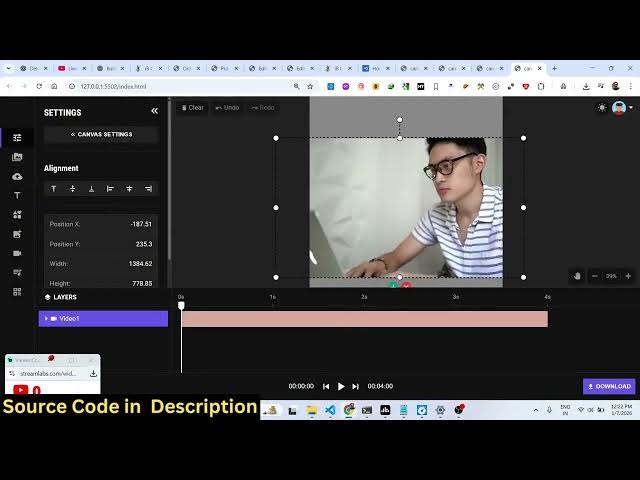
actually edit your videos as well. You
1:12
go to the upload section. Just upload a
1:16
media file.
1:19
And here you can crop the video, zoom
1:22
the video accordingly.
1:25
And then you can even change the
1:26
background of the video as well very
1:29
simply. Then you can add the text here
1:31
any text. So it's entirely built in
1:35
HTML, CSS and JavaScript.
1:47
So similarly we can also place the image
1:51
as well.
1:53
So now if you want to export this. So
1:55
you can play this
1:59
and uh once you can export to to a GIF
2:02
file image static image or a video file
2:05
click on start downloading it will
2:08
render out your video frame by frame and
2:10
everything will be rendered out. So if
2:13
you need the source code you can
2:14
directly purchase it. the link I've
2:16
given in the description of the video.
2:19
So now the videos has been successfully
2:22
downloaded.
2:25
You can just see here everything has
2:27
been exported. Your video file is
2:29
successfully edited. So it's a single
2:31
page static application. There is no
2:34
back end to this application. Everything
2:36
is processing directly in the browser.
2:39
And we have quite a number of templates.
2:41
You can even make your own template and
2:43
save it as well.
2:45
You can upload your audio file. We also
2:48
have support for stock images, Pixabay,
2:50
pixels. So if you're interested in this,
2:54
definitely purchase it. The link is
2:56
given in the description.