0:00
uh hello guys welcome to this video so
0:02
in this video I will show you a vs code
0:04
extension which will save you a lot of
0:06
time because many times you need to
0:09
encode your images into base 64 code or
0:12
decode your base 64 into images you go
0:15
to third party website so uh vs code
0:18
does have a extension which does this
0:20
automatically both the operations right
0:22
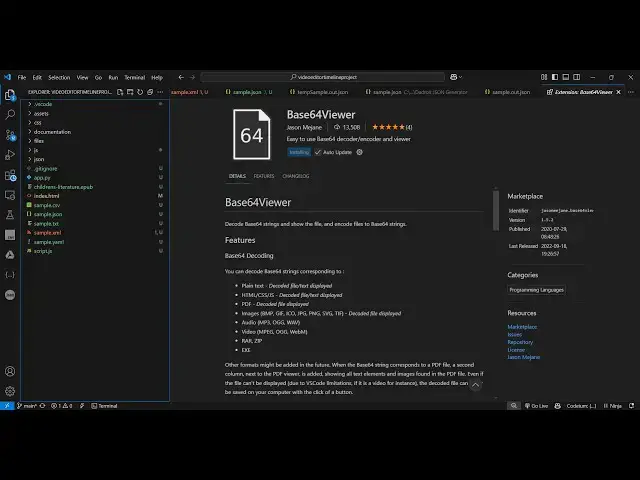
in the vs code so if you just write here
0:26
viewer in the extensions tab
0:30
so this is the extension which will come
0:34
here it's almost got 13,000 install so
0:38
personally I use this extension a lot so
0:41
to decode and encode my images into base
0:45
64 and uh once you activate this
0:47
extension now what you need to do you
0:50
there is a shortcut key you need to go
0:52
to command pallet control shift
0:55
p and whenever you want to encode so
0:58
just type here basic 4 and there will be
1:01
two options coming here base 64 encode
1:04
to base 64 so if you have image that you
1:08
want to get the base 64 code of Simply
1:10
select this option and then it will ask
1:12
the location where you need
1:15
to select any kind of file it can be
1:18
image it can be PDF any kind of file so
1:21
let me select this image so what it will
1:24
does it will convert this it will give
1:26
me this base 64 code you can copy to
1:28
clipboard so this will save you a lot of
1:31
time because you are not leaving vs code
1:34
you're doing this all this operation in
1:36
the vs code and now if you want to see
1:39
the actual image again go to command
1:42
pallet and this time write decode from
1:46
base 64 and just paste the base 64 code
1:49
right here control V and enter so it
1:53
will show you the actual decoded image
1:56
from that base 64 code and you can even
1:59
save the file just choose a file name
2:04
output file successfully saved at this
2:13
location so in this way guys you can
2:15
actually use this base 64 ultimate
2:18
extension for decoding encoding
2:21
anything control shift p go to command
2:25
pet if you want to encode or
2:27
decode if you want to ENC code then you
2:30
provide the actual file it can be any
2:34
file it can be PDF image zip any files
2:37
you will see this is the ebup file right
2:39
here so copy to clipboard and then for
2:43
it simply paste the code and then it
2:46
will show you the file right here this
2:48
is a ZIP file that's why it can't be
2:50
displayed but this is a nice little
2:53
extension you can use it guys I
2:55
personally use it to save a lot of time
2:58
while developing it to get the base 64
3:01
code so thank you very much for watching
3:03
this video and also check out my website
3:06
free mediat tools.com which contains
3:08
thousands of tools regarding audio video
3:10
and image and I will be seeing you in