Up next in 10

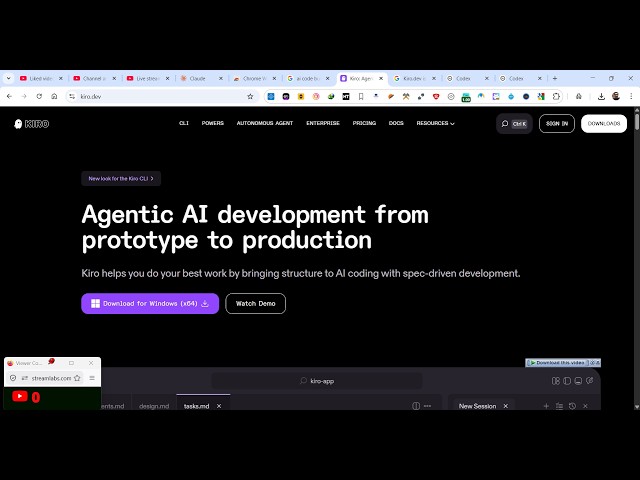
Amazon Kiro.dev Coding AI IDE Agent is INSANE Destroys Cursor Builds Full Stack Apps in Terminal
Apr 4, 2026

Watch My Visual Studio Code IDE Setup Video For Fonts,Themes & Extensions
https://youtu.be/Bon8Pm1gbX8
Hi Join the official discord server to resolve doubts here:
https://discord.gg/cRnjhk6nzW
Visit my Online Free Media Tool Website
https://freemediatools.com/
Buy Premium Scripts and Apps Here:
https://procodestore.com/
Show More Show Less View Video Transcript
0:02
Uh hello guys in this live stream I will
0:05
show you uh Amazon company has launched
0:08
their own AI coding IDE an agent which
0:12
actually builds out completes the coding
0:14
applications from terminal you can
0:17
install it inside your app as a desktop
0:20
app it's called as Kro K I O if you
0:24
simply type this on Google the very
0:26
first result which comes so It's the
0:30
[snorts] address is Kirao.dev.
0:32
Uh it has its own CLI system as well
0:35
similar to cursor chat GPT and deepseek.
0:39
So you can install this as a desktop
0:41
software. You can download or for
0:43
Windows click on as soon as you do this.
0:47
The [snorts] size is just 193 mgabytes.
0:50
So just first of all download. Once it
0:55
get installed, you go to the actual
0:58
setup file to
1:02
actually
1:04
run the setup to simply install this. So
1:08
it will just take 2 minutes to install
1:11
this. So once it is installed, you can
1:14
build out full stack coding applications
1:17
directly.
1:19
So it has its own CLI system as well. So
1:21
once you click CLI you can directly
1:23
install this on Mac operating system or
1:26
Linux.
1:32
So it actually works directly in the
1:34
command line.
1:47
So once it get installed it will work
1:50
like directly inside your machine. It
1:54
created by Amazon. So
1:57
I think you can install this on Windows
2:00
as well. The CLI open PowerShell and
2:03
paste this command. Once you paste this
2:07
command.
2:17
So as soon as you finish
2:19
the application will launch. So it's
2:22
similar to v visual studio code. So it's
2:25
a complete IDE where you can build out
2:28
applications with the help of AI. So you
2:31
can even clone a GitHub repo as well and
2:34
just open a project as well existing
2:37
project.
2:42
So you can directly open a folder as
2:45
well. So
3:02
can create a new folder right here.
3:12
So once you open you need to actually
3:15
sign in. So
3:20
it will automatically
3:22
login you you can download login with
3:25
your Google account.
3:32
So once you complete the authentication
3:34
automatically it will be activated.
3:39
So now you see this screen right here a
3:43
chat prompt. Here you will write exactly
3:45
what sort of application you want to
3:47
create.
3:51
So you can just say build a image to PDF
3:54
web app.
3:58
So from here you need to select the
4:01
model. So as soon as you do this
4:05
the AI will start developing your
4:07
application. So you can just see here
4:11
directly as soon as you run this.
4:26
So it's creating this file here index
4:29
html. So you can actually see.
4:46
I think you can even install the CLI.
4:49
Just paste that command.
4:59
If you enter it, I think it's not
5:01
available for Windows. The CLI tool is
5:04
only available for Mac and Linux.
5:10
So now it created this file here. As you
5:12
can see, it has its own code editor. It
5:16
created this index.html file. We can
5:18
also make
5:21
uh
5:24
let's suppose I want to please change
5:27
this to a angular project. So I [snorts]
5:31
want this PDF editor to be in angular.
5:34
So I can also ask followup questions as
5:36
well. So now it will change this
5:38
existing project to a angular project.
5:56
So you can say run. So I just need to
5:58
grant permission so that the AI can
6:01
actually execute commands in on behalf
6:04
YouTube.
6:10
So it's automatically executing the
6:12
commands in the background and once it
6:15
finishes you will get the notification
6:17
again you need to grant access. So just
6:21
click on run. So it will create a
6:24
angular project for you.
6:27
So this is really insane. It's really
6:29
good. Simply install it and start using
6:32
it to actually build out applications.
6:35
So it's really created by Amazon to
6:38
actually compete with other AI providers
6:40
which are there. So it is completely
6:43
free to try out and if you still want to
6:46
see the pricing uh in the free plan you
6:50
get up to 50 credits and for each
6:53
operation that you're doing some credits
6:55
are being consumed. So you get 50
6:59
credits once you install this [snorts]
7:02
and then the pro plan start with $20 per
7:05
month and you get 1,000 credits. So it's
7:09
a really good software. Definitely
7:12
install this.