live_tv
Livestream Starting Soon
00
Hours
:
00
Minutes
:
00
Seconds
Up next in 10


Project management Accounting -8
Show More Show Less View Video Transcript
0:07
foreign
0:56
welcome back again uh on project management accounting basics
1:03
today we are in the last session we discussed about how to pose the expense
1:08
journal in from the different uh screens or different ways from the
1:17
project expense Journal IAP invoice Journal pending vendor in my journal general journal uh
1:24
and expense report these are the ways we posted the expense Journal uh in the
1:32
last session and we discussed about the expense policies as well project expense
1:37
policies so coming to now we are going to do work breakdown structure
1:46
[Music] in this session let me go to project management
1:51
accounting this is my new system so I'll create one project again
1:59
for our demonstration
2:06
let me take new
2:12
and time and material I'll use basic
2:19
time and material project I'll use one of the group which is
2:25
already there and the contract also I'll use the say uh existing one
2:33
so these topics anyway we already discussed so I'm assigning the existing
2:39
ones if you have project manager as in the project manager as well
2:49
create project
3:07
once project is created let's discuss about the work breakdown
3:13
structure work breakdown structure the name contains
3:21
work breakdown stretcher that means that name itself contains the definition of
3:28
the work break demonstrator breaking the work into several parts or like for
3:36
example there is a big project okay for that that big project will
3:43
um will will we need to complete step by
3:49
step right so we need to break the project into several steps once the step
3:57
is reached Milestone uh we need to reach one by one and later on we need to
4:03
complete the entire project right best example is that any Metro projects
4:10
uh they will take for uh 10 kilometers or 20 kilometers but they won't
4:17
construct any 20 kilometers into one one shot they will separate uh from one
4:25
place to another place in one part and from that place to another place it is a
4:31
first two kilometers one part next to two kilometers or next three kilometers one part like that they will segregate
4:39
the work or they will debate the work right same way
4:48
breaking the work into several stages uh is called a work breakdown structure
4:55
another best example is that if we get any implementation project there are uh
5:02
there will follow um methodology or any agile methodology or
5:10
normal customized methodologies right like a first starting stage is that uh
5:16
getting the requirement analyzes design development deployment then go live then
5:25
testing uh like uh hyper care support these are the stages different stages
5:32
right say that that is nothing but work breakdown structure work our entire
5:40
project is breaking into different stages so that is about work breakdown
5:46
structure creating is so in this session we'll discuss creating a simple
5:52
breakdown structure and
5:58
foreign structure
6:05
and
6:11
and will discuss about few topics in the work breakdown structure okay so let's start
6:23
so work break demonstructure will be endo plan tab
6:29
click on work breakdown Switcher so first line it will come automatically
6:34
and coming to second line I am creating one more line and we we are going to
6:43
plan our projectors like uh
6:50
maybe analyze analyzes the first stage okay
6:58
I am taking project or consult
7:05
category default PM it's game automatically based on the default setup
7:11
and we have so we need for analysis
7:17
uh 16 hours maybe and I need
7:26
um okay two days 15 and 16.
7:34
duration it is showing here two days number of uh employees required
7:41
resources one we given one resource ID also we can give and mapping also we can
7:49
give it here resource who is the resource that are going to work
7:56
okay this is one second stage is
8:06
design stage I'll give you consult
8:15
and for Designing it will take 30 hours
8:21
and 15 to oh
8:26
four days it's taken you if you want five days it will be five days and if
8:35
you how many duration
8:40
how many hours you want uh 15 16 17 18 4
8:46
4 days we given four days it's uh we give in right
8:52
normal 15 16 17 18 4 dice is four days
9:02
and I need two resources here
9:09
if I use two resources it will become two two days
9:14
and uh next is
9:20
development
9:25
[Music] development stage
9:31
consult [Music] and for this only I am giving 16 days
9:39
and only we have three projects maybe or
9:44
sorry three stages we can add one more stage also but I'll stop here with three
9:51
stages like first stage is one right after this
10:00
analysis phase what is the uh successor like uh producer means for
10:08
design which step is the before step for design before step is anal analyze okay
10:17
and same way for development which stage is uh precision
10:27
it is design stage right
10:34
[Music] let me select it from here
10:40
oh come on
10:45
okay um our comment is going
10:55
okay so saved
11:03
so here once the work breakdown structure is the published we can edit
11:11
even after publish also versions will be generated
11:16
so here we have details option here if you want to see the details import
11:23
export also there if you want to import the work breakdown structure you can import
11:30
that see here details of the
11:36
details of this line and I think him and we have import we can import the work
11:44
break now structure from the template that at the time it will be import export if you want to export it you can
11:51
use the export move up move and if we want to move uh the development to the
11:58
second uh stage move up it will if you want to
12:03
move design to the last step then you can use move down
12:10
[Music]
12:16
and we have
12:23
uh we have here in Dent uh
12:28
uh we have indent and out dent this this is uh so if you want to uh Sub
12:38
sub tasks if you want to use as a Sub sub task you can use indent if I do out
12:47
and it will be like a stage one stage two uh if it is indent it will be like
12:54
stage one under the stage one one more task 1.1 or something like that delete
13:01
we have new Option anyway we discussed so let's save this
13:08
and publish it okay once it is published
13:14
we can edit as well uh we can edit and we can correct the schedule uh sorry
13:22
work break demonstructure and again we can publish it
13:27
here we have tracking views so there is no
13:33
tracking view currently so it is just oh sorry there is tracking view uh
13:40
remaining cost is this much cost at complete casted complete Planet cost so
13:48
Planet cost is this much 11
13:55
480 for the sorry this one
14:00
analysis phase it is uh 3200 this is
14:06
entire planned cash for the project level this is stage was uh
14:13
analysis so plan is 5400 5000 2880 plan
14:22
so let's show you the
14:28
few more so if you want to see the transactions
14:33
here you can see the transactions currently we don't have any transactions
14:38
we have three options expense transactions item transaction and how much however transactions we never we
14:46
didn't posted this any transactions to this project right so the there is
14:51
nothing here and if you want to see the details you can see
14:59
hello and they expand if you want to expand in
15:04
the level basis you can expand it there is no sub uh category levels right
15:10
that's why it is not showing here so cost of casted
15:19
complete cost it complete is this much so cost remaining cost also this much
15:25
but Planet cost is uh 11 480.
15:31
so let me go to a breakdown structure again
15:51
[Music]
16:04
see here consult is there so instead of sort of PM my it is there
16:12
normally we are using consult
16:25
again publish it once it is published if you want to see
16:31
the tracking details you can see from here and this is this tracking details
16:37
see now it is planned and cost a cost remaining cost is same
16:44
you can see the transactions here once if you post any transaction to this
16:50
project so now what I'll do is that I'll create one hour journal for this project
16:56
and we'll post it so currently it is in created see this project is
17:03
so let me change it to so released
17:12
stages stage names are different because I'm using different laptop
17:19
so that's why these stages will come from the project management parameters
17:24
whatever the setup uh mentioned in the parameter level that will come as a
17:30
project stage right
17:36
[Music]
17:48
so here what I'm telling
17:53
stages project stage
18:02
here So currently these are diamond material project to be taken currently it is
18:09
created estimated approved released close these are the stages available so
18:15
that's why I changed it to release stage and let's go and book The Harvard
18:21
Journal now let me take new and
18:27
go to lines [Music]
18:39
consult for example
18:50
eight hours post it so I am booking eight hours
18:58
our Journal now for this project
19:05
so one before it gets posted I will go to the all projects from
19:15
so some error does not exist because of error in lines
19:22
the voucher cannot be pushed
19:30
so period does not exist
19:36
[Music]
19:41
foreign so in the previous sessions we discussed
19:49
about this period codes let me go to workers
20:16
foreign
20:36
[Music]
20:47
only there are periods available
20:53
so I'm creating for
21:00
so let me check uh show timesheet periods
21:28
period for eight
21:36
eight
21:50
[Music]
22:00
worker periods also let me see
22:45
foreign
23:23
2014 onwards there is no periods so it will take time basically
23:40
[Music]
24:06
foreign
24:41
okay let me check again
25:02
or 2019 it's created
25:28
foreign
25:47
check with generate option
26:05
need to check physical calendar created or not for 2023
26:30
meanwhile I'll go to the calendars
26:36
foreign calendar using for that particular user
26:42
worker let me go to
26:48
organization Administration calendars
26:54
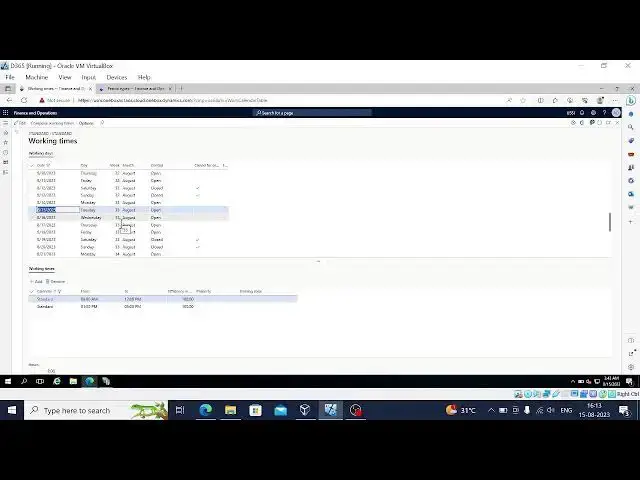
let's check one by one and here working times will be there
27:03
and here we have date here
27:09
no issue with this let me go to
27:21
general ledger
27:31
okay in The Ledger physical calendar
27:43
see nothing here
27:49
foreign
28:11
this one yeah yeah
28:36
let me try one more time
28:49
so it's new system actually in the last session we discussed in
28:55
different systems so that's why there are many issues coming in
29:07
still it is coming to dollar [Music]
29:20
some essays coming let's focus on the error messages
29:48
project management accounting all projects
30:14
foreign
30:25
okay done it's posted now let me go to the
30:32
uh transactions
30:39
so work breakdown structure
30:46
go into this after this tracking View so here if you notice it
31:06
the tracking
31:11
actual effect eight of us see previously there is no actual effect
31:18
actual cost also there so if you want to check
#Business Plans & Presentations
#Management
#Construction & Maintenance
#Other