live_tv
Livestream Starting Soon
00
Hours
:
00
Minutes
:
00
Seconds
Up next in 10


Basic project accounting
Show More Show Less View Video Transcript
0:03
foreign
0:46
cost project basic setup for cost project uh how to pose the hover Journal
0:53
and expense journal for these those details we'll discuss in basic cost
1:00
project normally uh in this session we are going to discuss
1:07
starting about a cause a basic cost price project
1:12
uh setup and creating the project and project transactions will process and
1:21
review of project statements those are our agenda in the starting
1:28
and to do that I am going to usmf Legal
1:33
entity and I'm going to create the project group
1:38
which is a cost price project group with the type is
1:46
cost project
2:23
so to create project group go to project management uh one thing
2:29
and it's a bit slow today
2:48
in the project management accounting setups and a setup project group
3:10
project groups hmm
3:33
so let me create project group basic
3:40
cost price project
4:00
um I should be questionable
4:07
once we select the coast project it's a it it is a cost project and it directly
4:13
goes to penal account there will be no impact balance sheet
4:20
and on account invoicing it will be none because it there will be uh no contract
4:28
for this project this type of projects cost projects these are uh
4:35
these are internal projects so
4:41
so this is a project create a project group for a basic cost project
4:50
course project type and once the project group created
5:00
actually in this cost price project there will be no on account transactions
5:05
we are because we are not building to anyone it will be like cost project it
5:12
is internal project and uh let's create a project to test this
5:19
particular basic setup of cost projects so let me create new project for this
5:38
new
5:47
type will be project type will be first project
5:53
and here I'll give same thing basic cost price
5:59
product and a customer I'm not selecting and
6:05
project manager if you want to select
6:20
Ed
6:29
foreign
6:36
if you want to post any transactions to this project
6:42
what we need to do we need to change uh stage to improve in process
6:49
otherwise system will not allow you to post any transactions for this project
6:56
so
7:02
still create
7:34
yeah once project is created I am just changing the
7:42
and clicked uh project group instead of project stage I
7:49
need to go to Project stage
7:54
in the project stage
8:07
so we have only in process and maybe it's uh mentioned
8:14
as a automatically changing starting stages uh in process let me check
8:22
what is the stage of this project
8:35
so it's uh it's once created it is uh moving to in process stage the that is
8:44
the setup behind this and
8:54
so this is the project we just created if you want to check it out go inside
9:00
and check whatever the details you have provided
9:09
oh I believe this is not our project it's
9:15
ours is basic Let me refresh it
9:27
'll take all
9:46
basic cost price of project this is in progress stage and
9:53
once the project changed to in progress let's create the hover journal for this
9:58
project
10:17
new lines
10:56
ah analyze I'm selecting the project date
11:03
and which project and uh what is the category of this and resource and
11:10
booking uh 10 hours
11:16
and posting this how was your Journal
11:33
award journal for this cost price project
11:47
once it is posted if you want to check it out uh the voucher transaction for
11:52
this particular power Journal uh go to uh
12:01
it will be in
12:09
uh not in the lines it is four straight now
12:15
you want to check the voucher of this particular transaction you can go to
12:23
um posted transactions of this project
12:33
and this is the journal and view it
12:39
you watch her
12:45
if you see here it has been posted to cost of goods Services account that
12:52
means uh this service we have selected some category while posting that uh uh
13:00
our journal and it is booking to project cost which is uh mentioned in that
13:07
particular uh Ledger posting setups as project Ledger posting setups and it's
13:13
booking to payroll allocation and let me show you where uh actually system is
13:19
picking those uh those main accounts for the hover Journal
13:26
um project management accounting
13:34
under setup will have the project Ledger postings
13:50
it's a bit slow
13:55
project cost will be debited and it's a payroll allocation is credited
14:03
so once I'll go to Ledger posting setup and the project
14:10
management accounting in this if you check
14:16
it's sorry it is in did company change the company
14:31
here project cost this is the cost account
14:37
so we have taken I guess what is the category we selected for our Journal
14:47
let me check it out
15:21
let me
15:27
I believe this is the journal we have posted Car Audio car audio is
15:33
the category that we selected for posting and here
15:40
category relation table is a Core Audio anything is there
15:48
um cover audio table level there is no set of a main account mapping and if
15:56
group level we need to check that Core Audio will come under which uh group
16:04
which category group if I go inside this category car audio
16:10
I can see the project category group and it these project category group is
16:21
Project I'll search for project project this is the one this is the combination system
16:27
is picking five double zero one three zero this is the account
16:33
available in our transaction as a debit account let's check it out
16:41
oh
16:53
yes five double zero one three zero it's speaking from this combination for
17:01
posting the hover Channel let's check another leg of uh journal
17:07
entry payroll allocation there is no other combinations it is all
17:13
all combination project relation also all as well as
17:19
category also or there is only one account map 600
17:24
300. check it out 600 300 EUR is your
17:30
payroll location okay foreign so this is the entry that posted for uh
17:39
about journal for this cost uh cost project let's go and post the uh expense
17:48
Journal as well so just to
17:54
post so project expense Journal
18:11
foreign
18:44
foreign
18:56
concept expense Journal I am posting
19:01
and in the expand journal the lines
19:10
[Applause]
19:22
so here I'm taking the project and category is travel
19:30
cost price I have selected a thousand and
19:36
um offset accounts is came six and six zero or double one
19:42
500. default offset account for this uh
19:48
project and category
19:57
it's
20:14
601 500 where it is mapped that particular expense account
20:21
they're snapped in the category six zero one five hundred
20:27
and this is the expense account it's mapped under uh
20:32
category unless post it
20:54
so let's see we shall which are the cones posted debit and which account it
21:00
will post as a credit
21:07
foreign
21:13
state
21:26
if you want to see the voucher you can go to posted track directions as well
21:31
that is the best manage tab
21:38
hosted transactions this is the one we just posted
21:45
check for the voucher so 601 500 uh
21:51
it is debuted that is Project cost account and Ledger Journal danger Journal is
21:59
credited so project cost will come from Ledger
22:06
posting
22:11
and offset account that expensive home Ledger Ledger
22:19
Journal Ledger Journal it's from category
22:24
expense account let's post one more entry to test from
22:31
bearing so here it's a confusion that both the
22:36
accounts it is having both the setups we are having same main account so
22:42
causing difficult to pick from where that particular main account is
22:50
coming from so let's what I can do is that
22:56
I'll edit this and I'll give some other account here
23:12
car rental I'll give or just testing purpose
23:19
once it is currently given I'll go to the project to create the
23:24
hover expense Journal for that particular project
23:35
is the project management of funding
23:44
and all projects
24:02
foreign
24:08
so let's create the expression Journal now
24:16
new lines
24:22
so it is the testing scenario for our expansion now from
24:30
where the particularly jio phone is speaking for this expression
24:38
so it is not picking from here because I have changed it and it's still picking
24:44
500 leak let's change the cost here
24:50
first account create new
24:57
so it's not as well
25:42
is there any setup for this default
26:17
one is Project cost from Project cost it is speaking for travel what is this
26:25
five thousand one Thirty
26:32
sure oh it's booked let's
26:46
six zero one five hundred both debit and grid project cost
26:53
where it is set up and this is a cost account
27:16
sorry it's group level where is that travel
27:21
anything is there no from here this travel will comes under
27:28
which group foreign
27:45
speaking different accounts
27:53
for travel oh yo
27:59
travel 501 is here table level
28:04
project course
28:21
let's try to post one more Journal let's check it out
28:36
posting without amount sorry
28:53
hmm roasted
29:00
um
29:19
yeah it's changed to core rental expenses but it's a
29:26
some refresh issue it's happened
29:32
y01 it's debited now so maybe once you change it here
29:41
at the category level let's change it now again
30:05
oh it's changing automatically based on your uh group level
30:11
category level setup and five zero
30:17
500 it is coming so another Ledger account from where it
30:24
is speaking out that we need to find out here
30:33
so I am also learning this but not uh really
30:39
from where it's speaking I'm not sure so let's
30:52
somewhere some default setup is being has been set up
31:00
for the expense
31:06
here in expense I have given 501 foreign
31:28
so once we click the expense and lines system is giving the automatic
31:36
automatically that particular account right so let's check from here
31:42
expansional new we are selecting
32:19
so in the journal level there is no setup
32:28
so let's go to lines once you click the lines it is speaking that automatically
32:36
so it may be in Project level
32:47
or category level that we need to check it out
33:03
ah
33:29
a hmm
33:36
in Project group we didn't we never given any accounts here
33:46
from where it's taking that particular account
34:27
you know
34:34
I will
34:42
so in this one we are giving these Suppose there is no 60 row and 500
34:48
account set up
34:57
uh stabilize the expense this is that
35:34
this is caused linger from where it is taking
35:50
let me Google it
36:55
so I see the behavior of standard condition is in our companies
37:02
I'm using Diamond material project a few expenses will charge you to charge
37:08
recharge later on when I click lines if this appears the
37:15
field you see default
37:22
project module there is form called default offset for expense
37:30
you can find this setup in posting section
37:36
okay
37:44
oh here is the one finally we found
37:50
so for travel it is six zero and five hundred from here it is speaking let's
37:56
change it from here so that
38:01
no what is the account it and from where it is speaking will come
38:09
to know exactly so let's go to line
38:15
I'll delete this particular line
38:20
if I create new one it will come 501 as I have set account finally we found
38:27
that
38:33
yes so finally we made it
38:40
so 1500 I'll give now
38:46
we have foreign the system is speaking from the
38:54
default uh offset account for expense account and
39:01
project cost account so once you post the entry
39:10
if you want to check the entries and go to poster transactions
39:25
manage tab hostage the transactions
39:33
this is the one Orchard now we have a clear picture that let me
39:41
make a note of this so
39:48
debit account is the project post
39:56
that map
40:02
in category level
40:09
of Ledger posting
40:14
setup then credit
40:22
default offset account
40:30
of expense
40:38
posting setup
40:43
okay let's give one more try I'll remove the
40:49
default offset of home or expense for travel let me remove it
40:56
so I removed from the default offset account now again we'll create the expense
41:02
journal for testing purpose let's go and go to that particular
41:08
project create the experience
41:15
so there is no default now default offset account for this
41:22
travel can't eat it see no offset about now
41:36
we can select by our
41:45
okay so this is the thing we came to know
41:51
today
41:58
so we have posted a few explosions
42:08
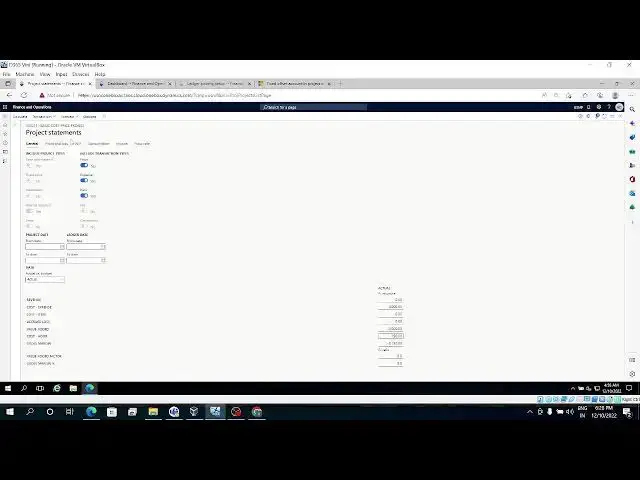
let's go and check the project statement so it looks like
42:20
so this is the general page and we have our experience item
42:27
in my neighborhood and there is let me click on calculate
42:34
so once we click on calculate it's added the transactions here cost X
42:41
plus three Chosen and 150 hour and total is three thousand and
42:50
fifty if you check the penal account this is the one
42:55
total cost is 3150.
43:06
so you can check all the hover rate everything 10 hours we booked and it is
43:12
300 uh 15 15 rupees per hour on 315.
43:20
our rate is 15. gross margin hover rate 315
43:28
value added hour rate 300 uh
43:33
and however quantity is 10. this is a
#Business Finance
#Accounting & Auditing