0:00
Let me be faster in this intro, let me do that again
0:02
So as you know I've been using the Galaxy S10 as my main device for a period of time now
0:07
Now I've given up on the face unlock. I knew it wasn't very secure, but then I made that video showing just how easily fooled it was
0:16
I played a video, unlocked the device. I'm just not using face unlock anymore, not the way that it's implemented on the Galaxy S10
0:22
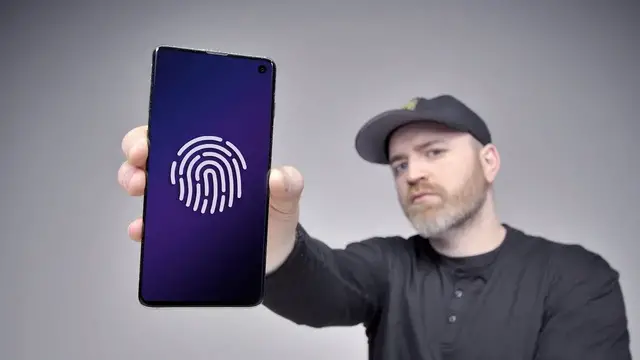
But that's not all bad because of course this device has that really cool ultrasonic fingerprint scanner
0:28
underneath the display of the phone. Now in the face unlock hack video I explained that I wasn't so happy
0:35
I wasn't enjoying the in-display fingerprint reader very much. It just wasn't performing as I kind of wanted it to
0:42
and so I gave it some thought and I was like maybe there's a way to improve this. Maybe I can register the same finger
0:48
more than once. I was thinking to myself, wait I just came from the OnePlus 6T and that didn't work
0:55
And typically with the in display optical based fingerprint scanners they won allow you to register the same fingerprint more than once So for example on the right hand side here I have the OnePlus 6T you can see two fingerprints are registered left thumb right thumb
1:10
If I go to add another fingerprint, and I use the same thumb in order to improve, I guess, the reading, improve the image that's stored within the phone
1:22
If I do it with this, with the 6T, it will say the fingerprint has already been enrolled, please try another finger
1:27
So it won't allow you to have the same finger registered more than once
1:32
Maybe it has something to do with the optical technology that's at play here in the 6T and other in-display fingerprint smartphones
1:39
But on the S10, it doesn't work that way. So to my pleasant surprise, I could go in there and register the same thumbprint more than once
1:47
And after doing so, I actually ended up with a more accurate, more satisfying experience with the device
1:54
This is the S10 that I've been using for the purpose of this demonstration. I have the S10E over here on the right
1:59
You can see I added one single fingerprint on this S10 If I click on there I can add another one Now in this case what I going to do is scan in the same finger but the next time around try to do it from
2:12
different angles in order to improve the ultrasonic recognition. So I'm going to go ahead
2:17
and just move my thumb around a bit. Make sure you get those really flat readings on the bottom part
2:23
and then also the edge readings on the top part. And now we have two fingerprints of the same
2:29
fingerprint. Now if I wanted to get real crazy I could add this fingerprint a third time. This is the third
2:35
reading for the same finger. In my experience it just improves the accuracy and it improves the unlock functionality of
2:44
the device. Some of you have mentioned in the comments, I've even seen videos made about it, that you don't need to hold your thumb on
2:50
the fingerprint scanner. This is also true. You can kind of lift it off and it sort of makes it seem faster than maybe
2:56
Maybe you might have originally thought. Whether you lift it off or not
3:00
It's not really important. The point is you want it to work Look see See it still not 100 It still can miss from time to time and say no match And there is a pressure component to it based on how hard you press down
3:17
But nonetheless, it's still in my opinion not as good as the capacitive fingerprint scanners that have been on the back of these devices in the past
3:26
in the past, but it really improves the in-display fingerprint scanner to register the same finger more than once
3:33
I recommend you do it, and I recommend you get all the edges of the finger to improve the recognition
3:39
There is the added security with the ultrasonic technology, so these are going to be tougher to crack
3:44
than the same or seemingly similar scanner that exists on a device like this, the OnePlus 6T
3:50
That's just an image of your fingerprint, and for whatever reason, It won't let you register the same finger more than once
3:56
Little trick, little hack, I totally forgot about it because the optical base scanners that I had been using
4:02
wouldn't allow for it, but it does work on the S10, S10 Plus
4:06
so go for it if you own one of these