0:00
So recently I showed you guys a new laptop from Razer, the Blade Stealth
0:05
A laptop that anybody would be happy to own. Today, that might not be the case
0:10
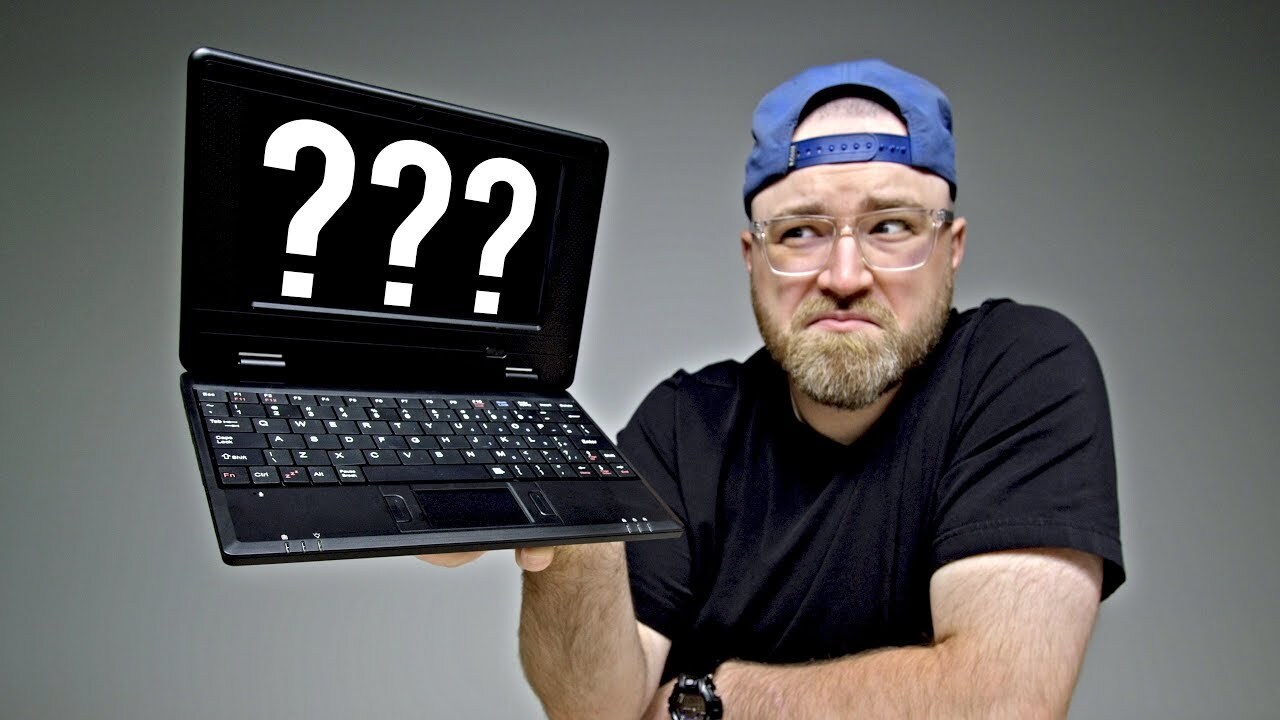
Today I'm gonna show you a laptop that's $39 on Amazon. $39
0:17
Now they're not really calling it a laptop, they're calling it a netbook
0:21
You might not even remember the term netbook. Netbooks were all the rage once upon a time
0:26
I don't even know how many years ago. They weren't very powerful. Most of them had Intel Atom processors
0:32
What a bizarre era in tech. Here's the thing. This is like some next level netbook in the sense that it's only $39 and it runs Android
0:40
This is on Amazon. You can buy this right now. So the question is, what do you get for $40
0:45
And most importantly, does it suck? It's got Wi-Fi, a browser, a camera, email, ebook reader, map, music, apps
0:55
I'm guessing that front facing camera is... Well, it's probably not pixel dense
1:00
We'll find out. Flip it open. It is kind of impressive for $39, I guess
1:06
It has YouTube. That'll be interesting. HDMI port, an RJ45 jack, and a DC-in
1:12
Wow, I'm excited. Android 4.0. A 0.3 megapixel front-facing camera. All right
1:19
Four gigs of built-in flash memory. One gig of RAM. The HDMI out jack is capable of 1080p
1:25
Okay. A couple of USB ports and a mini USB port for chargering
1:30
Uh oh, uh oh Jack. Chargering. Ba-dum. Chhhh. Stereo speakers SD card slot It got a headphone Jack The ice cream sandwich Android up there You see that That always Man I haven had an ice cream sandwich in a while Maybe I pick one up today
1:50
Ooh. Bedtime reading. There it is! Okay, feels pretty sturdy. Tiny little power brick
2:00
So the power brick just has a female USB port. And then goes into here
2:04
A mini USB to charge this up. What can you get for 39 bucks these days Jack
2:09
Not much, but you get this. Ooh, smooth. Here on the back, HDMI, Ethernet, two USBs on this side of the unit
2:19
and then the other side packs in your SD card slot, headphone jack, and a microphone port as well
2:25
Look at all the connectivity on this thing for 39 bucks. Look at the manufacture date
2:31
Ha ha ha ha ha ha ha! July of 2012. The moment of truth
2:35
Oh, ha ha ha ha ha! It's kinda cute, I don't know, maybe for a kid or something
2:41
The trackpad is tiny! An anti-reflective screen, might I add. Now this is a tiny little keyboard
2:48
Could you get used to that? Maybe if you have tiny little hands
2:52
Alright, so I've got it booted up now. I'm at a familiar Android screen here
2:57
From back in the day, as you could tell, it's like if an Android phone was a laptop
3:03
I have it hooked up to a display here. It is kind of odd though. Oh here. Okay, here we go
3:09
There we go. Now since the screen is not touched, navigating without the mouse you use the
3:16
directional buttons here. Now they a little are they lagging or is that just me What going on here Up and down works and left works Right is not working I believe the right directional arrow is not working Hmm
3:32
And type. Test. Yes, the right... Okay. I can't say I'm surprised
3:44
Listen, I'm not gonna let that hold me back, alright? If you're going for the $39 laptop, chances are you're ready to deal with some issues
3:52
You're gonna be mad. Let's be honest. Even at 39 bucks, you're gonna be mad. Anyhow, it's not gonna hold us back from our evaluation here because..
3:59
Well, or it will because I can't get over to the apps beyond this area
4:03
Can obviously use my mouse. Widgets... Apps... That's a disappointment. Let's try the camera. Ohohohohohohohohohohohohohohohohohohohohohohohoho
4:13
Slightly overexposed? Holy! 0.3 megapixels here we come 2012 back at ya
4:22
That's special. You see that Jack? Don't you just want to put a picture like that on Twitter
4:26
You just can't wait! Who even knows where that saved to? It's not much storage on here
4:30
Let's go ahead and open a browser. It looks like we can open a browser at least
4:34
Look at that we're browsing the web. Since we can't navigate to the YouTube app, we're gonna go to the website. First you gotta spell YouTube correctly
4:45
Oh, the B! The B is not working either, Jack. Good! GOOD
4:53
B. Oh man, I can't even type YouTube. I feel like if I just Google YouTube spelled incorrectly, I'm in survival mode here
5:01
Look at that See there it is Loads up the mobile YouTube very very slowly Unbox Oh man what going on here on no n no n who needs it in okay hang on a second you
5:17
therapy on box yes okay we got a fresh video here let's see if it plays can we
5:27
it's playing it's gonna play in HQ here man I really feel like I'm in some other
5:32
era right now. This is not playing either. Yeah. What? Oh, I just took a screenshot. That's good
5:41
I can't recommend this to anyone. The date on the pictures folder is 1999. I mean, I just got to say
5:48
it how it is. I just got to tell the people what's happening. Another option is we could have
5:52
requested the desktop website. You might get a $40 heart attack here getting all fired up. Imagine
5:57
you thought this was going to be useful. Imagine this was just another day in the office. Oh
6:02
Did it launch the mobile version anyway? Okay, we have a thumbnail. That's a s
6:06
No, we're back here now. It's killing me. I mean, what am I
6:10
What am I trying to do right now? Like, I just gotta tell the people what's happening. I don't even think I need to tell you much of a story here
6:17
because it should be fairly obvious at this point that this is- this is probably just gonna drive you crazy
6:23
You may become very frustrated. God! God! You might regret at a later date
6:31
This is one of the rare occasions where I really thought it might actually be decent for what it is
6:36
But I can safely say avoid this thing. Avoid it at all costs
6:41
Steer clear. Treat it like the plague. Oh, and yeah, of course, it sucks
6:45
If you needed to hear it in those terms