0:00
The Microsoft Surface Book, I know it came out a little while ago but somehow I didn't have a chance to try it out until now
0:08
I'm rummaging through, I'm like, oh my goodness, I've never made a dedicated video on any Surface product
0:14
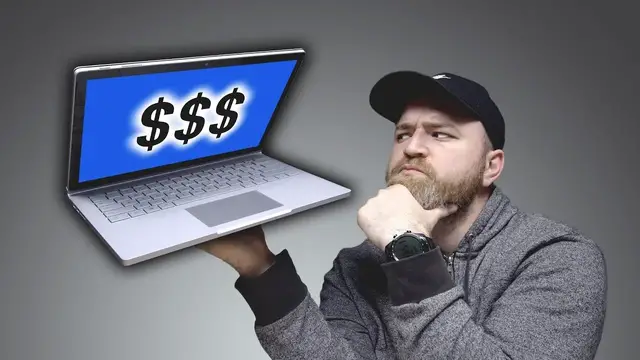
This one right here, $3,000. This is the Surface Book 2 13.5 inch Core i7 processor. It's got a GeForce GTX 1050
0:24
You could do a little gaming on here. 1TB of storage and 16GB of RAM
0:29
GTX 1050 in a Surface. 3000 bucks. You're not even going to get the pen inside the box for that $3,000
0:39
So there it is. The Surface Book 2 highest spec level. It's your usual power brick
0:46
They give you an extra USB. The brick's there anyways. Give me an extra USB
0:50
This is one of the really unique things about this laptop. This crazy hinge on it. Oooooooh. Ahhhhh
1:05
The charge port right here. Let's try it out. At least it's magnetic
1:10
We have a USB type C, dedicated volume, two standard USBs, and what looks like an SD card slot. Wait
1:17
We have a headphone jack. You have the 3 by 2 aspect ratio
1:21
I really like this curvature on the side here Trackpad down here clicky Chiclet style very little flex in the keyboard pretty nice display actually 3000 by 2000 right well the speakers are up here i can
1:37
see the almost hidden grills they'll work well with the tablet but also they're kind of at ear
1:43
level let's go give them a test why not 10 million subscribers isn't just a lot of people it's more
1:48
than the entire population of New York City. 10 million is a lot
1:52
They're not the loudest I've heard, but incredibly clear. I think part of that is just the location of them
1:57
But really, where this thing differs from other laptops is when you go ahead and detach it
2:02
and you just, you know, you take this to the couch. There's a key on the keyboard right here
2:07
right there, to detach the unit. So I'm gonna hit that and see what happens
2:11
So now it's flashing. Oh, look at that. How nice is that
2:16
It's way lighter than I expected. So the whole thing is 3.4 pounds and most of it is down here
2:21
You just come back like this. Magnets. It goes in. Will, would you like to fill me in on the battery life as stated by Microsoft
2:29
Stop it. He just said 17 hours. What? The base is responsible for about 12 hours
2:39
76 40 milliamp hour. And then the clipboard, as they call it, is 2387
2:44
so 5 hours of battery life in here and then 12 hours in here and when connected 17 total you can
2:51
find better values in a laptop if that all you looking for but what about ones that can do what this one does from a versatility perspective you have to grant it some leeway because it has that
3:02
ability of course in the apple ecosystem you're expected to have a macbook pro and an ipad even
3:07
though you're on a tablet you're on a full windows operating system you aren't stepping from mac os
3:12
over to ios there's the pen as well i wish was included in the box all of a sudden you reach up
3:19
You touch with precision or you detach. All of a sudden I'm out and about
3:23
Look at me. What aren't I doing? Ooh, that's legit too. Super comfy
3:29
Of course it has a button on it as well and an eraser nub. And you can see how it understands the nuance of the stroke
3:36
I think this is really interesting, the whole package. And I'm a little bit upset at myself for not having looked at it up until this point
3:42
because this came out a while ago. I've always liked products like that that can fill in a number of gaps
3:46
You're a bit of an artist, but you like to game a little bit over here
3:50
But you need a good keyboard because you gotta write an exam. But you also need big battery life because you don't want to carry your power brick to university
3:57
Can this go on backwards as well, Will? Look at this. That's your next mode as well
4:03
Maybe you want to eat lunch in front of it. You know, you have your lunch right here
4:06
You stick an Xbox controller over here. You got a little portable console scenario. And does this fold down as well? Whaaaat
4:13
You have a 17 hour tablet. Kaboom. This is interesting This should have been on my radar it really cool Those are my initial impressions I told you I take it home I gonna see what up I gonna use it a little more But so far I kind of into it This episode of Unbox Therapy has been brought to you by NordVPN That has been my VPN of choice for a very long time
4:33
So when they reached out to sponsor an episode, I was like, of course, I've been using NordVPN for years
4:39
It allows you to have a secure internet connection in a number of different geographic regions
4:45
In fact, what do they say here? 3000 plus servers in 59 countries
4:50
It's always been fast for me. Say for example, you're traveling to China
4:54
You have the great firewall. You bypass via a VPN. What if you wanna watch regional Netflix while you're traveling
5:01
Boom! The VPN once again. I tell everybody all the time, you gotta have a VPN, a premium one
5:06
And especially when you can get a deal like the one I have for you today on NordVPN
5:11
Because you're an Unbox Therapy viewer, you can actually save up to 77% on NordVPN today through the link in the description using the code Unbox Therapy
5:22
They have apps for Android, iOS, Mac, and PC. So across all your devices, 24-7, live customer support through chat or email
5:34
Unlimited bandwidth, and they have a 30-day money-back guarantee, so you really have nothing to lose
5:39
Use NordVPN, it's simple. Link in the description, go do it. I've been doing it for years, alright
5:46
And if I'm doing it, there's gotta be something good about it. Alright, I tried them all