Up next in 10


Linux Display File Content
Show More Show Less View Video Transcript
0:00
in the previous video we have seen how
0:02
we can copy or move offer now what if I
0:05
want to check the content of a file now
0:07
already we have saved some text into the
0:09
lead into a particular file or if we
0:12
have added some data into a file if I
0:14
want to see what the data have added in
0:16
to differ so for removing this content
0:18
what the commands are use that we are
0:20
going to see here so very first come on
0:22
generally we have that is cat command
0:24
itself so we have seen in while creating
0:27
a file we use the cat and go to the
0:30
design and the file name so that it
0:32
creates a new file but if I want to just
0:35
check the file content I'll be giving a
0:37
command cat following with the file name
0:40
so it will open a file and check show me
0:43
the content what we have added into it
0:45
and same way we also have the command
0:47
called as WC cordoes word count if I do
0:51
not want to check a file content but if
0:53
I want to see how many words I have
0:55
added into a file or how many letters I
0:57
have had it into a file or how many
0:59
lines of lines generally we have been in
1:01
profile we can use by using the WC
1:04
command
1:05
so let us check how we can use this
1:07
command into the terminal and move the
1:09
content of the file check the content of
1:11
the file and count eight letters and
1:14
words without counting it manually so
1:17
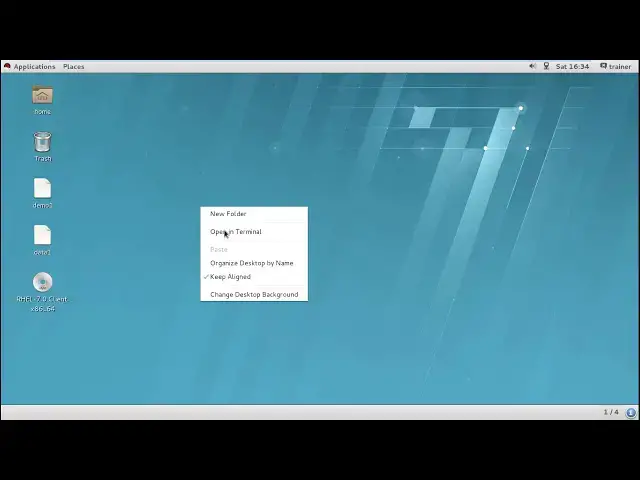
here we'll open the terminal and it's a
1:23
terminal first we'll move on the desktop
1:29
so for moving on the text job we'll have
1:33
to give the command so already we are on
1:35
next job so we can see these are the two
1:38
files I have created on the desktop that
1:40
is data one and demo one now if I want
1:44
to get access to the file and I want to
1:46
check what the content I have added into
1:48
my data one I can see this is the
1:50
content correct same way I can use the
1:54
command data one or the we can also get
2:01
the file name which is a demo one sorry
2:05
so we can see the content of the firm so
2:08
cat command can be used to check the
2:10
content of a file now if I want to
2:13
count the words of this particular file
2:16
or character of this file we generally
2:18
have a DC command so WC command and
2:22
write down the file name and hit enter
2:26
you can find 112 64 and mo 1 but how
2:31
come to know what this is what this is
2:33
and what is this so J basically this is
2:37
your line numbers so the number of lines
2:39
you have the number of words you have n
2:41
number of characters you have if I want
2:44
to just check the number of lines I can
2:46
also give a parameter of W see that WC -
2:51
L and demo1 so it is showing you it has
2:55
only one line same thing if I want to
2:58
check the number of words I have so I
3:03
can give W and demo1 so it may show me
3:07
you have 12 words so you can white count
3:09
it out over here 1 2 3 4 5 6 7 8 9 10 11
3:15
12 words right same way I can also check
3:18
the number of characters I have written
3:20
over here so it's showing you 64
3:23
characters I'm using so this way you can
3:26
also check the length of your file like
3:28
what they contend to you how how many
3:29
words you have if suppose you have
3:31
restrictions world restrictions into
3:34
your particular files you can count your
3:36
file words in spite of counting it
3:38
manually so this I think two commands
3:40
are basic commands we generally use
3:42
while creating before while adding the
3:44
content of the file or looking at the
3:46
content of the file as well as counting
3:49
the number of world's lines and
3:51
characters of a verb so into next video
3:53
we are going to see how we can remove a
3:55
file
#Programming
#Programming
#Software