Up next in 10


Java Essentials - Character type data in java
Show More Show Less View Video Transcript
0:00
in this video we are discussing
0:01
character type of data in our Java
0:05
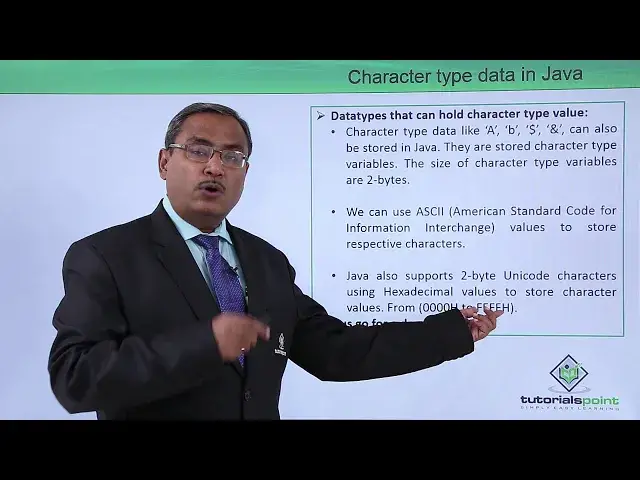
coding so character type data in Java so
0:08
character type data like our capital a
0:12
small B dollar and person all of them
0:15
must be enclosed within single quotes or
0:17
double quotes within single quotes and
0:19
can also be stored in our Java pudding
0:22
so they are stored character type
0:26
variables and the size of the character
0:28
type variables will be of two bytes so
0:31
remember so character type of variable
0:33
will be occupying two bytes of storage
0:35
during the runtime when the code will
0:37
get executed we can use the ASCII that
0:41
is an American Standard Code for
0:42
information interchange values to store
0:45
the respective characters and there is
0:47
another de présentation Java also
0:50
supports two byte Unicode character
0:52
using the hexadecimal values to store
0:55
characters values so from 0 0 0 0 H to
0:59
FF FF H we know that 1 hexadecimal digit
1:03
is actually denoting 4 bits so four
1:06
hexadecimal digits means it is denoting
1:08
16 bits so 16 bits means it is actually
1:11
denoting 2 bytes of unicode presentation
1:14
so similarly there is a minimum value
1:17
that is all 16 bits 0 and there is a
1:19
maximum value that means all 16 bits are
1:22
being initialized with 1 so F F F F H in
1:26
this way it is happening and let us go
1:29
for one demonstration for the easy
1:31
understanding how this character
1:33
variables can be defined in our java
1:34
code so here is the demonstration for
1:36
you in this demonstration we are going
1:39
to deal with the character type of
1:41
variables we have defined one character
1:43
type variable that is a my car and this
1:46
my car has got initialize with this
1:48
capital a includes within single quotes
1:51
that means the direct assign character
1:53
capital a which will be enclosed within
1:56
single quote and Inaba Java programming
1:58
whenever you were trying to deal with
2:00
the characters the characters are to be
2:01
enclosed within single quotes here so
2:04
system dot out dot println the value of
2:06
my curve I have printed here and so the
2:08
effective outcome is capital A next one
2:12
this Micah has
2:13
got initialized with this 70 what is the
2:15
70 70 is the ASCII value of character
2:18
if 70 is the ASCII value of character if
2:21
because we know that capital a is having
2:24
to ask equals 65 so if we have the ASCII
2:27
code that is our 70 so after assigning
2:30
this 72 this Micah if I go on printing
2:33
this my card remember Michael was
2:35
defined as of the type card so that's
2:37
why whenever you were going to print
2:39
this Michael it is printing capital F
2:41
not 70 because it is a character type of
2:44
hittable he had in this case the micro
2:47
my card has been initialized with /u 0 0
2:50
for 1
2:51
there is a Unicode hexadecimal value for
2:53
indigent and this value will be ranging
2:56
from 0 0 0 0 H to FF FF H here H stands
3:01
for hexadecimal so as I develop that
3:04
when we are assigning slash u that means
3:06
a unicode hexadecimal format 0 0 for 1
3:10
so for 1 if we want to convert this for
3:12
1 to the decimal equivalent it is 4 into
3:16
16 to the power of 1 that is 64 plus 1
3:19
into 6 into the power of 0 that is 1 so
3:22
64 plus 1 that is 65 that is the ASCII
3:25
code of capital a so if I go on printing
3:28
this my car you can find that my car is
3:31
printing capital a here so in this way
3:34
we have shown you that how to deal with
3:36
the character type of variables in our
3:38
java code thanks for watching this video
#Computers & Electronics
#Programming
#Java (Programming Language)
#Java (Programming Language)