Up next in 10



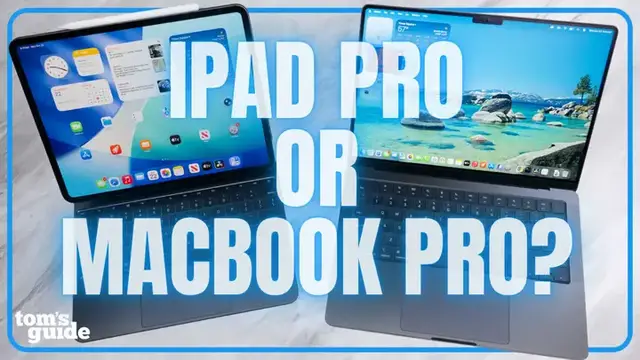
Apple’s new M5 chip is here, powering both the MacBook Pro M5 and the iPad Pro M5. But which one is right for you? In this full review of the new machines, Tony breaks down everything from the price comparison, design, display, performance, benchmark tests, editing, and even gaming on Apple Silicon. We’ve also got our battery life results to share, plus a breakdown on how iPadOS vs. macOS compare these days.
Whether you’re a student, creative professional, or casual gamer, this video will help you decide if the MacBook Pro or iPad Pro M5 fits your lifestyle.
Show More Show Less View Video Transcript
0:00
So, Apple's M5 chip is here and it's powering two different types of machines
0:04
We have the MacBook Pro M5, Apple's classic powerhouse, and consistently one of the best laptops for productivity out there
0:10
But, we've also got the iPad Pro M5, the tablet that wants to be your laptop
0:15
In this episode of Buyer's Skip, I'll be giving you my MacBook Pro M5 and iPad Pro reviews together
0:20
to help you decide which one you should actually buy. Let's break it down. Let's start with how much you actually pay for these things because the difference might surprise you
0:28
The 14-inch MacBook Pro M5 starts at $1599 with 16 gigs of RAM and a 512 gigabyte SSD
0:34
But for transparency, the configuration I tested cost $2350, and that's with the nano texture display and a 1 terabyte drive
0:41
So yeah, the cost really goes up when you start personalizing the machine. Meanwhile, the iPad Pro M5 starts at $999 for the 11-inch model and $1299 for the 13-inch model
0:50
That sounds cheaper, but that's before you add in what actually makes it useful
0:54
The Magic Keyboard is another $299 or $329 depending on the iPad Pro size
0:59
And the Apple Pencil Pro costs $129. To make the iPad feel more like a MacBook replacement, you're really looking at $1,600, $1,700 minimum
1:07
Then pass $2,000 if you want the one-turbo drive like I have here. So the iPad Pro ends up checking out roughly the same as the MacBook Pro, but with less storage and fewer ports
1:16
Again, I think a lot of people are going to be surprised when they see just how small the margins end up being
1:21
At least with premium prices, you're getting premium bills. Both of these machines are beautiful
1:26
Apple, probably better than any other company out there, knows how to make a slab of aluminum feel like a luxury item
1:32
The MacBook Pro design hasn't changed much since 2021. Same sturdy chassis, same 14-inch Liquid Retina XDR display
1:39
and it still feels practical in a kind of timeless way. It weighs about 3.4 pounds, so you'll definitely feel it in your backpack
1:46
but it's still relatively easy to travel with. The iPad Pro, on the other hand, is ridiculously thin
1:51
The 13-inch model is about a fifth of an inch thick, and only 1 pounds Actually lighter and smaller than the MacBook Air You can toss in a tote bag and forget it even there if you getting the magic keyboard it might add some heft but the ipad pro wins on sheer portability that said if you want something you can plug into a dock or external monitor
2:09
and live on all day the macbook pro still feels like a more stable overall workstation
2:15
looking a bit closer at the displays the macbook pro's mini led screen is still one of the best you
2:19
could buy it hits around 1100 nits in hdr and around 550 nits in sdr so even outdoors or under
2:25
studio lights you can actually see what you're doing it's also color accurate and now you can
2:29
spec it with a nano texture glass option which basically cuts screen glare down to almost nothing
2:35
you know for a screen that's not OLED this looks really nice
2:44
meanwhile the iPad Pro's OLED panel just hits differently you get those deep inky blacks and
2:49
and perfect contrast, plus very solid brightness hidden around 960 nits in HDR and 560 nits in SDR
2:57
Watching videos or even scrolling through photos, it just has that wow factor
3:03
Now let's talk about the M5 chip, the star of the whole show, as both devices are powered by it
3:07
The chip uses Apple's advanced three nanometer process, and it generally delivers around 12 to 15% performance boost
3:14
over the old M4 chip. On Geekbench, the MacBook Pro M5 beat the iPad Pro
3:19
In both single and multi-core performance, the difference isn't that stark. In my real world use, both fly through everyday tasks
3:25
Safari, Slack, editing photos, even gaming. None of it makes these devices even break a sweat
3:31
The difference is more about how you use that power. You know it's not one of my reviews if I don't talk about gaming
3:37
And yes, both the MacBook Pro and iPad Pro M5 handle gaming surprisingly well
3:43
If games are optimized for Apple Silicon. Important caveat there. Resident Evil 4 Remake actually runs decently on both
3:49
though I saw smoother frame rates on the MacBook. I've said this a few years ago
3:53
MacBook Pro gaming is consistently improving. It not the first machine or console I reach or recommend for for serious gaming but if you only wanting to buy one and all in one machine it a lot more capable than you probably think The iPad Pro I don know guys this isn a form factor I feel very motivated to game on Again games run better than
4:12
you'd probably think on an iPad but you'll have a better experience on the MacBook Pro. Besides
4:17
gaming editing workflow and performance are something I get asked about a lot when it comes
4:21
to iPad Pro versus MacBook Pro. I brought in one of our channel editors to do some quick video
4:26
editing tests. A lot of video editors have been wondering, can the iPad Pro be my main video
4:31
editing machine? The answer is not quite yet. While you can use a lot of major editing software on
4:36
iPad Pro like Premiere, Final Cut Pro, and DaVinci Resolve, they're not the same applications and
4:42
they all have some limitations. You can't even open up a desktop Premiere project on the iPad Pro
4:47
But when you're actually editing, it is shocking how well the iPad Pro handles big files from
4:53
professional cameras. And when you have the Magic Keyboard, it basically feels the same as editing
4:58
on a laptop. But rendering times leave something to be desired, with the M5 iPad Pro taking about
5:04
twice as long to render the same DaVinci Resolve project as the M5 MacBook Pro. In my experience
5:10
the MacBook Pro is still the better tool for big projects. You've got faster exports, more flexible
5:15
file management, and you can plug it into multiple drives and displays. And the built-in SD card
5:20
reader is still handy, but I think some folks might actually prefer editing short form videos
5:24
on the iPad. The touch interface, pencil precision, and OLED color accuracy make it fun and fast for
5:30
quick social content. Speaking of which, make sure you're following Tom's Guide on all socials if
5:34
you're not already. Gaming, editing video, all this is going to take a big toll on battery life
5:40
We've run the infamous Tom's Guide battery life test on both machines, and both results
5:44
pretty impressive. The MacBook Pro M5 lasts at over 18 hours, which is basically a full day and a
5:50
half of work. The iPad Pro isn't all that far behind, lasting 13 and a half hours, which actually beats
5:55
Apple own 10 hour claim and outlast Samsung Galaxy Tab S11 Ultra In short both will get you through a full day without you even having to think about a charger Now as we getting towards the end of the video I have to get a little philosophical
6:08
so bear with me. I love iPadOS 26 for what it's trying to be. It's more flexible now with proper
6:14
windowing and better multitasking. You can actually take calls directly on the iPad and run apps
6:20
side by side. That said, it's still not macOS. You can't just plug in a hard drive, drag files around
6:26
freely or install random software. It's a more closed environment. macOS meanwhile is predictable
6:31
professional and powerful. You can jump between desktop apps, run full software like Final Cut
6:36
or Logic and hook up external monitors without workarounds. The iPad is getting there, but if
6:42
you need a real desktop experience, MacBook Pro is still the grown-up option. If you're a creative
6:47
professional, student or power user who wants a proper desktop experience in a portable shell
6:52
get the MacBook Pro M5. It's a more versatile, long-lasting, plug-anything-in-and-go machine
6:58
If you're more of a creator, designer, or digital minimalist who values portability
7:02
a beautiful OLED screen, and a tactile feel of touch and pencil input
7:06
the iPad Pro M5 is probably your better choice. Personally, I still lean towards the MacBook Pro
7:11
for my daily work, but every time I pick up the iPad, I kind of wish my Mac could feel that effortless
7:16
Either way, Apple's M5 chip has made both of these devices way more capable
7:20
than most people need. If you'd like to see comparisons to the MacBook Pro versus iPad Air or iPad Pro versus iPad Air
7:27
be sure to let me know. But for now, drop a comment. Tell me which one you'd pick, the iPad or the MacBook
7:32
And if you want to see how the M5 stacks up against last year's model, check out my full reviews linked in the description
7:38
Once again, I was Tony Polanco, and I'll see you in the next video. Later. so the grown-up option that's funny went in too heavy with the uh the new yorker
8:01
accent need more coffee wakey wakey
#Computers & Electronics
#Consumer Electronics
#Computer & Video Games
#Gaming Reference & Reviews