Up next in 10



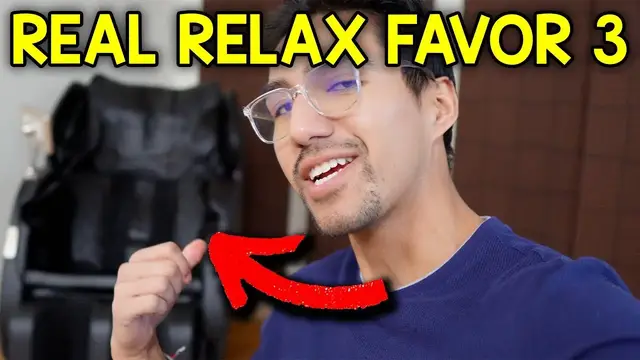
Real Relax Favor 3 Massage Chair Full Setup, App Control and Testing
Show More Show Less View Video Transcript
0:00
I just got the Rio Relax Faber 6 massage chair. So let's check it out. Comes in two different boxes
0:04
Which this first box it's pretty lightweight, but the second one is very big. It's very heavy
0:09
So I needed a friend's help and lifting it up three flights of stairs was pretty annoying
0:13
But we were able to get it up inside So let's check this out and that first box is gonna come with these two sides of the massage chair
0:19
It's got the Rio Relax logo at the bottom here. And here's What the inside looks like you got some flaps
0:26
And some electronic parts that I have to connect at the bottom here and then here's the second one. So now let's check out the big box itself. So I unfolded the chair a
0:35
little bit and there's also going to be this white styrofoam box and then here there's going to be
0:39
the rest of the stuff which includes the manual, the screen with the controls, the power cord
0:44
and the hardware. And here's a closer look at the massage chair before I put this together. And this bottom part with the feet, this could actually be lifted upwards. Actually has some
0:52
pretty good weight to it so I got to grab onto it tight and it could be stored like this so it
0:57
doesn't take up too much space. And here we can take a look at the sides. This is where the wiring
1:02
is. It's going to be on both sides and that's to connect the sides here so it'll look a lot nicer
1:06
once I actually install that. And all the way on the back side we have the plug for the outlet and
1:12
then the on and off switch. So now it's time to attach the armrests and I'm going to start with
1:16
this one for the left side and we're going to start by connecting the wires to here
1:22
and then this metal part will hook onto over here on the chair. If you're having trouble
1:29
seeing this over here, you could just move this cushion off to the side
1:33
and then we'll have better access to be able to see this here. And that's hooked on and this is
1:39
just going to hook into over here and then this can be placed like that and now it's secure. And
1:45
then we could screw this in directly to the chair which is going to be this hole right here. All
1:49
right and now right over here at the bottom there's going to be this hole and this is where we can screw in the bolt with the washer. And now the same thing for this other side. All right so
1:57
there's a few things left to do and one of which is to install the screen right over here. And this
2:02
is going to be two pieces because this comes right off like this. And this can be placed right inside
2:09
and this can rotate around and also move up and down. and i'll just take this plastic off of this and it will be placed gently right inside like so
2:24
and there's going to be one last connector it's going to be for the bottom over here
2:28
and this can be connected just like so and now it's time to actually install all the seat cushions so this can be
2:38
just placed like this and then push down and that's because it already has some velcro straps
2:46
at the bottom so it'll be nice and secure in place and then we can do the same thing for the
2:50
back of the seat so on the back of the seat here we do have to remove this part it comes with like
2:56
these little fabrics on top and this is just to prevent from staying in place but since we do want
3:02
it to stay in place we can do that and there's one at the bottom here too and then just push this in same thing here and there that'll stay in place and then same thing
3:16
for the other side all right and there all right so the last thing i do is to put this cushion on
3:32
top and we got to make sure the logo faces towards the front like so and we can just drag this to
3:39
the bottom and it velcro in place right here just like that and this is basically loose this doesn really velcro to anything it just stays in place like that and then we can also adjust this too so if somebody head is a little bit
3:55
more lower we can just lift it and put it like this just like that but in my case i'll just put it kind of all the way on top that should probably
4:07
fit me all right so i connected the power supply in the back and when i turn it on
4:10
welcome to use our massage chair it says welcome to use our massage chair and it sounds like some
4:19
stuff is going on it's moving and there's two ways to control this massage chair we can either use
4:23
the whole control panel on the chair itself or we can use the app and this is going to be the
4:27
real relax app now i already have another massage chair it's going to be the f6 so i'm going to add
4:33
a new one at a device and it's going to search for one nearby let me give it a second to load
4:37
All right, so nothing was found. So let me just rematch. And okay, there. Perfect. And this is the one, the favor 03. So I'll connect instantly
4:53
And it's connecting. And there it is. So here's the whole interface. So on top
4:57
we'll have different modes. And every time I click on one of them, it's going to show me exactly what this is. So Relax is a gentle and soothing program, uses massage methods of medium
5:05
intensity works with full body airbag massage of medium strength suitable for the whole family
5:10
bring your ultimate experience to relax from head to toe and then i'll exit out and then just so you
5:16
could see what each of these says all right that was ceo now this is lady here's neck and shoulder
5:25
here's waist and here's sleep all right so now let me go just to relax
5:35
don't show prompt again and just press start and then we can see it's scanning the body but of
5:39
course since I'm not there nothing's really going to happen except it just tilt over
5:43
and I also made sure to give enough room for the backspace so it doesn't go and hit the wall at all
5:52
and here's what it looks like so it immediately puts me in a 15 minute timer but I can increase
5:57
this let's see to how much I can increase it okay it's not recommended to exceed the duration so okay
6:03
up to 30 minutes is the maximum time I can put and at the bottom I can also switch up the
6:09
intensities I can see how much intensity I want the airbag to be the foot and the massage
6:14
there oh let me move it there and okay uh okay only by selecting
6:20
only by selecting methods in manual mode can the intensity be adjusted
6:25
okay so I guess I have to do it manually so let me press manual and there now I should be able to
6:32
change some stuff up. All right and then here's all the different options it comes with. So this first option gives me ways I want the massage modes to go whether I want it to be kneading
6:41
knocking, slapping, shiatsu, or a combination of two things such as kneading and knocking
6:46
or knocking and slapping. Now going to the right here I'm able to adjust where I want the massage
6:51
to happen whether it be in the shoulders, arms, calves, hips, or a combination of any of these
6:57
In this case I definitely do everything since I want everything to be massaged
7:01
now this one at the bottom it lets me adjust the zero gravity part so in this case as you see it's
7:07
all the way to the back so let's see what happens if i do this okay actually it puts it even more
7:14
back okay so now it's probably zero gravity and if i go all the way back forward like this
7:20
it'll bring me all the way to the starting position That's pretty cool. I see Real Relax on the side there. The logo is lit up
7:32
And it does take a few seconds for that to happen And instead of moving this manual like this I can just press zero gravity and it brings me all the way to the back like we did before but in this case let me just bring it back here all right and now the last and this says long press up down to adjust and release to stop so
7:50
neck up neck down back up back down so I guess this is the position of where the massage should
7:57
occur and then of course there's going to be the power button so I could just stop everything turning off and it shuts it off you could see the lights on the side shut off and if this was in
8:05
zero gravity mode, it would go back to this regular mode like this. So, so far the app seems pretty
8:09
easy to use, pretty intuitive, but now let's actually check out the other way to control it, which is going to be on the screen there itself. All right, finally got a chance to sit down on this
8:17
but let's take a look at the screen before I actually play around with this. So this screen
8:21
looks pretty heptic. There's so much stuff going on in the screen. Auto mode, kneading, knocking
8:26
back intensity, neck, neck intensity, massage up, massage down, neck up, neck down, heater
8:31
zero gravity, foot roller, foot intensity, back rise, back down, air intensity, air calf, air hip
8:38
air arm, air shoulder, and air auto. So now you can see all the information that I see
8:42
It's currently working on my feet, my calves, the bottom of my hips, and also my shoulders
8:51
Oh, and this is rotating a lot. I guess this is like a knocking sensation, and it tells me the
8:56
position of the roller. So they're currently going down, and I do feel them going down. and you could see it's on the fourth roller or at the first roller at the bottom roller and then I
9:04
guess depending on the mode maybe it'll stay there for a while or maybe it'll keep going up and down
9:08
and now on the top it tells me I guess the intensities so for the foot it's just on one
9:13
for the airbags it's on three for neck it's on four and here it tells me exactly what's going on
9:18
so one of them would be knocking one of them would be needing I'm not sure which icon is which so so
9:25
far just looking at the screen this is just a lot to look at all these different things and i much
9:30
rather prefer the app because it's like a cleaner aesthetic a cleaner look and plus i'll always have
9:35
my phone with me so i can either turn it on or turn it off but i guess if you were to use the
9:39
screen and you just want to put anyone you could just hit it to auto mode i guess it tells me the
9:45
different ones a3 a4 a5 a6 back to a1 all right now time to truly test this out so i'm gonna go
9:52
for the relax mode and it's going to put me in that zero gravity position. I can actually position
9:57
my arms where they belong so I can feel the rollers on my arms, position my shoulders back
10:02
so I can feel that my shoulders and I can also move my legs, move my feet to the bottom just like
10:08
this so I can actually grab my calves and immediately what I'm feeling are the rollers
10:14
on my back. It went up, now it's going down and I also feel a little bit around my neck
10:21
now it's not too intense on the neck but if i do want it more intense i could just lift this part
10:28
up this little flap and they're now much closer to the roller so there's less protection and i
10:34
want to use that actually the rollers on the feet are also working a little bit ticklish but they
10:43
feel pretty good and the compression around my calves are starting to get tighter which is a
10:49
nice feeling. I feel the knocking on my back, compression on my arms. On my arms, yeah, they
10:56
finally started to kick in. I don't feel much going around on my shoulders. There's no compression
11:00
around my shoulders. I think I'm starting to feel this heat up a little bit at the bottom
11:08
Yeah, and I can just hear the compression in and out. So far, the massage feels pretty gentle on my back
11:19
And if I check on the phone... Okay, yeah, the airbag intensity is not that high for compression, so let me turn it all
11:26
the way up And then we put this in zero gravity Yeah so now I going back even more
11:37
Whoa. Feels like I'm falling a little bit. Oh, and now I feel more pressure on my back
11:47
And that's because, I mean, I'm putting more weight into it considering I'm laying like this
11:51
It feels good though. It's a mixture of massage and then some sort of vibration
11:57
I guess this is like the slap that's going on. And overall this just feels like a relaxing massage
12:10
As the name suggests, real relax. Compression is also tighter but that's because I moved it to max setting
12:17
It's not tight where it hurts though. And I feel the rollers digging into my back, they're going upwards, and yeah this feels great
12:30
Now keep in mind this is the CEO version, but I want to change it into manual mode so I can
12:37
have a little bit more customization. Alright, so now let me go for kneading and knocking
12:52
So this is like alternating left side of my back, right side of my back
12:57
It's going pretty slow. So there's like a pressure on my back for the kneading and then there's like a digging
13:04
deeper for the knocking. All right, let me go to here
13:23
All right, so I turned everything on. Let's see if my shoulders start feeling a little bit tighter now, because I don't think
13:29
they were on before for the compression. and I can stick my arm in here even though there's compression going on and now there's
13:51
about 12 minutes left so for these remaining 12 minutes I'm just gonna chill over here
13:55
and let the massage chair do its thing. So my 15 minutes are up on this and this was very relaxing to sit on
14:07
I felt like I could take a nap on it and I wanted to do another 15 minutes, but I figured
14:11
enough's enough for now. I'll do this later tonight as well. And overall, the massage features on this felt pretty good
14:17
Now, it's not powerful where it's going to hurt you, so it's not like harming you
14:21
I've had another chair where it's a lot more intense and it tickles a lot more
14:26
This one isn't like that. So if you're more sensitive and you don't want to be like pushed too hard or needed too hard, then this one will be perfect
14:34
As far as the pressure goes, pressure on the arms was a good amount
14:37
It wasn't like, again, super aggressive where it hurt. It was just the right amount. As for feet, it felt fine
14:43
And also, I do like the fact that when I lean back, I can actually push this in down
14:48
So my knees aren't like this. They'll just go like normal 90 degrees kind of
14:53
And again, one more thing with the controls. It's kind of a lot. You can't really see it from here, but there's a lot of different text here, which can be kind of annoying to read
15:02
That's why I just preferred using the app. But either way, it's good to know that it's as descriptive as possible
15:09
And so, yeah, overall, I'm pretty happy with this Real Relax Favor 3 massage chair
15:14
And since I have it basically here in the office, I'm going to be using this a lot more
15:19
But yeah, that's a quick look at the Real Relax massage chair
#Computers & Electronics
#Computers & Electronics
#Shopping