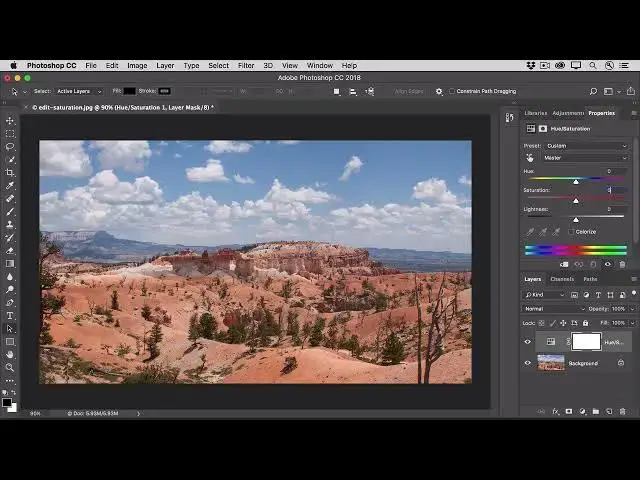

How to adjust the intensity of colors in a photo in photoshop 2022
Aug 31, 2024

In this video we will learn how to adjust the intensity of colors in a photo in photoshop 2022 - www.easy-tutorials.com
What you learned: Control color saturation with a Hue/Saturation adjustment
To give a photo extra punch, try increasing color saturation.
Create a Hue/Saturation adjustment layer
Go to the Layers panel, click the Create new fill or adjustment layer icon, and choose Hue/Saturation. This adds a Hue/Saturation adjustment layer that you can use to adjust color without permanently changing the underlying photo.
Choose Hue/Saturation settings
With the Hue/Saturation adjustment layer selected in the Layers panel, go to the Properties panel to access the controls for this adjustment.
Drag the Saturation slider to the right to make all the colors in the photo more vivid. If that makes some colors look too saturated, drag the Saturation slider back to the left.
Adjust a color range
To limit a Hue/Saturation adjustment to a particular color range, in the Properties panel go to the menu labeled Master and choose a color range, like blues.
Drag the Saturation slider to the right, and only the blues throughout the image become more vivid. Dragging the Lightness or Hue slider now would affect only the blues, too.
Show More Show Less