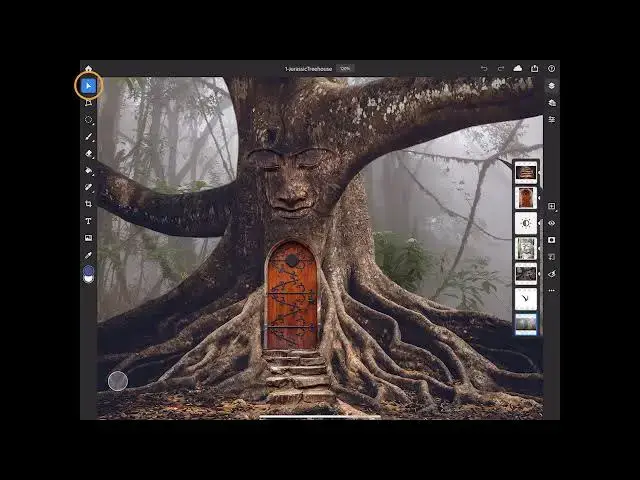

Discover the interface of Photoshop 2022 on your iPad
Aug 31, 2024

Discover the interface of Photoshop 2022 on your iPad - www.easy-tutorials.com
What you learned: Get familiar with the interface of Photoshop on your iPad
Tools and tool options
In the Toolbar, tap a tool to select it. The Tool Options bar opens if the tool has options.
Drag the Tool Options bar by its handle to position it anywhere or to dock it to the bottom of the Toolbar.
Long-press or double-tap some tools to reveal alternative tools.
Tap the foreground or background Color chip in the Toolbar to open the Color Picker and choose a color.
Swipe up or down on the Color chips to switch them.
Gestures
Tap the Question icon View gestures to see a list of touch gestures. For example:
Pinch or spread with two fingers to zoom.
Drag with two fingers to pan.
Tap with two fingers to undo. Tap with three fingers to redo.
Touch Shortcut
Show More Show Less #Design
#Other