Up next in 10

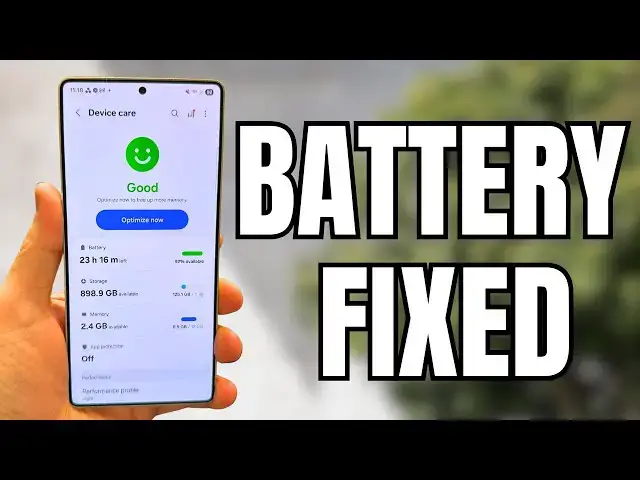
Samsung One UI 7.0 Battery Drain Fix - Get Your Galaxy Smartphone Back On Track!
Jun 25, 2025

Buy Galaxy S25 Edge and Get a free mystery box - https://howl.link/coipsfcvcftrb
Sign up for Z Flip 7, Z Fold 7 Mystery boxes - https://sammyguru.com/preorder/
Verify mystery box orders on our site after ordering - https://sammyguru.com/verification/
#samsung #update #galaxy
SammyGuru Rewards is Coming soon - https://sammyguru.com/verification/
Check out more on these updates at SammyGuru - https://sammyguru.com/breaking-major-leaks-gives-us-an-early-look-at-one-ui-8-update/
Check out the SammyGuru podcast: https://sammyguru.com/podcast/
Follow me on Twitter: https://twitter.com/jspring86az
Follow our Facebook Page: https://www.facebook.com/profile.php?id=100082984789870
Follow our Instagram: https://www.instagram.com/jspring86az/
Notification Shortcuts: https://bit.ly/3UBTekU
Shortcut Maker: https://bit.ly/40jVIXd
Lamicall Desktop stand: https://amzn.to/3TYQzkQ (USE CODE LAMICALLYT3 TO SAVE!)
Show More Show Less View Video Transcript
0:00
what's up YouTube jeff back again today
0:01
with a very exciting Samsung video for
0:03
you guys and today we're going to talk
0:04
about battery life in 1 UI 7.0 yes I've
0:07
heard lots of people in the comments
0:08
saying their battery life is awful it's
0:10
one of the biggest complaints in 1 UI
0:12
7.0 i mean in addition to all the things
0:14
with the UI being moved around i already
0:16
made a few videos on how you can fix
0:17
some of that but people keep asking me
0:19
to make one specifically about battery
0:20
life so here you go i don't guarantee
0:22
I'm going to be able to fix everyone's
0:23
battery life but I'll try to give you
0:25
some tips and tricks that you might be
0:26
able to use to improve things on your
0:28
end before we get started make sure you
0:30
guys check out our website
0:30
samiggeear.com covering the latest
0:32
Samsung news tips tricks tutorials and
0:34
reviews if you tap on the orange banner
0:35
at the top you get in our mystery box
0:36
program you get a free case cleaning kit
0:38
desktop phone stand when you buy an
0:40
upcoming Samsung device we have the S25
0:42
Edge right here which of course is
0:44
already open you can purchase that
0:45
device and get a mystery box those start
0:47
shipping in about 2 days the ZFold 7 Z
0:49
Flip 7 and the Galaxy Watch 8 will
0:51
release in July and those boxes will
0:53
ship by the end of July 2025 and tap on
0:56
the phone you're interested in or watch
0:57
you'll get the information about what is
0:59
included all the things we're including
1:01
screen protectors for the first time
1:02
this year in addition to the other items
1:03
put in your phone number email or both
1:05
you pay nothing we cover the shipping
1:07
costs as well uh we use our affiliate
1:09
revenue that's the only requirement is
1:10
you order through our link in order to
1:12
get this offer so we can pay for the
1:14
shipping and all those other things that
1:15
go back to you guys that is going to be
1:17
in the pin comment description if you
1:18
guys are interested all right so let's
1:20
go ahead and talk about a couple things
1:21
when it comes to battery life now first
1:23
of all huge shout out to my friend
1:24
Sakite Tech i saw you made a video about
1:26
this and I figured I would make a video
1:27
to spread the word there's a couple
1:29
things that you have to be aware of when
1:30
you do a huge platform upgrade like from
1:32
6 to 7 or even 1 UI 7 to 8 which we'll
1:35
be doing very soon if you go in the
1:36
settings and go to battery and go to
1:38
background usage limits up here you have
1:41
in this three dots menu the adapted
1:42
battery it's a little hidden this is
1:44
turned on by default extends battery
1:46
life based on your phone usage now it
1:48
can take time to learn again once you do
1:50
a major platform upgrade because as
1:52
Sakitech speculated I believe this is
1:54
reset when you do a major platform
1:56
upgrade so it may take some time to
1:57
learn your usage and it's using AI to do
2:00
that so without a proper learning period
2:02
you may see some battery issues now also
2:04
if you turn this off at some point that
2:06
could also be a reason why you're seeing
2:08
battery issues cuz maybe your battery
2:10
life you know is not being optimized by
2:12
AI which is what this adaptive battery
2:14
feature does so perhaps you just have to
2:16
give it some time or if you turn this
2:17
off maybe try enabling it and then give
2:19
it some time and see how it performs
2:21
however there are a couple other things
2:23
that you can do that will give you a
2:25
chance to improve your battery life you
2:27
know by being proactive the first one is
2:29
if you go into device care you can go
2:31
down to the performance profile and set
2:33
this to light now I have it on light
2:36
doesn't really affect my day-to-day
2:38
usage i can still multitask just fine it
2:40
basically prioritizes battery life and
2:42
cooling efficiency over the speed now if
2:44
you're doing daily activities opening
2:46
social media apps even taking photos you
2:48
don't need the standard performance
2:50
profile and it doesn't apply the light
2:52
profile to games so if you're playing
2:53
games it'll still revert it back to your
2:55
gaming profile which you can even have
2:57
some ramped up settings but the light
2:59
profile will apply the rest of the time
3:01
and potentially save you some battery
3:02
life the other thing you can do is if
3:04
you go into this menu just before go to
3:06
auto optimization you can turn this on
3:08
to auto restart either when needed or on
3:11
a specific schedule mine's for Wednesday
3:13
at 3:00 a.m this will help you optimize
3:15
some of your apps in the background
3:16
which can also help you with some of
3:18
those battery life issues that you may
3:19
be experiencing with 1 UI 7.0 now there
3:22
are other lots of other things you can
3:23
do like using a dark wallpaper to take
3:25
advantage of efficiency of the AMOLED
3:27
display you could also do things like
3:29
turn off your always on display but that
3:30
kind of affects the general performance
3:33
of the phone scaling down resolution of
3:34
the screen i don't agree with doing any
3:36
of that stuff however there is one other
3:38
thing which I already talked about
3:39
previously and that is you can clear
3:41
your cache partition i did this in a
3:43
short and I'll show you guys how to do
3:44
it again in this video if you want to
3:45
see the first thing you have to do is
3:47
power off your Samsung smartphone so
3:49
let's do
3:53
that next once the phone is powered off
3:55
you're going to hold the power button
3:56
and volume up button until your phone
4:00
enters recovery mode so then it's going
4:03
to go to the recovery menu this is the
4:05
Android recovery menu and once you're in
4:08
the recovery menu I'm going to hold this
4:10
up a little bit so you guys can get a
4:11
better look at it there's various
4:12
options you're going to use your volume
4:15
option volume down to go down to where
4:17
it says wipe cache partition don't
4:20
choose wipe data factory reset because
4:22
that'll clear all of your data once you
4:24
get to wipe cache partition just go
4:25
ahead and hit the power button hit
4:28
volume down again to go to yes it will
4:30
not delete any of your data and click
4:32
yes so now once you've done that it'll
4:35
say down here wiping cache cache has
4:37
been wiped go ahead and hit reboot
4:40
system now and it will reboot it now it
4:43
does take some time for it to learn
4:44
again after a cache partition wipe so
4:46
what you can do is try to do a full
4:48
discharge of your phone and then
4:51
recharge it and discharge it again after
4:53
a full battery cycle that should also
4:55
theoretically help with any battery life
4:57
issues that you've had in 1 UI 7.0 so
5:00
essentially to summarize while my phone
5:02
is rebooting here couple of things the
5:04
adaptive battery needs some time to
5:06
learn so you can just wait and see if it
5:08
relearns the AI learns on its own your
5:10
battery habits um the next thing you can
5:13
do is you can try to turn on that light
5:15
performance profile and do the auto
5:18
optimization to make sure it restarts
5:19
once a week and then the last thing is
5:22
you can go ahead and do that clear cache
5:23
partition from the recovery menu and
5:25
then give it some time to learn again
5:28
and then hopefully recover for your
5:29
battery life anyway hopefully 1 UI 8.0
5:32
once it comes out will change some
5:34
battery habits as well make people a
5:35
little happier try and help as much as I
5:37
can let me know what other questions you
5:38
guys have again make sure you check out
5:40
samigguru.com the mysterybox program if
5:42
you're interested and I'll see you guys
5:43
in the next one thanks so much for
5:45
watching
Science