Up next in 10


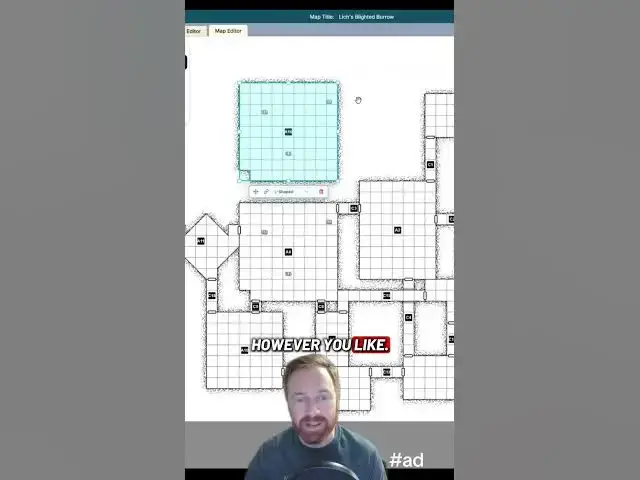
Dungeon Flow keeps getting better! My absolute favorite random dungeon generator, and with hall the new features I’ve started using it to manually build dungeons, too!
#sponsored #ttrpg
Show More Show Less View Video Transcript
0:00
I've talked before about how much I love
0:01
Dungeon Flow as a random dungeon
0:03
generator. So, let me show off some of
0:04
the premium features and some of the
0:06
cool new stuff they've added since I've
0:07
talked about it last. Let's start with a
0:09
brand new dungeon. I'm going to go for
0:11
gigantic this time because I can. It
0:13
gives us a default of 15 areas and I'm
0:15
going to show you how to add some new
0:16
ones. So, let's start from there. We'll
0:18
do D and D 5e. Level five is fantastic
0:22
for a oneshot and I don't really care
0:24
about environmental consistency with a
0:26
random dungeon for a one shot. So, we'll
0:28
just do any. And here we are in the map
0:30
overview. So, we've got the map on the
0:31
top left, all of our rooms and corridors
0:34
over here. And this is brand new. You
0:36
can go right in here and edit the
0:39
descriptions on rooms, or you can click
0:41
the dice here, and it'll randomize a new
0:43
description for you. Um, so you can do
0:45
that on all of these. Edit map takes you
0:47
right to the map editor, and the map
0:49
editor has some really cool new stuff.
0:52
We have the ability to resize rooms,
0:54
drag and drop them to move them
0:56
different places, reposition all of the
0:58
corridors. You can add props to rooms,
1:01
but now you can also copy and paste
1:03
rooms. So, if you have a room that you
1:05
really like, you can just put it
1:06
somewhere else and have multiple copies
1:08
of it. It brings the description along,
1:10
too. If you didn't want to keep the
1:11
description, you can generate a new one
1:13
or type one yourself. You can throw
1:15
traps in there. You can throw encounters
1:18
in there and just populate the whole
1:20
thing however you like. Now, if you do
1:22
copy paste a room, there won't be a
1:24
corridor by default. So, just go connect
1:26
rooms. We'll say uh yeah, corridor is
1:28
fine. This one to this one. There we go.
1:32
And then back to our overview page. We
1:33
can see our new room in there with the
1:36
uh room description. And clicking on the
1:38
overview scrolls you up to the
1:40
description for whatever corridor or
1:42
room you chose. So, all of this
1:45
information is right at your fingertips
1:47
while you're running your dungeon or if
1:48
you're going to be playing in person and
1:50
maybe you don't have screens, maybe
1:52
you're out in a cabin in the woods or
1:53
something, you can go export and export
1:55
to PNG and you can choose whether or not
1:58
you want to include the room and
1:59
corridor labels. If you're showing the
2:01
map to your players, you probably want
2:03
to omit the labels, but that's up to
2:04
you. And then export. And then there we
2:07
go. you have your exported map and you
2:08
can show that to your players, print it
2:10
off, drop it on a table or share it in a
2:13
VTT. But you don't have to just export
2:15
it as a PNG or a PDF or whatever. If you
2:18
have the premium subscription, you can
2:20
export it to Foundry and that sets it up
2:23
with all of the dynamic lighting
2:24
already. You can also export it as a
2:27
universal VTT file, which works with
2:29
Roll 20, Foundry, several other VTTs.
2:32
So, if you plan to run your game online
2:34
and you really enjoy dynamic lighting in
2:36
your dungeons, I personally do, but I
2:38
know not everybody does, but strongly
2:40
recommend paying for the premium
2:42
subscription so that you can do the
2:43
export. It will save you a ton of work.
2:45
It'll save you a ton of time. You can
2:47
generate a map, have it ready in
2:49
minutes, export it straight into your
2:51
VTT, and then you're good to go. Dungeon
2:53
Flow is still the best random dungeon
2:55
generator that I've ever used, and they
2:57
keep adding new features and making it
Games