0:00
hello and welcome to ad Nigeria in this
0:02
video I'll be sharing with you tips on
0:04
how you can resolve your Facebook
0:06
content monetization policy issues if
0:09
this is what you interested in grab a
0:11
cup of juice and keep watching now if
0:13
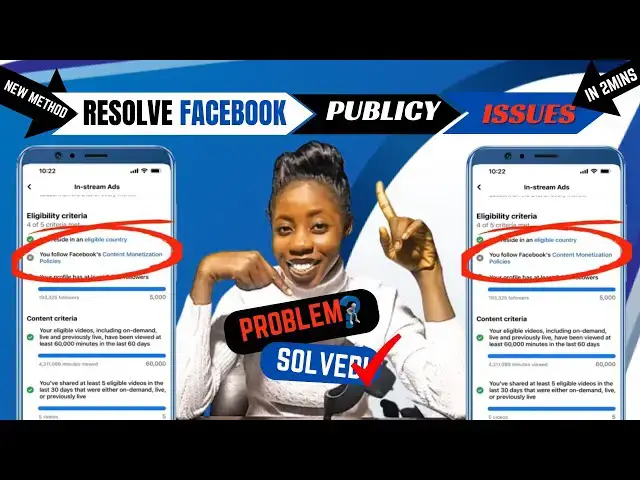
you seeing something like this on your
0:15
Facebook page and you are wondering how
0:17
can I fix it this video is actually for
0:19
you also I'll be sharing with you two
0:21
Solution on how you can get rid of those
0:24
problems all you need to do is to watch
0:26
this video to the very end if you're
0:28
returning subscriber thank you so much
0:30
for always coming back to watch my
0:32
videos If you here to subscribe please
0:34
subscribe to this channel like this
0:37
video comment turn on the notification
0:40
Bell so you get notified each time I
0:42
post a related content like this without
0:44
wasting much of our time let's that
0:46
straight into it now just open your
0:48
Facebook app just like this all you need
0:51
to do in order to fix this problem like
0:53
this one on the screen all you need to
0:55
do is to click on the trailer found at
0:57
the top right corner of the screen so
0:59
the next step head over to help and
1:02
support and then go ahead and click on
1:05
support inbox if any of your content
1:07
have vied the Facebook policy all you
1:09
need to do is to go ahead and click on
1:12
your alert just here and you're going to
1:14
see list of your videos that have
1:15
violated the Facebook policy but looking
1:18
here you're going to see that my says no
1:20
violation which actually means that none
1:23
of my videos have violated the Facebook
1:25
policy now if have violated the Facebook
1:28
policy you are going to see a list of
1:30
video right here all you need to do is
1:32
simply delete those videos one after the
1:34
other and you'll be able to get rid of
1:36
this problem another step you can
1:38
actually take to get rid of this problem
1:41
keep watching just go back and let's
1:43
head over to our hom page let's say from
1:45
instance none of your content have
1:46
violated Facebook policy all you need to
1:49
do here is to head over and click on the
1:51
Tre line icon from at the top right
1:53
corner of this screen The Next Step you
1:55
need to take is to gently scroll you are
1:58
going to see option here where is
2:00
allowed to report a problem all you need
2:02
to do is to click on report a problem go
2:08
continue click on include a report The
2:11
Next Step you need to take here is to
2:14
video all you need to do here is to tell
2:17
Facebook that you do not violate any of
2:19
their policy yet you are not eligible
2:23
monetization please help me this is just
2:26
how you are going to say it you're going
2:28
to write it just like this have written
2:30
mine another little step you need to
2:32
take here is to click on add an image
2:35
now you must have screenshot the place
2:36
where you say that you Viet the Facebook
2:38
monetization policy what you need to do
2:41
here is to upload it so to upload this
2:43
just click on add an email and you go
2:46
ahead and select the email The Next Step
2:48
you need to take here is to click on
2:50
send and your report will be sent to
2:52
Facebook now Facebook is going to review
2:55
your report and give you feedback as
2:57
soon as possible now once you have done
2:59
with everything I thought you in this
3:01
video you patiently wait for Facebook to
3:03
give you feedback on that with this you
3:05
can be able to fix the problem and these
3:08
are the two possible ways you can fix
3:10
any Facebook monetization policy issues
3:12
all right we have actually come to the
3:14
end of this video like this video
3:17
subscribe turn on the notification Bell
3:19
Tell me in the comment section if this
3:20
video was helpful for you comment your
3:22
country below and feel free to tell me
3:24
the next video you will want me to make
3:26
thanks for watching see you in the next