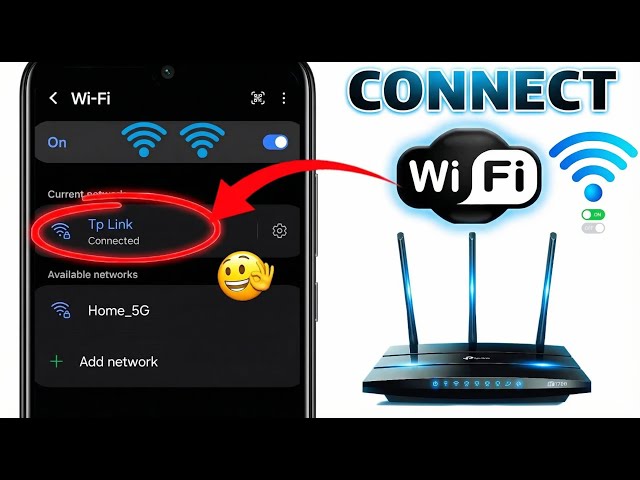
0:00
Today, I'm going to show you how to
0:01
connect to something without a password.
0:03
And no, you don't need to be a hacker,
0:05
install anything, or ask anyone for the
0:07
password. I'm going to show you two
0:09
completely real, 100% safe and legal
0:12
methods that work on any phone, whether
0:14
Android or iPhone, and that can get you
0:15
out of a jam in seconds. You can do
0:17
these steps from your phone settings.
0:19
It's not complicated, which is
0:20
incredibly useful because it can save
0:22
you when you run out of data or don't
0:23
have access to the Wi-Fi password. And
0:25
I'm telling you this from experience.
0:27
I'm making this video because you'll
0:28
need it more than once. And if you like
0:30
videos like this, subscribe and join our
0:32
Telegram community. I will drop the link
0:34
in the description below. Also, make
0:36
sure you follow this video to the end
0:37
because I have a special offer at the
0:39
end. So, first I'm going to show you how
0:41
to do it on a phone. Shyomi, in this
0:43
case, a Redmi Note 3 PR. Open the
0:46
settings app and select the Wi-Fi
0:47
option. Then go to more options and
0:49
select it. Under additional settings,
0:51
yeah, you'll find two options, manage
0:53
saved networks and install certificates.
0:55
Select manage saved networks. Here
0:57
you'll see a list of all the networks
0:59
you've used. Delete them all.
1:03
Go back to the main Wi-Fi menu and
1:05
scroll down to add. When you get to add
1:07
network, your phone will ask you for two
1:09
things. The network name, the SSD, and
1:12
the security type. This is key. Pay
1:14
close attention. Instead of waiting for
1:16
your phone to show available networks,
1:17
you take the initiative. Simply type the
1:19
network name, such as free Wi-Fi, free
1:22
Wi-Fi, or even the name of your
1:24
location. There are places where
1:25
networks don't appear on the screen, but
1:27
they're still active. If the name
1:28
matches, it will connect without asking
1:30
for a password. Then, in the security
1:32
section, make sure you select no
1:34
password required. When you're all set,
1:36
tap connect, and you'll have internet
1:38
access without entering any codes,
1:40
without asking for anything, and without
1:42
installing anything. Otherwise, it's
1:43
simple. Just type in the name without a
1:45
password, and the phone takes care of
1:46
the rest. Okay. Now, I'll show you how
1:48
to do it on a Samsung phone. First, open
1:50
the settings app. Go to the Wi-Fi option
1:51
and wait for the list of available
1:53
networks to appear. Once there, tap the
1:55
three dots in the upper right corner and
1:57
select advanced settings. Within this
1:59
menu, find manage networks and delete
2:01
all saved networks on the device. This
2:03
is important for the process to work
2:05
correctly. Next, go back to the main
2:06
Wi-Fi screen and select add network. The
2:09
process is the same as the previous
2:10
step. Just type in a name that seems
2:12
common to you. In my case, I'll use
2:13
internet. For security type, select none
2:16
and then connect to a phone. If there's
2:17
an open network nearby with this name,
2:19
it will automatically connect via a
2:21
phone connection without a password. As
2:23
you can see, you don't need to be a tech
2:24
expert or install anything unusual.
2:26
These are methods already built into
2:28
your phone, but almost no one knows
2:30
about them. Share this video with the
2:31
person who's always asking for your
2:33
Wi-Fi password. This can happen more
2:35
than once. And if you want to know how
2:36
to unlock a phone without the password,
2:38
click on this video that appears on the
2:40
screen before it ends. Before I go, I
2:42
want to use this opportunity to tell you
2:44
that there's so much I can't share on
2:46
YouTube. Whether it's because of
2:47
platform rules or because some skills
2:49
need deeper hands-on explanations. Many
2:52
of my videos got deleted and that's why
2:54
I created a policy point learning
2:56
community for you. A place where I can
2:57
share everything. When you join, you're
2:59
not just getting another course. You're
3:00
getting access to complete ethical
3:02
hacking guides. The tools and techniques
3:04
I wish someone had handed me when I was
3:06
starting out. And here's the kicker.
3:08
This is the stuff I don't teach on here.
3:10
No watered down content, no clickbait,
3:12
just raw, actionable knowledge. On top
3:14
of that, you'll join an exclusive
3:16
community on Discord. I pinned the link
3:18
in the comments section below, but it's