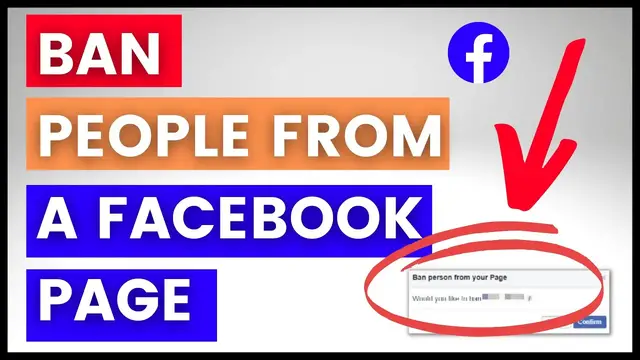

How To Ban Someone From A Facebook Page? [in 2022]
Jan 8, 2023
Learn how to ban someone from a Facebook business page.
𝐅𝐑𝐄𝐄 𝐒𝐨𝐜𝐢𝐚𝐥 𝐌𝐞𝐝𝐢𝐚 𝐌𝐚𝐫𝐤𝐞𝐭𝐢𝐧𝐠 𝐀𝐮𝐝𝐢𝐨𝐛𝐨𝐨𝐤 𝐖𝐢𝐭𝐡 𝐀𝐮𝐝𝐢𝐛𝐥𝐞: https://amzn.to/3ThxAk2
𝐁𝐞𝐬𝐭 𝐬𝐨𝐟𝐭𝐰𝐚𝐫𝐞 𝐝𝐞𝐚𝐥𝐬 & 𝐅𝐫𝐞𝐞 𝐭𝐫𝐢𝐚𝐥 𝐨𝐟𝐟𝐞𝐫s:
📧 𝐒𝐭𝐚𝐫𝐭 𝐄𝐦𝐚𝐢𝐥 𝐌𝐚𝐫𝐤𝐞𝐭𝐢𝐧𝐠 𝐅𝐨𝐫 𝐅𝐑𝐄𝐄: https://www.sendinblue.com/?tap_a=30591-fb13f0&tap_s=3057465-5a4f0b
🤖 𝐀𝐮𝐭𝐨𝐦𝐚𝐭𝐞 𝐘𝐨𝐮𝐫 𝐒𝐨𝐜𝐢𝐚𝐥 𝐌𝐞𝐝𝐢𝐚 𝐂𝐨𝐩𝐲 𝐖𝐢𝐭𝐡 𝐉𝐚𝐬𝐩𝐞𝐫 𝐀𝐈. 𝐄𝐱𝐜𝐥𝐮𝐬𝐢𝐯𝐞 𝟓-𝐝𝐚𝐲 𝐅𝐫𝐞𝐞 𝐓𝐫𝐢𝐚𝐥: https://jasper.ai/free-trial?fpr=roihacks&fp_sid=ytcom
🎨 𝐆𝐞𝐭 𝐀 𝟏𝟒-𝐝𝐚𝐲 𝐂𝐚𝐧𝐯𝐚 𝐏𝐫𝐨 𝐅𝐑𝐄𝐄 𝐓𝐫𝐢𝐚𝐥: https://partner.canva.com/XxaEXb
-------------------------------------
𝐅𝐫𝐞𝐞 𝐘𝐨𝐮𝐓𝐮𝐛𝐞 𝐞𝐁𝐨𝐨𝐤𝐬:
🧰Top 12 YouTube Tools To Grow and Make Money on YouTube: https://roihacks.com/free-youtube-tools-ebook/?utm_source=youtube&utm_medium=social&utm_campaign=non-youtube-videos&utm_content=description
💲 Best Affiliate Programs For Youtubers: https://roihacks.com/top-affiliate-programs-for-youtube-ebook/?utm_source=youtube&utm_medium=social&utm_campaign=non-youtube-video&utm_content=description
-----------------------------------------------------------------
𝐅𝐫𝐞𝐞 𝐘𝐨𝐮𝐓𝐮𝐛𝐞 𝐂𝐡𝐞𝐜𝐤𝐥𝐢𝐬𝐭𝐬
🔎 YouTube SEO Checklist: https://roihacks.com/youtube-seo-checklist-spreadsheet/?utm_source=youtube&utm_medium=social&utm_campaign=non-youtube-video&utm_content=description
🤑Make Money On YouTube Checklist: https://roihacks.com/make-money-on-youtube-checklist-spreadsheet/?utm_source=youtube&utm_medium=social&utm_campaign=non-youtube-video&utm_content=description
_____________________________________________________________
✅ How To Block People From a Facebook business page? - Complete blog post: https://roihacks.com/how-to-ban-someone-from-a-facebook-page/?utm_source=youtube&utm_medium=social&utm_campaign=ban-someone-from-facebook-page
☑️ Get the Facebook Page Growth checklist here: https://roihacks.com/facebook-page-growth-checklist-spreadsheet/?utm_source=youtube&utm_medium=social&utm_campaign=ban-someone-from-facebook-page
📙 Other Facebook page marketing Resources and Tutorials: https://roihacks.com/facebook-page-tutorials/?utm_source=youtube&utm_medium=social&utm_campaign=ban-someone-from-facebook-page
In this video tutorial, we are going to show you how to ban someone from a Facebook page permanently.
How To Ban A Person From A Facebook Page?
There are three ways how to ban someone from a Facebook page:
you can ban people from the People and Other Pages section
you can block someone directly from a Facebook post
and you can also ban someone from the inbox of your Facebook page
Block Someone From Your Facebook Page Settings Section
Here is how to ban someone from a Facebook page:
Open up the Facebook page
Click on the ‘Settings’ in the left columnSettings tab on Facebook page
Then in the left columns again click on ‘People and Other Pages’Facebook page - People and Other pages
Here you will everyone who has liked your FB page. Search for the person in the search bar who you want to ban.Search for people who you want to Facebook from the Facebook page
Once you have found the person, click on the gear icon.
Select ‘Ban From page’How to ban someone from a Facebook page
Click on ‘Confirm’
That’s it. The person has been banned from your Facebook page.
Ban Someone From A Facebook Post You Have Posted Or Your FB Page Has Been Mentioned In
If someone commented something that is pure spam or used violent language in a FB comment you can also get rid of the person by doing the following:
Open the Facebook page
Click on ‘Posts’ in the admin column of your Page.
Then click on “Visitor Posts” on the right side of your Page.
Click the three dots in the top right of the post by the person or Page you want to ban.
Select the option ‘Ban From Page’
Finally, click Confirm.
Ban Someone From A FB Page Directly Via Your Facebook Page Inbox
If the person has messaged you that you would consider spam or anything inappropriate, you can also ban them from FB page inbox directly. Here is how you can do that:
Open your Facebook page if you are not there
Click on ‘Inbox’
Click in the message of the person who you want to ban from the page
Click on the three dots
Select ‘Ban from Page’Ban from Facebook page Inbox
Click ‘Confirm’ to finalize the ban.
Now it is done. He or she won’t be abl
Show More Show Less