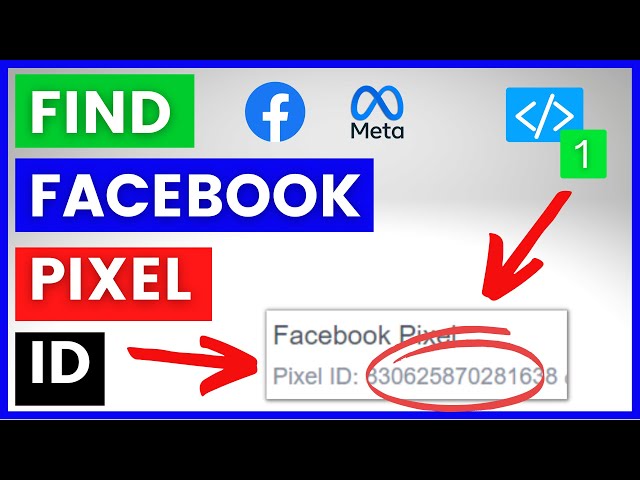

How To Find Facebook Pixel ID of the Facebook Pixel [in 2025] (Meta Pixel ID In Meta Business Suite
Feb 14, 2023

🤖 𝐅𝐫𝐞𝐞 𝐂𝐮𝐬𝐭𝐨𝐦 𝐆𝐏𝐓 𝐃𝐚𝐭𝐚𝐛𝐚𝐬𝐞: https://roihacks.gumroad.com/l/custom-gpt-database/?utm_source=youtube&utm_medium=social&utm_campaign=yt-custom-gpt-db
. - Learn how to find the Facebook Pixel ID of a Facebook Pixel in the Meta Business Suite or using the Facebook Pixel Helper Chrome Extension on any website).
𝐂𝐡𝐚𝐭𝐆𝐏𝐓 𝐅𝐨𝐫 𝐅𝐚𝐜𝐞𝐛𝐨𝐨𝐤 𝐀𝐝𝐬 𝐅𝐫𝐞𝐞 𝐂𝐡𝐞𝐜𝐤𝐥𝐢𝐬𝐭 & 𝐏𝐫𝐨𝐦𝐩𝐭 𝐋𝐢𝐛𝐫𝐚𝐫𝐲: https://roihacks.com/facebook-ads-ai-chatgpt-prompt-library/?utm_source=youtube&utm_medium=social&utm_campaign=find-facebook-pixel-id-of-the-facebook-pixel-meta-pixel-id-i
📈 𝐆𝐞𝐭 𝐭𝐡𝐞 𝐅𝐫𝐞𝐞 𝐅𝐚𝐜𝐞𝐛𝐨𝐨𝐤 𝐀𝐝𝐬 𝐀𝐮𝐝𝐢𝐭 𝐜𝐡𝐞𝐜𝐤𝐥𝐢𝐬𝐭: https://roihacks.com/facebook-ads-audit-checklist-spreadsheet/?utm_source=youtube&utm_medium=social&utm_campaign=find-facebook-pixel-id-of-the-facebook-pixel-meta-pixel-id-i
📑 𝐅𝐫𝐞𝐞 𝐂𝐡𝐚𝐭𝐆𝐏𝐓 & 𝐀𝐈 𝐏𝐫𝐨𝐦𝐩𝐭 𝐃𝐚𝐭𝐚𝐛𝐚𝐬𝐞: https://roihacks.com/business-online-marketing-chatgpt-prompt-database/?utm_source=youtube&utm_medium=social&utm_campaign=find-facebook-pixel-id-of-the-facebook-pixel-meta-pixel-id-i
🗂️ 𝐂𝐨𝐦𝐩𝐥𝐞𝐭𝐞 𝐂𝐡𝐚𝐭𝐆𝐏𝐓 𝐏𝐥𝐮𝐠𝐢𝐧 𝐃𝐚𝐭𝐚𝐛𝐚𝐬𝐞: https://roihacks.com/chatgpt-plugin-database/?utm_source=youtube&utm_medium=social&utm_campaign=find-facebook-pixel-id-of-the-facebook-pixel-meta-pixel-id-i
-------------------------------------
𝐅𝐫𝐞𝐞 𝐘𝐨𝐮𝐓𝐮𝐛𝐞 𝐞𝐁𝐨𝐨𝐤𝐬:
🧰Top 12 YouTube Tools To Grow and Make Money on YouTube: https://roihacks.com/free-youtube-tools-ebook/?utm_source=youtube&utm_medium=social&utm_campaign=non-youtube-videos&utm_content=description
💲 Best Affiliate Programs For Youtubers: https://roihacks.com/top-affiliate-programs-for-youtube-ebook/?utm_source=youtube&utm_medium=social&utm_campaign=non-youtube-video&utm_content=description
-----------------------------------------------------------------
𝐅𝐫𝐞𝐞 𝐘𝐨𝐮𝐓𝐮𝐛𝐞 𝐂𝐡𝐞𝐜𝐤𝐥𝐢𝐬𝐭𝐬
🔎 YouTube SEO Checklist: https://roihacks.com/youtube-seo-checklist-spreadsheet/?utm_source=youtube&utm_medium=social&utm_campaign=non-youtube-video&utm_content=description
🤑Make Money On YouTube Checklist: https://roihacks.com/make-money-on-youtube-checklist-spreadsheet/?utm_source=youtube&utm_medium=social&utm_campaign=non-youtube-video&utm_content=description
_____________________________________________________________
☑️ How To Find Facebook Pixel ID - Complete blog post: https://roihacks.com/how-to-find-the-facebook-pixel-id/?utm_source=youtube&utm_medium=social&utm_campaign=find-facebook-pixel-id
☑️ Get the Facebook Pixel Tracking Audit checklist here: https://roihacks.com/facebook-pixel-tracking-audit-spreadsheet/?utm_source=youtube&utm_medium=social&utm_campaign=find-facebook-pixel-id
📙 Other Facebook Pixel Resources and Tutorials: https://roihacks.com/facebook-pixel-tutorials/?utm_source=youtube&utm_medium=social&utm_campaign=find-facebook-pixel-id
In this video tutorial, we are going to show you How To Find The Facebook Pixel ID (now also called Meta Pixel ID)
How To Find The Facebook Pixel ID?
Let’s say, you haven’t created the Pixel base code yet, so you have no idea how to find your Facebook Pixel ID. We will show two methods that work in every scenario regardless of the Pixel installation method you used and show you two ways that will only work when you used a specific Facebook Pixel installation method.
How To Find The Facebook Pixel ID In FB Business Manager?
The standard way of finding your Facebook Pixel ID is to look it up in your Facebook Business Manager. Here is how you can do that step by step:
Open the Business Manager property where your website in connected
Go to Events Manager by clicking on Events Manager on the left side or by following this link.
You will be able to see all your Data Sources connected to your account right away in your Events Manager on the left side of your screen
Facebook Pixel ID In Facebook Business Manager
As you can see in this picture, we have two FB Pixels connected to this account with two different FB Pixel IDs. The ID can be seen under the name of the Pixel. The first Facebook Pixel from the top has the ID: 1082002698948479 In this case, we could click on each Pixel and get to the Pixel Overview tab and see which of these are active and firing FB Pixel events on our website.
How To Find Your Facebook Pixel ID With Facebook Pixel Helper?
If you already installed the Pixel code on your website and you can’t
Show More Show Less