Up next in 10


You can get this AI post generator from:
👉 AppSumo (affiliate link): https://appsumo.8odi.net/yRjEGb
If that deal has closed head directly to the website: https://predis.ai/ where they have a limited free trial.
--------------------------------
Recommended tools for YouTube:
👉 Awesome music from Audiio (affiliate link): https://audiio.com/pricing?oid=1&affid=26&source_id=YTAudio
👉 Improve your channel with Tubebuddy (affiliate link): https://www.tubebuddy.com/markJdraper
👉 Create geo links with Genius Links (affiliate link): https://geni.us/RRBdUUT
👉 Amazing stock footage (affiliate link): https://social.reviewify.co.uk/4yNh
Awesome software:
👉 Easily make eBooks (affiliate link): https://reviewify--page1.thrivecart.com/designrr-special-offer-2019/
👉 Deals from AppSumo (affiliate link): https://appsumo.8odi.net/rKd3B
--------------------------------
We are a participant in the Amazon Services LLC Associates Program, an affiliate advertising program designed to provide a means for us to earn fees by linking to Amazon and affiliated sites.
Click to subscribe: http://www.youtube.com/user/mdraper37?sub_confirmation=1
Show More Show Less View Video Transcript
0:00
Do you ever get stuck wondering what's post on Instagram
0:03
I know I do, and I sometimes wish I had a little assistant who could maybe offer up suggestions and give me some ideas
0:10
Well, it turns out there's a website that can help you with that. I've got AI tools that help me write blog posts, summarize other people's blog posts
0:27
turn them into videos to share socially. So this is a really interesting take on how AI can help you be more productive
0:36
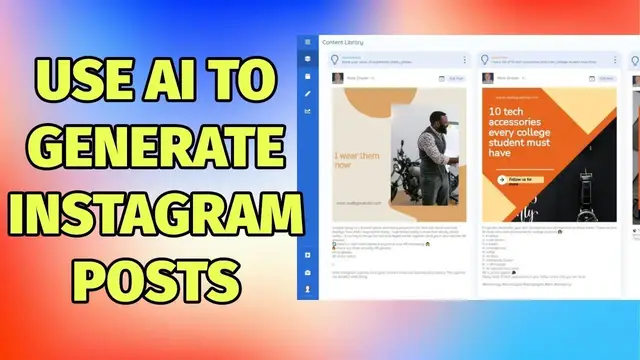
So sites called predisp.aI, and when you log in, you'll see your content library
0:42
So these are little things that I've been experimenting with. So when you log in, you'll see your content library
0:48
This shows you posts that have been generated. You link your Instagram accounts, and you can have different Instagram accounts
0:55
depending on the plan you've taken. If we say create a post, here's where the magic happens
1:01
So you type in a description about your company, yourself, your business, your Instagram account
1:08
and then down the bottom here, you've got some post themes, so promotional, educational
1:12
behind the scenes, and then you simply click generate four posts. At this point, this is where the AI magic happens
1:19
It takes that description and goes away, has a look at stock photography
1:25
and comes up back with not just a caption but also a suggested image. This can take a few
1:32
moments but there you go it's now written this four there's one down here as well but
1:36
you can see the three main ones at the top of each post it has the idea category so
1:40
miscellaneous educational promotional behind the scenes and here's what it's trying to make a post about so an easy way to upload videos on YouTube behind scenes of me taking a video a camera set up while you filming And so this one actually come back with a camera picture
1:58
Below each suggested image is a suggested caption. So it's now done all those that only took a few moments
2:06
If this was something I wanted to post, I'd then say edit post
2:10
And what's nice about this is it gives you a few different creative options. So if that's not quite right, and I prefer this one, I simply tick this, and that pops up the
2:18
then it's got a suggested caption as well. So if I go through to captions, again
2:24
it's used AI to generate not just one, but I've got a couple
2:28
And then I can go through and select hashtags as well. So again, this is now running its little AI algorithm
2:37
And what we find is it not just suggests the hashtags, but gives you data about them
2:42
So if you ask someone who's into Instagram and likes to know the data behind each hashtag
2:47
how often it's being used, this will be very useful. So here we have lots of different hashtags going on here
2:54
and it should base it on what is in the description. So these aren't quite right for me, as you can see
3:01
babies, newborn, what have you. So if I go back to the caption, let's have a look what's going on here
3:06
Let's pick this one and let's run the hashtags again. Okay, so now we're getting a bit better
3:13
We've got more photography ones coming up. So you can use those
3:18
You can add your own hashtags as well on the captions and then rerun hashtags and that will help the AI a little bit more
3:23
And then under the Suggestions tab, depending on how big your account is, it will have a look and give you some more suggestions and information
3:32
So ideal day to post this is Sunday. While I've been having a little look at this for my personal Instagram page
3:38
I don't think it's quite the right fit because I prefer to actually take pictures of gadgets and technology Where I am using this though is a new venture I currently working on called the Course Network which is actually a website based on a
3:51
previous App Sumo deal where we're trying to do an educational website and
3:56
this has been very useful for me. You might notice that some of these have kind of
4:01
a nice blue color to them and seem to be matching the logo and some aren't and that's
4:05
because at the start of the week they didn't have anything to do with branding on
4:10
it but they've just today released a new feature which is the brand details
4:16
So I've got the course network name and I've got the colors and there's also a font color if you want and there's also a font
4:23
and you can also add your logo. And what that means is if I go to create
4:27
a post exactly the same process as before hit generate four posts but this time where it notices
4:34
colors it will try and add my brand colors and also my brand logo
4:40
to the post. So this time the Instagram account is about an online course platform
4:46
So we've got different types of posts coming up now. So you can see based on that one line, it's coming up with very different infographics
4:54
how students can budget and all this kind of stuff. And if I just scroll down, these are some of the early ones I've just been testing out
5:00
So you can see it's now branded it in my colours and there's the logo
5:05
I have given the developers some feedback that it would be great if it knew when to use a dart logo
5:09
and when to use a light logo, they say that is on the roadmap. They are very active
5:14
They're looking for feedback. So if you do give this to spin and have some ideas, then do get in touch
5:19
So you can see it's starting to generate them now, start to populate. And look, there's the logo and here's the colours
5:24
So that's going to save me a bit of time. But if for some reason you do want to edit this, maybe the text isn't quite right
5:30
it does have a built editor with access to templates and photos And you can go in you can edit all the text and that the same for any these I can pick any of these and do an edit on that particular creative at this
5:46
point once you've got your creative you can hit download and you can download
5:51
that to your computer and then maybe fire it over to your phone if you want to
5:55
share it via your mobile or we come over to the content calendar every time you
6:00
generate posts it will add them to the content calendar unless you take them off so
6:04
you can see it's doing one for every day of the week and then if I just head to a
6:09
download button just slightly off screen if I say export I can export a date range
6:14
and I can do it in the format for a post scheduler so Publor Social B
6:19
Social Monials Metricul these are all previous AP sumo deals and I'm sure if you
6:25
have your own different schedule it's not listed here but you know that it has a
6:29
CSV import you'll be able to get in touch with the devs and they will sort it out
6:33
if you give them a sample. In the long run I think they're aiming to have this be a real
6:39
scheduling tool that will generate them and then once you've approved them it will
6:43
post them to your account. I also think they're looking to add additional social
6:47
media networks. There's an area called competitor ysis. I haven't had much of a
6:52
play around with this yet but it looks like you can manage your competitors by adding
6:56
Instagram handles and it will then compare your posts to theirs. At the time of making
7:01
this video it's currently on App Sumo for a lifetime price and for that depending on how many codes you get you can have at least 45
7:10
posts per month so you can easily get a month's worth of posts one a day with just one code and
7:16
that refreshes each month so that can be very helpful and I'm really looking forward to getting
7:21
stuck into this with my new Instagram account and seeing what it can do I'll put an affiliate
7:25
link below to this particular page and I'll also put a link to the main website go check it out
7:31
so thanks for watching I'll see on my next video