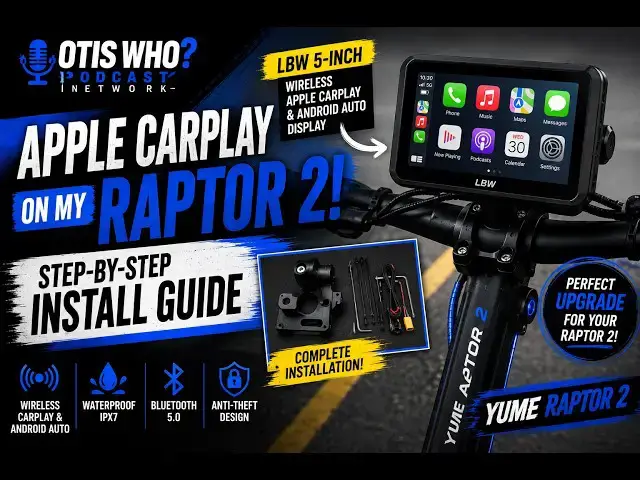

This Scooter Now Has Android Auto - Here's Why
Jul 2, 2026
Ever wished your Yume Raptor 2 had Apple CarPlay and Android Auto?
In today's video, I show you exactly how I installed the LBW 7-inch Wireless Apple CarPlay & Android Auto Display on my Yume Raptor 2 electric scooter.
I'll walk you through the installation process, mounting options, wiring, setup, and my first impressions after getting everything up and running. If you've been looking for a way to add navigation, music, phone calls, and a larger display to your scooter, this upgrade might be exactly what you're looking for.
Whether you own a Yume Raptor 2, another electric scooter, or even a motorcycle, this installation guide should help you understand what's involved before buying one.
Why I Bought It
I wanted an easier and safer way to access:
📍 GPS Navigation
🎵 Music
📱 Phone Calls
💬 Messages
🗺️ Google Maps
🍎 Apple Maps
without constantly looking down at my phone.
If you found this video helpful, be sure to:
👍 Like
💬 Leave a comment
🔔 Subscribe to Otis Who? Podcast for more Yume Raptor 2 upgrades, electric scooter reviews, accessories, and real-world riding videos.
--------------------------------------------
https://www.buymeacoffee.com/otiswho
https://rumble.com/user/OtisWho
https://www.tiktok.com/@otiswho_genx_ugc
https://www.facebook.com/otiswho https://www.instagram.com/otiswho__genx_ugc/
https://www.otiswhogenx.com/
[email protected]
--------------------------------------------
Amazon Link for the essentials:
Yume Raptor 2: https://amzn.to/4xQL3Es
FEYA Motorcycle Helmet Headset: https://amzn.to/4eKatLp
2026 LBW 7" GPS Navigation: https://amzn.to/4apvtG2
Monster S620 Bluetooth Speaker: https://amzn.to/4uVbfew
AKASO 360 Action Camera Creator Combo: https://amzn.to/4vwSMWT
KRN Adult Motorcycle Modular Flip-up Helmet: https://amzn.to/4f0aHzj
Show More Show Less