
Automate Chrome from Excel VBA using Selenium
Dec 12, 2021
Learn how to Install Selenium in Windows PC & initiate Chrome browser using Chromedriver.exe from Excel VBA Macro.
From Excel, you can learn to open a Chrome browser and navigate to any website.
How to Automate Chrome browser with Excel - VBA & Selenium?
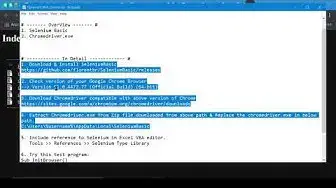
# ------------ In Detail ------------- #
1. Download & Install SeleniumBasic
https://github.com/florentbr/SeleniumBasic/releases
2. Check version of your Google Chrome Browser
-- Sample: Version 91.0.4472.77 - Official Build 64-bit
3. Download Chromedriver compatible with above version of Chrome
https://sites.google.com/a/chromium.org/chromedriver/downloads
4. Extract Chromedriver.exe from Zip file downloaded from above path & Replace the chromedriver.exe in below path.
C:\Users\%username%\AppData\Local\SeleniumBasic
5. Include reference to Selenium in Excel VBA editor.
Tools - References - Selenium Type Library
Show More Show Less