Up next in 10



Google wants Gemini riding shotgun in your car.
Show More Show Less View Video Transcript
0:00
Here's an early look at some features from Google designed to make your drive a little bit safer and also help you order dinner
0:05
So there are two sets of features. The first one involves Google built in, which we checked out on the Volvo EX60
0:11
One of the things that you can do is you can ask Gemini to find certain settings for you so that you don't have to dig through them, especially when you're driving
0:16
That can be a little dangerous. We asked it to make the sunroof transparent and it did it like magic
0:22
You can also use your front facing cameras in your car to get information about landmarks and buildings
0:26
So pretend we're driving here and we're going through San Francisco. we can ask, hey, what's that building in front of us
0:31
And it'll tell us all about the Transamerica building. That is the Transamerica Pyramid
0:35
which stood as the tallest building in San Francisco for 45 years. Nearby, on your right, you'll find the historic copper-clad Sentinel Building
0:42
a landmark that miraculously survived the 1906 earthquake and later became home to Francis Ford Coppola's film studio
0:48
Then there's another set of updates coming to Android Auto. This is when you're connecting your phone to your car
0:53
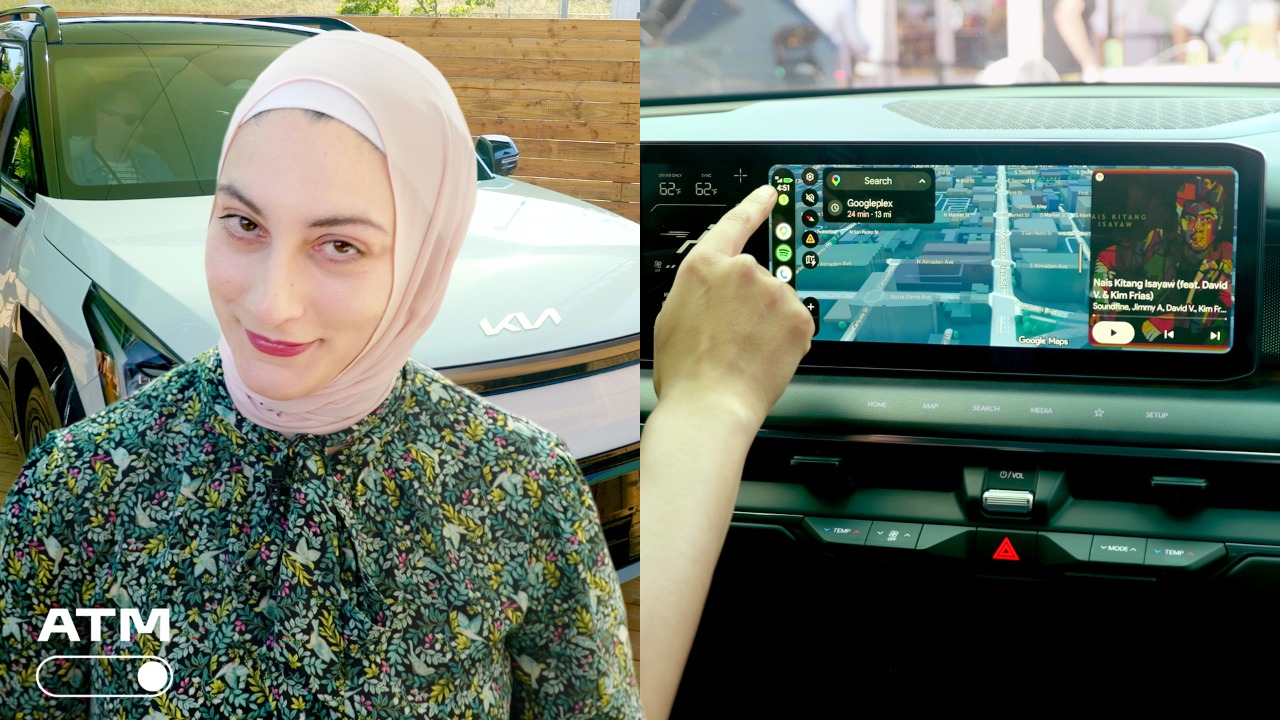
We checked this out on the Kia EV9. What you can do now is customize the look of your dashboard
0:57
You can include cute pictures of your cats and make custom widgets Just kind of make it feel a lot more like your phone You can also ask Gemini to order dinner for you on DoorDash So as you driving you can place that order It do it on your phone for you so you can keep your eyes on the road And hopefully by the time you get home
1:14
your dinner is there. And MagicQ can also pull up details to answer questions. So if somebody texts
1:19
you, hey, when are you getting here? It'll pull that information from places like your calendar
1:23
And all you have to do is tap and send it instead of digging for that information and typing it out
1:27
yourself. Now on both Google built-in and Android Auto you'll have immersive maps which is a way to
1:32
see a more 3D rendering of where you're navigating so buildings will look a little bit more three
1:37
dimensional. You'll be able to see which lane you're driving through. You'll see things like stop signs all designed to make it a little bit easier to understand where you're going and where
1:45
you need to be going. Another feature in Android Auto lets you play videos at 60 frames per second
1:50
in 4k so say you're watching a YouTube video while you're parked and then you also want to start
1:54
driving so that video will continue to play audio only so that you're not distracted and it's all
1:59
very seamless and doesn't cut out. These features are slated to hit the road later this year and I'd
2:03
love to know what you think. Is there a feature that you're really excited to try out? Let me know in the comments and be sure to hit like and subscribe for more. Thanks for watching
Celebrities & Entertainment News