0:00
In this video, I'm going to show you how
0:02
In this video, I'm going to show you how
0:02
In this video, I'm going to show you how you can download a Google spreadsheet as
0:05
you can download a Google spreadsheet as
0:05
you can download a Google spreadsheet as Excel to your computer. If you find this
0:08
Excel to your computer. If you find this
0:08
Excel to your computer. If you find this video helpful, please like and subscribe
0:09
video helpful, please like and subscribe
0:09
video helpful, please like and subscribe to this channel. Now, as you can see
0:11
to this channel. Now, as you can see
0:11
to this channel. Now, as you can see here, I have a Google spreadsheet and I
0:14
here, I have a Google spreadsheet and I
0:14
here, I have a Google spreadsheet and I wish to download it in form of a
0:16
wish to download it in form of a
0:16
wish to download it in form of a Microsoft Excel file. To do this, go
0:19
Microsoft Excel file. To do this, go
0:19
Microsoft Excel file. To do this, go ahead and just click on file here and
0:22
ahead and just click on file here and
0:22
ahead and just click on file here and then go to download. Now, if you hover
0:25
then go to download. Now, if you hover
0:25
then go to download. Now, if you hover over download, you should see we have
0:26
over download, you should see we have
0:26
over download, you should see we have options to download it in various forms.
0:29
options to download it in various forms.
0:29
options to download it in various forms. to download it as Microsoft Excel. Go
0:31
to download it as Microsoft Excel. Go
0:31
to download it as Microsoft Excel. Go ahead and click on Microsoft Excel. And
0:34
ahead and click on Microsoft Excel. And
0:34
ahead and click on Microsoft Excel. And this will go ahead and download your
0:36
this will go ahead and download your
0:36
this will go ahead and download your spreadsheet as Microsoft Excel. And here
0:39
spreadsheet as Microsoft Excel. And here
0:39
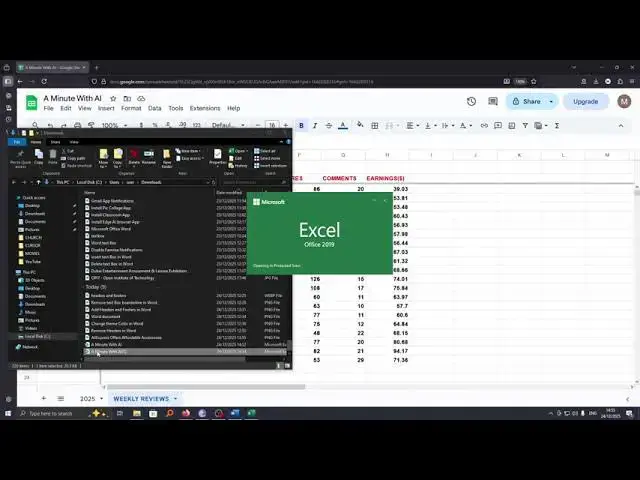
spreadsheet as Microsoft Excel. And here it is. From here, you can proceed and
0:42
it is. From here, you can proceed and
0:42
it is. From here, you can proceed and open it to access the information on it.
0:45
open it to access the information on it.
0:45
open it to access the information on it. So that's how you can download and save
0:47
So that's how you can download and save
0:47
So that's how you can download and save Google spreadsheet as Microsoft Excel.
0:50
Google spreadsheet as Microsoft Excel.
0:50
Google spreadsheet as Microsoft Excel. If you have any other question, kindly
0:51
If you have any other question, kindly
0:51
If you have any other question, kindly let me know in the comment section.
0:53
let me know in the comment section.
0:53
let me know in the comment section. Otherwise, thanks for watching and let's
0:55
Otherwise, thanks for watching and let's
0:55
Otherwise, thanks for watching and let's meet in the next