0:00
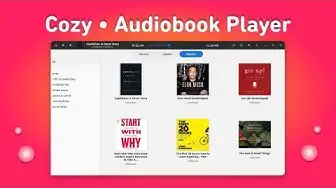
Hello there and welcome to Linux S2O and this video is about a really good audiobook player
0:09
that is available to Linux. So the player name is Kozy and it is available to Linux through
0:15
Flathub. So let me show you what are the features that it offers and then we will see how we can
0:19
install this tool in your favorite Linux distribution. Now this is for audiobooks but if you're someone
0:25
who likes to read check out this video and this video is about Folliet and Folliet is another
0:30
amazing ebook reader for Linux. So coming back to the Cozy. Cozy as you can see it's a minimal
0:36
looking modern audiobook player for Linux and it comes with a bunch of features that you probably
0:42
want in an audiobook player and the features are like the rewind button, play pause, volume
0:47
controller, the title bar, the progress bar and some features that are very necessary for example
0:54
the playback speed so here you can set the playback speed because increasing a little bit speed can save you hours in an audiobook and which is really amazing I really like this feature and I use it on my phone and nowadays on
1:08
my computer as well. Here is the sleep timer. So if you want to set a timer for example I'm going
1:14
to set here 30 minutes. So after 30 minutes the audiobook player will stop and you can also enable
1:20
the system power controls from here. So it can perform a certain task like suspend and shut down
1:25
as well. You can search your audiobooks from here and it also comes with some of the preferences
1:31
and we will look those preferences in a bit. Down here we have got the audiobooks that you have in
1:38
your library. So currently I have these audiobooks and you can simply click on the play button and
1:43
audiobook will start to play. Coming to the settings or the preferences we have got these
1:52
few tabs over here The appearance section will allow you to toggle the dark mode and you can also toggle the settings for title bar The behavior section can allow you to tweak some behavior related to the player like fadeout and we can set multiple locations for the audiobooks
2:09
A lot of times we have the audiobooks at different locations and this feature is really necessary so that you can set different locations for your audiobooks
2:18
And the advanced section just has the refresh button for the database and over here at the feedback section you can toggle the amount of reporting data that
2:27
you want to submit to the developer. So that's it about this tool and it's pretty minimalistic in nature
2:36
Now let's see how we can install it in our favorite Linux distribution
2:44
So the installation is pretty straight forward. You just need to have flat pack and using the flat pack you can install the Koji in
2:50
your system. So in most cases you probably have flat pack setup in your system by default but if you
2:56
are using Ubuntu then you need to have flat pack setup by yourself and for that I have already created a guide so you can watch it and configure flat pack in your system and for other distributions you can simply execute this command to verify whether flat pack is there or not
3:13
If you see some number printed over here that means flat pack is installed in your system
3:17
and in some cases you may not have the FlatHub repository set up in your system then for that
3:22
you can check out the guide I have written the link will be in the description so if you have
3:27
flat pack then you can simply use this command to add the repo so that you can install the application
3:33
so after they having flat pack install in the system you can simply execute the installation
3:37
command for the cozy and you will find the commands in the descriptions as well so just
3:42
exclude the command and cozy will get install in the system so that was it about the cozy audiobook
3:48
I hope you find this application interesting. Let me know what you think about it in the comment section below
3:54
Hit the subscribe if you haven't subscribed to the channel. And I shall catch you in the next one
3:57
Till then take care and keep enjoying Linux