
Turn Windows 11 Laptop into a STRONG WiFi Range Extender
Mar 5, 2025
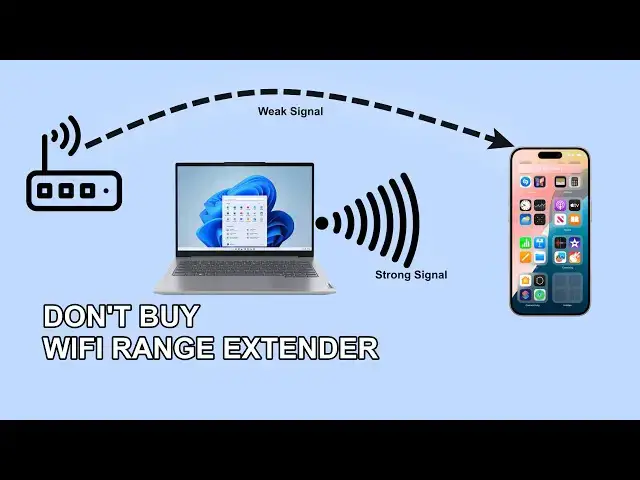
You don't need to buy WiFi range extender if you have a Windows 11 laptop. You can turn the Windows 11 laptop or desktop with wifi as WiFi repeater/range extender. Windows 11 has inbuilt Hotspot option where you can share the Internet to connect other devices.
Let's your laptop is connected via ethernet cable and you want to connect your smartphone, then you can enable Hostspot on your laptop to connect the smartphone.
Or use the laptop as WiFi range extender to connect devices far from the router.
Follow these steps-
1. Go to Menu and Settings
2. Open Network & Internet options
3. Click on Mobile Hotspot
4. From "Share my Internet Connection" choose WiFi or Ethernet, however, you are connected.
5. Share over, choose WiFi.
6. Edit the Network Properties to assign SSID, Password and WiFi band.
7. Now turn on the Mobile Hotspot.
This way, you can get stable connections on the devices that are getting weaker signal from the router.
#Windows11 #WiFiRepeater
Don't miss these videos -
Clean C drive to unlock more speed: https://youtu.be/X2-KNOkcF_c
Make Windows 11 200% Faster: https://youtu.be/8am0IB13Udg
Make Windows 11 Start Menu Look Great: https://youtu.be/KIgc_ZiYffI
Password Protect Folders in Windows 11/10: https://youtu.be/MuB5keJcw_M
Boost CPU Speed: https://youtu.be/ea89hdRpsKs
Make WiFi Run Much Faster: https://youtu.be/eHcZ_kzhgMw
Stay Private on the Internet: https://youtu.be/TPsQYi8PhJE
Join this channel to get access to perks:
https://www.youtube.com/channel/UCMdElTwiU4JrDUkuI_eqPJg/join
Disclaimer:- It is advised to create a system restore point or take a complete backup of your device before you follow any tutorials. All tutorials are verified ways to fix, customize, or fine-tune your devices; just in case, take a full backup. This video does not take any expressed or implied guarantee of any particular result.
Some links might be affiliate links, and I may earn some commissions on your purchase without any extra cost to you.
Any data, IP, emails, and files shown in videos are for demonstration purposes only and do not belong to any third person or entity.
Follow on Social Media
Facebook - https://fb.com/iTechFever
Twitter - https://twitter.com/itechfever
Instagram - https://instagram.com/itechfever
My IG - https://instagram.com/sparnidya
Visit - https://www.itechfever.com
Show More Show Less