0:00
hey what's going on guys s here and if
0:02
your Windows 10 or 11 computer is using
0:05
High RAM memory then there are certain
0:07
ways you can fix that you can see that
0:10
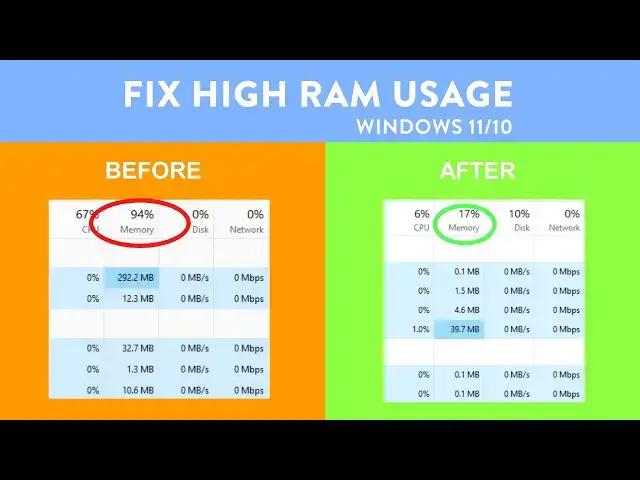
my computer is using 95% of RAM memory
0:14
and most of the memory is consumed by
0:16
Google Chrome so in this video you will
0:18
see different ways to fix High Ram users
0:21
by your PC now first thing you can do is
0:24
press Windows plus r key together on
0:26
your keyboard and type CIS dm. CPL and
0:31
okay now it will open system properties
0:34
go to the advaned tab and then
0:39
settings uh you can select adjust for
0:42
the best performance but your computer
0:44
UI will look ugly so you can only enable
0:48
these options and rest you can disable
0:51
selecting only these options will create
0:53
a balance between good UI and better
0:56
performance rest you can disable now hit
1:00
apply and okay this will allow your
1:03
system to use less RAM memory for the UI
1:07
functions and it will reduce your RAM
1:10
memory users by certain
1:12
percentage now press Windows plus r key
1:15
again and type there Ms
1:21
okay it will open system configuration
1:24
go to the services Tab and check hide
1:27
all Microsoft services here you will
1:30
find all the services by third party
1:33
apps practically you can disable all
1:35
these services and it won't cause any
1:38
problem with your PC but certain apps
1:40
might not work properly so if you think
1:43
a particular service is not important
1:45
then you can uncheck it like I don't
1:48
want Adobe Acrobat auto update service
1:50
so I will disable it and any other
1:53
service or app which I am not using I
1:56
will just uncheck their services
1:59
you can disable most of the auto update
2:02
services and if you are using any
2:04
printer don't disable the printer
2:06
services and your GPU
2:09
services or if you are using any RGB
2:12
light software or anything like that you
2:15
don't have to disable those Services
2:22
disable then hit apply and go to the
2:24
startup tab open task manager or you can
2:27
open Task Manager manually and then go
2:31
apps now you can disable all the startup
2:34
apps just sorted by the status and
2:38
disable all the enabled startup apps
2:41
right click and disable and disabling
2:44
the startup apps won't cause any problem
2:46
you can always start the apps
2:52
manually after that click on okay on the
2:55
system configuration dialogue box and
3:02
now let's go to the menu and then
3:04
settings apps and then installed apps
3:08
you will find a list of all the apps
3:10
installed on your computer now you have
3:13
to click on this three little dots
3:15
beside any app and if you see Advanced
3:18
option that means you can disable that
3:21
app from running in the background
3:23
however not every app support Advanced
3:26
options so you have to check it one by
3:28
one for example if I click on three
3:30
little dots beside mail and calendar it
3:33
has advanced options that means I can
3:36
disable this app from running in the
3:38
background now you just have to go to
3:40
the background app permissions and
3:42
select power optimize or never so you
3:45
have to do it one by one for the every
3:47
app which supports Advanced
3:51
options next up press Windows plus r key
3:54
together on your keyboard again and type
3:57
services.msc and press okay
4:00
you will find a list of services on your
4:03
computer here you have to find certain
4:05
services and you can disable them first
4:08
one is background intelligence transfer
4:10
service and if you are running any kind
4:13
of network file transfer then don't
4:15
disable this app otherwise you can
4:17
disable it right click on the service
4:20
and then go to properties and select a
4:23
startup type disabled and then hit apply
4:25
and okay this will also disable the
4:29
windows auto update but you can manually
4:31
update your windows anytime the next
4:34
service you can disable is sisman
4:37
however I won't recommend you to disable
4:39
cismen because this service is
4:41
responsible to prefetch or preload any
4:45
apps which you are using and it actually
4:47
improves the performance of apps you are
4:50
using on your computer however if you
4:54
see high RAM memory or high CPU users
4:57
you can disable this app as well after
5:00
that certain apps might run slower but
5:02
overall your system performance will be
5:06
good now if you are using Google Chrome
5:09
then open the browser and go to menu and
5:12
settings and go to Performance
5:15
option and enable memory saver this will
5:19
suspend all the inactive Tab and save
5:21
your computer RAM you can also disable
5:25
preload Pages this will make your
5:28
browsing little bit slower
5:30
however the ram consumption would be
5:33
well now go to the system option and
5:37
disable the option reading continue
5:39
running background apps when Chrome is
5:42
closed and then exit if you are using
5:45
Microsoft Edge open it go to the menu
5:51
settings and go to the system and
5:53
performance disable it from running in
5:57
background and make sure optimize per
5:59
performance option is checked all three
6:03
checked all right now let's open any
6:06
browser and go to the link provided in
6:08
video description and download the
6:12
tool just download and install this tool
6:16
from the link in video
6:19
description you just have to click on
6:21
next and next and install the
6:27
app after that you have to click on
6:29
clear memory uh let me open the task
6:34
side and the ram uses so that you can
6:41
works now once I click on clear memory
6:44
and then you can see that the memory
6:47
uses is going down it is actually
6:50
working and RAM uses is going down so
6:53
this app actually works and bring down
6:56
memory users on your PC and you can also
6:59
so automate the ram cleaning process
7:02
just click on the file option settings
7:05
and RAM cleaning or memory
7:08
cleaning and run this app whenever
7:11
memory uses goes beyond certain
7:13
percentage check this option clean when
7:16
above and select the percent I would
7:22
T now close the app and it will run in
7:26
the background whenever memory uses goes
7:28
beyond the set person
7:30
percentage now let's open the system
7:33
properties Again by pressing Windows
7:34
plus r key and type there CIS dm. CPL
7:38
and press okay Advance
7:42
Tab and setting under performance and
7:45
then Advan tab here you will see the
7:47
paging memory the paging memory isn't a
7:50
problem however certain malicious apps
7:52
or malware might be there in paging
7:55
memory so you can try to clean paging
7:57
memory after every shd down down this
8:00
will make your shutdown little bit
8:02
slower but it will improve the system
8:05
performance and bring down the ram users
8:07
in certain cases for that go to search
8:11
and look for reg edit and open registry
8:15
editor Now navigate to the following
8:18
path expand HQ local machine then system
8:22
current control set control and then
8:30
expand session manager and find memory
8:34
management click on the memory
8:36
management key and you will find clear
8:38
page file at shutdown double click on it
8:42
and change the value data from 0o to one
8:44
and hit okay now you have to restart
8:47
your computer after the restart your
8:50
computer won't use high RAM memory and
8:52
it will bring down the memory users now
8:55
let's open Task Manager on my PC
8:58
performance and you can can see that
9:00
memory uses is around 30% so this is how
9:03
you can fix if your computer is using
9:06
High RAM memory both on Windows 10 and
9:08
windows 11 and that's all for this video
9:11
guys hope this help if so hit the like
9:13
button and don't forget to subscribe
9:15
also press the Bell icon to get notified
9:17
about new videos and I will see you in