
How To Fix WiFi Not Working Issue On Windows 10
Mar 24, 2024
In this video, you will see the ways to fix the No wifi issue with windows 10. Wifi not working to not connecting issue is a common problem with Windows 10.
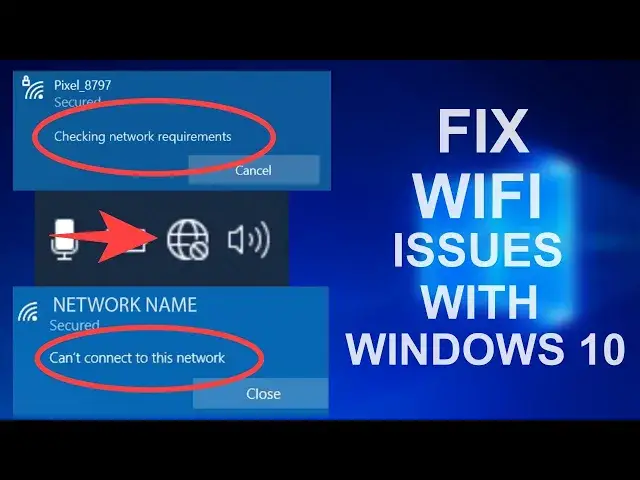
You can fix the following issue with your wifi on Windows 10-
1. Wifi Not Working At All.
2. Stuck at Checking Network Requirement for a long time.
3. Can't Connect To This Network.
4. WiFi Stuck at Connecting.
5. No WiFi Network Found
If you have any of the above issues, this video will solve it completely.
00:00 Problem Overview and Common Fix
0:43 Method 1- Reset Internet Settings
1:30 Method 2 - Windows Troubleshooter
3:07 Method 3 - Re-Enable WiFi Adapter
3:37 Method 4 - Re-Install Network Driver
6:36 Method 5 - Reset WinSock & IP logs
7:54 Method 6 - Check Network services
10:06 Fix for WiFi Not Connecting
It is advised to create a system restore point before following any Windows tutorials online.
It is important to check if you have a WiFi driver installed for your device.
If you are really unlucky then this may not work in this case, you can use an external WiFi card on your Laptop/PC.
I have written a detailed guide with more methods as well.
https://www.itechfever.com/fix-wifi-not-working-issue-windows-10/
My Recommendation for -
External WiFi Card - https://amzn.to/3lAMTU3
Range Extender - https://amzn.to/3784pLJ (I use this too)
WiFi Router - https://amzn.to/34NEvK5
Gadgets For Geeks - https://www.amazon.com/shop/sandeepsingh
Note: It is advised to create a system restore point before following any Windows tutorial.
Follow on Social Media
Facebook - https://fb.com/iTechFever
Twitter - https://twitter.com/itechfever
Instagram - https://instagram.com/itechfever
Visit - https://www.itechfever.com
Show More Show Less