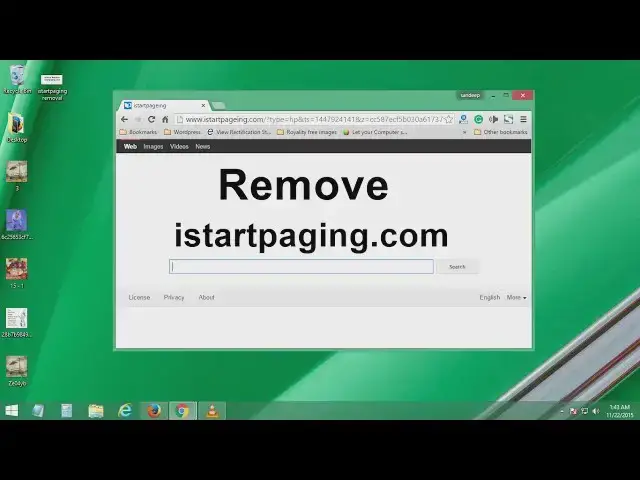

Istartpageing.com Removal, How to Remove istartpageing Browser Redirect
Mar 24, 2024
How to remove istartpaging.com browser redirect from Google chrome, Mozilla Firefox and Internet Explorer.
istartpageing is another bogus browser adware which redirects you to different rogue websites once it got installed into your windows computer like windows 7,8, 8.1 or windows 10.
Read in details- http://www.itechfever.com/istartpageing-com-remove-redirect/
Step to Remove istartpageing.com -
1. Close all your browsers.
2. Open task manager and end the processes like
Dtool 32 bit, any other process having .tmp extension
3. Download iobit uninstaller and uninstall following programs
Cinema plus HD
iweber
Youtube downloader
Daily PC scan
Shopper Pro
MovieDea
Browser protect
Video Saver
VPlay
Less Tab etc
Delete all the leftovers using iobit uninstaller.
4. In iobit go to Plugins and Toolbar select all the bogus extensions and plugin and remove them.
5. Go to c drive then Program files find their folders and delete them.
Remove istartpageing from Google Chrome.
1. Go to Chrome Menu - Settings
2. Change Start pages
3. Change Home button URL
4. Change your default search engines and delete istartpageing
5. Click on extension and remove bogus extensions.
Removal from Mozilla Firefox.
1. Go to Firefox Menu then Click on Options
2. Remove Homepage URL
3. Click on Search, change default Search Engine and remove istartpaging and other unwanted Engines.
4. Go to address bar and type "about:config" hit enter and click on "I'll be careful"
5. In search box search for "istart" and reset every string containing ipaging.
6. Again search for "newtab" reset the browser.newtab.url string.
Remove it form Internet Explorer-
1. Go to gear Menu and click on Internet Options
2. Change your homepage.
3. Go to gear menu again and click on Manage Ad-ons
4. Disable extension related to istartpaging
5. Remove bogus search engines.
It is advised to perform a malware scan, there may be virus and malware into your computer.
Like Us on Facebook - http://fb/com/iTechFever
Show More Show Less