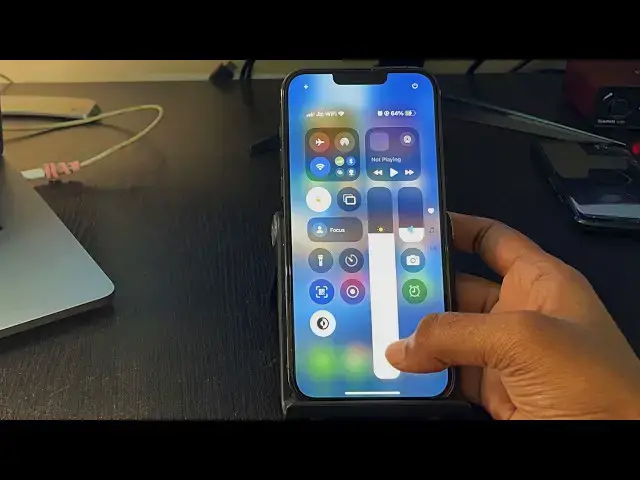

How to Reduce iPhone Brightness Even More
Mar 5, 2025
Sometimes the lowest brightness on your iPhone is not enough and you want to reduce iPhone brightness even more than the lowest. In this video, you will find a way to dim the display beyond the minimum level and create shortcuts to quickly access the feature.
Steps to lower the brightness even more-
1. Go to the iPhone Settings app.
2. Accessibility -- Display & Text size
3. Enable "Reduce white point" and adjust the setting using the slider.
Now, it will reduce the brightness but when you go in a bright environment, you have to disable the "Reduce white point" option otherwise you won't be able to see the screen properly.
Creating a shortcut to quickly access the feature:-
1. Go to Accessibility Settings and the Accessibility Shortcut
2. Enable "Reduce white point"
3. Now you can enable/disable the feature by pressing side button 3 times.
4. Disabling "Guided access" is suggested.
Or you can enable back tap and select the accessibility shortcut.
#iPhone #Brightness #iphonetips
Don't miss these videos -
Clean C drive to unlock more speed: https://youtu.be/X2-KNOkcF_c
Make Windows 11 200% Faster: https://youtu.be/8am0IB13Udg
Make Windows 11 Start Menu Look Great: https://youtu.be/KIgc_ZiYffI
Password Protect Folders in Windows 11/10: https://youtu.be/MuB5keJcw_M
Boost CPU Speed: https://youtu.be/ea89hdRpsKs
Make WiFi Run Much Faster: https://youtu.be/eHcZ_kzhgMw
Stay Private on the Internet: https://youtu.be/TPsQYi8PhJE
Join this channel to get access to perks:
https://www.youtube.com/channel/UCMdElTwiU4JrDUkuI_eqPJg/join
Disclaimer:- It is advised to backup your device before you follow any tutorials.
Any data, IP, emails, and files shown in videos are for demonstration purposes only and do not belong to any third person or entity.
Follow on Social Media
Facebook - https://fb.com/iTechFever
Twitter - https://twitter.com/itechfever
Instagram - https://instagram.com/itechfever
My IG - https://instagram.com/sparnidya
Visit - https://www.itechfever.com
Show More Show Less