Up next in 10


Video Game tools @
https://incendar.com/
Get Afterburner as mentioned in this video:
https://www.msi.com/page/afterburner
TLDW:
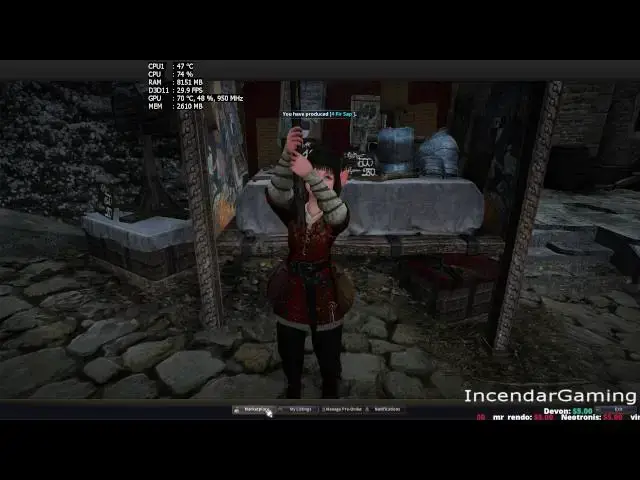
Just use the left menus to look for your items. Do not type in anything to search for until you select something on the left. Also using Favorite List may also cause horrible lag. This lag is way worse at peak time like 6-10pm EST.
The 2nd Lag fix , if you think you have unusually slow FPS after using the market place, hit escape, choose marketplace, then my listings, and use the X in top right of that window. This is more rare of a lag but is easily fixed!
Show More Show Less View Video Transcript
0:01
hey YouTube in sendar here today I want
0:04
to do a pretty quick video on ways
0:07
around the market lag that's really
0:09
seemed to become a major issue maybe
0:11
over the next last week or two maybe
0:13
since the steam release uh got to the
0:16
point I didn't even want to use the
0:17
marketplace anymore and when people were
0:19
asking me in stream they said there's a
0:21
couple ways around it so I'm going to
0:22
share that with you today I know it's
0:24
been a little while since I've done any
0:25
YouTube videos so star out here I'll
0:27
probably try to cover a bunch of videos
0:30
you know on current game problems that
0:31
people are having you might know some of
0:33
them if so just skip it but all right
0:36
let's get
0:38
started so you might be familiar let me
0:42
just start by saying I'm going to be
0:43
using a program called MSI After Burner
0:45
I'll place a link uh below this in the
0:48
description I'm capping uh this at 30
0:51
frames to make this
0:53
video uh this is helpful to show you
0:56
what your actual frame rate in the game
0:57
is uh temperatures RAM usage other
1:00
stuff you don't have to use it of course
1:04
all right so I go to the
1:06
marketplace you'll notice I'm 30
1:08
frames search for something the one
1:11
thing I should mention
1:13
today you probably just notice that
1:15
frame rate drop to I think 6 uh the one
1:18
important thing I'm recording in the
1:19
morning EST which is not a peak time
1:22
when you're at Peak time you'll notice
1:25
this drops to sometimes zero frames and
1:28
even locks up for a couple minutes um
1:30
right now it won't be nearly as bad but
1:32
I will be able to make this video at
1:34
this time of day but um you can see the
1:37
frames are pretty low I don't know what
1:39
this problem actually is if it's just
1:40
searching for everything on the
1:41
marketplace that's probably what it is
1:43
instead of just you know certain items
1:45
so anyway if you come up here and you
1:46
search for the item you want you could
1:48
be locked out of your frames are going
1:50
to drop to
1:51
nothing this also occurs if you use the
1:53
favorite list over here and you can keep
1:55
an eye on this frame
1:57
rate so I was you know at a steady 30
2:00
and now it's dropped to nothing this
2:03
will be so much worse too on peak times
2:05
so the way around this you want to uh
2:08
use the list over here I guess which
2:11
Cuts things down to a certain amount and
2:12
you can see as soon as I do that frames
2:14
are perfect this also works uh exactly
2:17
the same with Market Maids um I'm using
2:20
an actual Marketplace uh person here but
2:23
you can do it with Maids too so
2:26
now you notice the frames are just
2:28
steady
2:30
and piece of cake to buy
2:32
stuff now this was uh bothering me so
2:35
much I mean obviously everyone's going
2:36
to be playing at the peak times and
2:38
that's when this doesn't work and I just
2:40
pretty much totally gave up the market
2:42
but um since I've become aware of this I
2:44
can actually buy things again and
2:45
there's a lot of opportunity here
2:46
because I guess there's a lot of other
2:47
people that have just refused to use the
2:49
marketplace um you know with this
2:52
horrible lag or I guess they can't um
2:54
I've had it twice you know drop to zero
2:56
frames and just completely lock you can
2:59
try to wait that out if that happens but
3:00
hopefully you'll use this method and it
3:01
won't you know you won't have any more
3:03
problems so again we're at sticking at
3:05
30 I go over
3:07
here see the frame rate just drops and
3:11
that's going to drop to near nothing
3:12
probably at peak times for some
3:14
people then again if I just
3:17
search horrible
3:19
frame this is kind of tricky you have to
3:21
find out you know where the items you
3:23
want are
3:24
located and then of course I I'll just
3:27
do this one more time from the beginning
3:30
Marketplace just start over
3:38
here you notice no lag at all can buy
3:41
all the items piece of
3:44
cake okay so that's one of the lags that
3:46
seems to be affecting most people um
3:48
this second issue doesn't seem to happen
3:51
very often and only happens to a few
3:53
people I haven't actually had it happen
3:55
recently uh but again someone suggested
3:57
this in a stream when I got some
3:58
unexpected
4:00
um if if you're playing the game and you
4:02
feel and you've used the marketplace and
4:05
you feel like you've got some lag there
4:07
may actually be an issue with the
4:09
marketplace still running and there's
4:11
actually a pretty easy way to uh remedy
4:14
this uh so try it out if you ever get uh
4:15
low frames like I said I don't know if
4:17
they fixed it I haven't seen this in
4:18
about a week or two I think it's
4:20
probably still around though since it
4:21
was around for a long time so you can
4:24
always try this if you're experiencing
4:25
some lag outside the marketplace so
4:28
click Marketplace
4:30
view my
4:31
items and then make sure to click this
4:35
x now what that does basically if you go
4:38
to the marketplace and I guess there's
4:39
some kind of bug where the marketplace
4:40
will still be running when you're doing
4:42
other stuff so slowing down everything
4:44
if you actually do that exact procedure
4:47
Marketplace view my items and make sure
4:50
to click this x that'll actually make
4:52
sure the marketplace is closed and not
4:54
running in the background um just want
4:56
to take a quick second I hope this this
4:57
helps you out I want to say thanks to
4:59
all uh donators subscribers and
5:02
followers uh for keeping me motivated
5:04
and hopefully I'll get a lot more videos
5:06
out here in a short period of
5:08
time click subscribe to get
5:10
notifications of any new videos visi
5:12
incendar dcom I put all the tools I
5:15
actually use in game there leave a
5:17
comment if there was a video you would
5:18
like to see or you think is missing and
5:20
thanks a lot for watching I'll see you
5:22
guys next time
#Computer & Video Games
#Virtual Worlds
#Massively Multiplayer Games
#Other