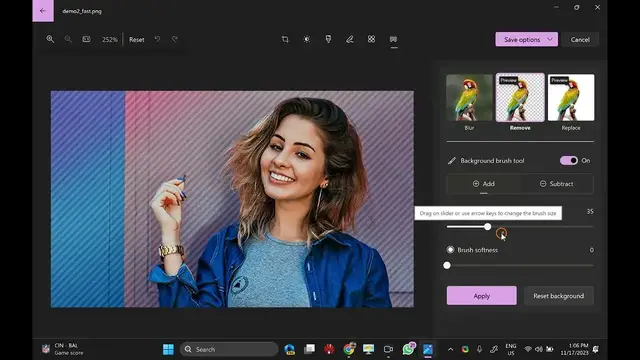

How to Remove or Replace Image Backgrounds in Photos App on Windows 11 | GrowUpWindows
Nov 17, 2023
🌟 Unlock the Power of Windows 11 Photo App: Learn How to Remove or Replace Image Backgrounds! 🌈
Welcome back, GrowUpWindows fam! 🚀 In today's tutorial, we're diving into the fascinating world of image editing on Windows 11 using the built-in Photo App. 📸✨
Are you tired of boring backgrounds in your photos? Ready to add a touch of magic to your images? Look no further! In this step-by-step guide, we'll show you how to effortlessly remove or replace backgrounds using the powerful features of the Windows 11 Photo App.
🔍 What's Inside:
1️⃣ Background Removal: Discover the secrets to removing unwanted backgrounds with just a few clicks. Perfect for creating clean, professional-looking images for presentations or social media.
2️⃣ Background Replacement: Spice up your photos by replacing the background with something more exciting! Whether it's a stunning landscape or a vibrant pattern, we've got you covered.
3️⃣ Tips and Tricks: Uncover insider tips and tricks to make your background editing experience smoother and more enjoyable. From refining edges to adjusting lighting, we'll cover it all.
🎓 Whether you're a seasoned Windows user or just getting started, this tutorial is designed for everyone. No fancy software needed – just your creativity and the Windows 11 Photo App!
🚀 Ready to elevate your photo editing game? Hit that play button and let's dive in together! Don't forget to like, subscribe, and ring the notification bell to stay updated on all things GrowUpWindows. 💻✨
Let's create magic with Windows 11 Photo App – because your images deserve the spotlight! 🌟
Read more at https://gearupwindows.com/how-to-remove-or-replace-image-backgrounds-in-photos-app-on-windows-11/
Show More Show Less #People & Society